


Commercial Truck Camera Systems & Fleet Security
Verkada Transportation brings rugged in-vehicle cameras, a 5G vehicle gateway, GPS and driving events into Verkada Command, the same cloud platform Verkada uses for building security. Monarch helps fleets plan, install and support it across the vehicles they run.
- Up to 10 cameras per vehicle
- 5G, LTE & Wi-Fi gateway
- GPS & driving events
- Face blurring built in
Last updated: September 2026
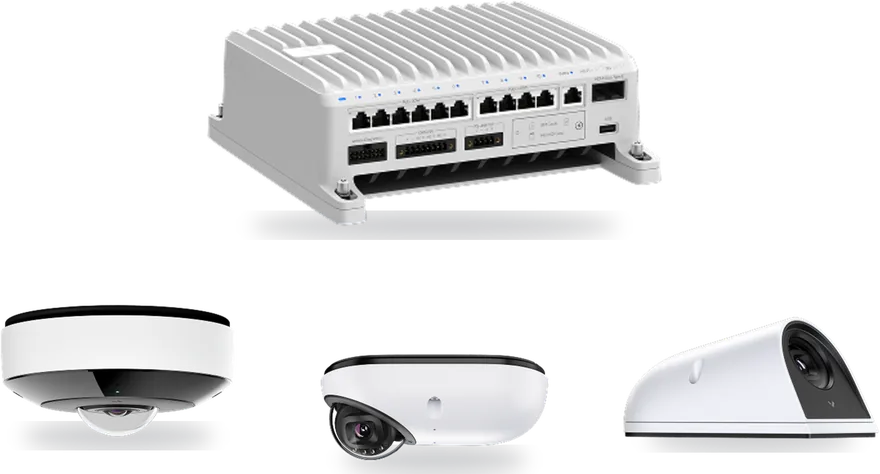
Truck security camera system, built for vehicles
Three ruggedized cameras and one gateway per vehicle, all managed from the cloud.
Verkada Transportation is Verkada's in-vehicle security line: fisheye, dome and exterior wedge cameras connected by a 5G and Wi-Fi gateway that also reads GPS and vehicle diagnostics. Footage, trips and driving events are all reviewed in Verkada Command.
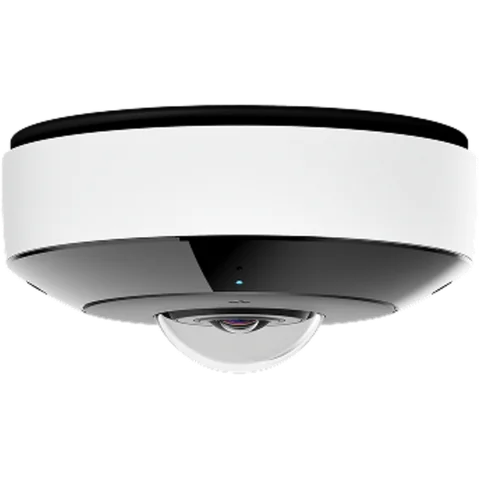
Fisheye camera
Verkada KCF61-E
12.5MP · 180° · built-in microphone
Panoramic coverage of a whole cabin or cargo area from one camera.
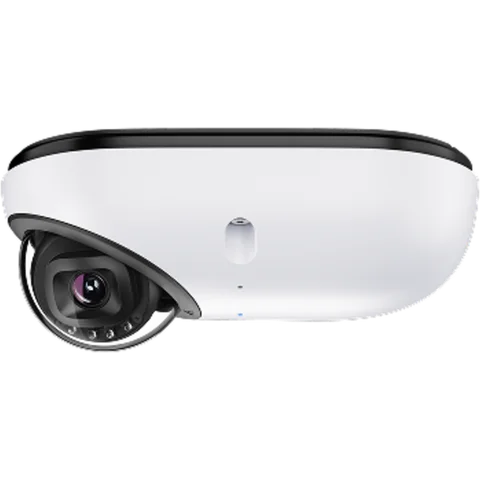
Low-profile dome
Verkada KCD41-E
5MP · 78° · built-in microphone
Adjustable lens for aisles, doorways and specific seats. Built to withstand frequent pressure washing.
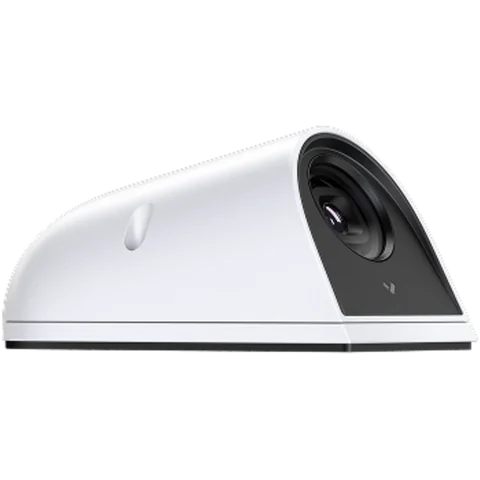
Exterior wedge
Verkada KCW41-E
5MP · 78° · no audio
Ultra-durable camera for the outside of the vehicle. Built to withstand frequent pressure washing.
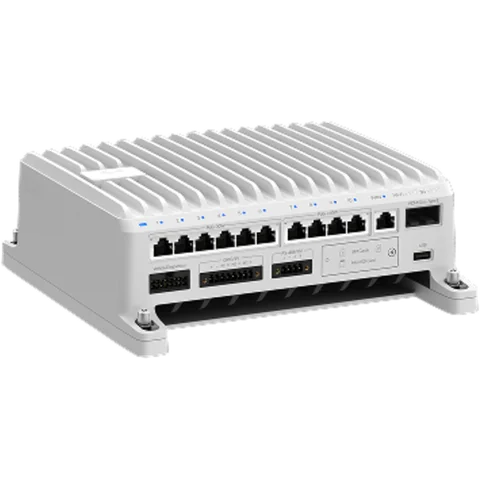
Vehicle gateway
Verkada KGX61
- 5G and LTE on the road, switching to Wi-Fi automatically when in range
- Powers and connects up to 10 transportation cameras
- Reads vehicle diagnostics over OBD-II and J1939
- 12–24V DC input; HDMI out for an in-cab monitor
- Footage stays reachable with the vehicle off, via cloud backup or by waking the gateway
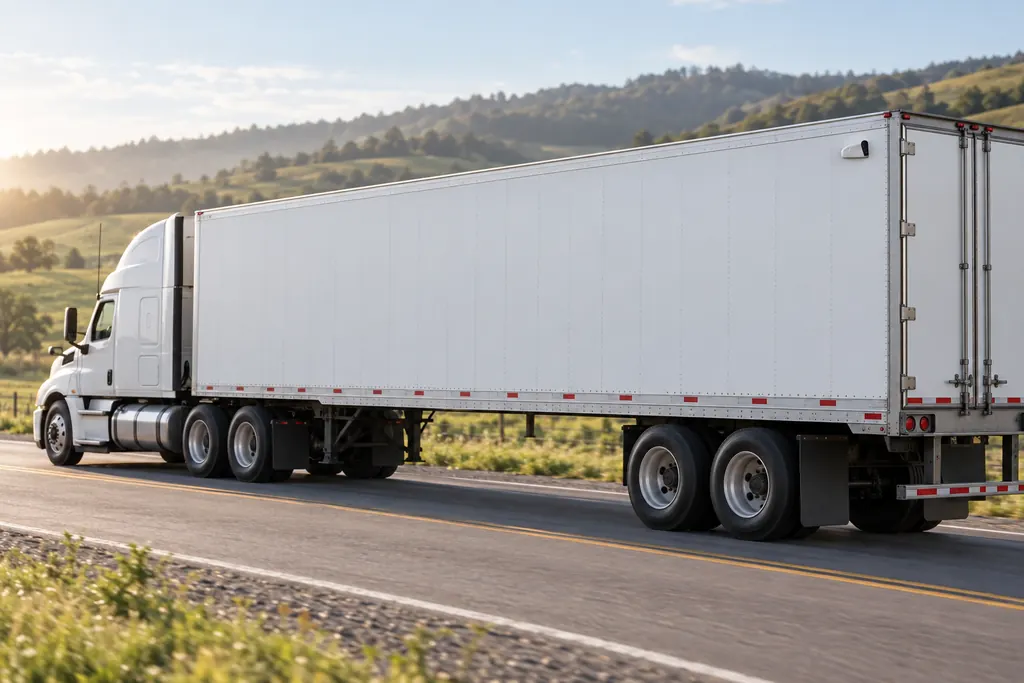
A semi truck camera system that stays connected
Cameras store footage on the device, and the gateway reaches the cloud over 5G or LTE on the road, then switches to Wi-Fi at the yard. Security teams can pull footage from a moving or parked truck without waiting for it to come back.
- Inside and out: fisheye and dome cameras for the cab and cargo areas, a wedge camera for the exterior.
- No DVR in the cab: footage lives on the cameras and in the cloud, reachable even with the engine off.
- Up to the moment of impact: footage is saved even if a collision cuts the power.
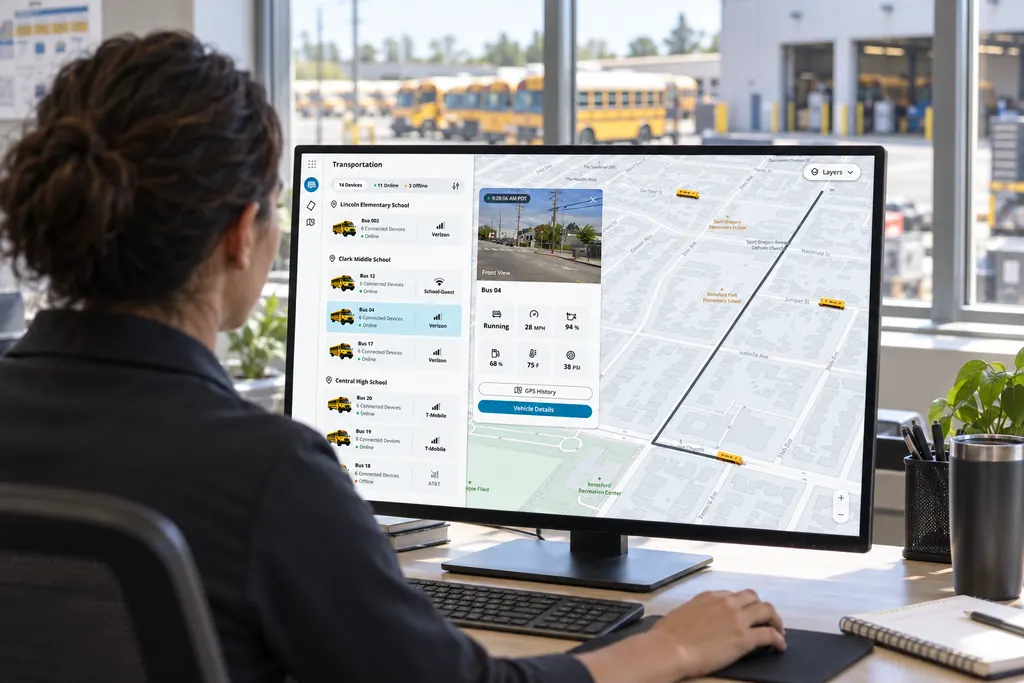
Fleet safety cameras with GPS and driving events
- Live fleet map: Every vehicle's real-time location, active trips, camera previews and diagnostics on one map.
- GPS trip history: Click a point on a trip to see the footage from that moment, or pull footage from every vehicle that passed an address.
- Driving events: Speeding, harsh braking, harsh acceleration and sharp turning, paired with the video and location for coaching or claims.
- Vehicle health: Fuel, transmission fluid and oil levels read from the vehicle's diagnostics port.
- AI search and alerts: Find people or vehicles by clothing color, vehicle make, a natural-language description or an uploaded photo, and get alerted to fights, slip-and-falls or a person of interest boarding.
- Evidence to the moment of impact: Footage is processed and saved up to the moment of impact, even if a collision cuts the power.
Choosing between systems? Read our guide to the best commercial truck camera systems.
Buildings and vehicles, one console
Most fleets run vehicle video in one system and building security in another. Verkada Transportation is managed in Verkada Command, the same platform Verkada uses for its cameras, access control and alarms, so an investigation that starts at the loading dock can follow the truck that left it.
If you already run Verkada at your warehouses and yards, your team learns nothing new. If you don't, the vehicles are a place to start.
Drivers and passengers protected
- Face blurring: blur every face in live footage, or selectively when footage is saved and shared.
- Off by default: facial recognition and other sensitive features are disabled until an admin turns them on.
- Location-aware: the gateway can manage biometric features automatically based on where the vehicle is.
- Controlled sharing: role-based permissions and timed, revocable links for footage.
Rules differ by state. See dash cam laws by state before you roll out cameras.
Is Verkada Transportation the right fit? An honest comparison
Telematics-first dash cams vs Verkada Transportation
Based on Verkada's published product pages| Topic | Telematics-first dash cam | Verkada Transportation |
|---|---|---|
| Built around | Telematics-first dash camThe driver and the road ahead | Verkada TransportationSecurity of the vehicle, its cargo and its passengers |
| Typical cameras | Telematics-first dash camWindshield road-facing and driver-facing dash cams | Verkada TransportationFisheye, dome and exterior wedge cameras placed inside and outside |
| Driver-distraction AI | Telematics-first dash camOften included (phone use, drowsiness) | Verkada TransportationNot part of what Verkada announced |
| ELD / hours of service | Telematics-first dash camOften included | Verkada TransportationNot part of what Verkada announced |
| Driving events | Telematics-first dash camYes | Verkada TransportationSpeeding, harsh braking, harsh acceleration, sharp turning |
| Buildings and vehicles together | Telematics-first dash camSeparate system from your building cameras | Verkada TransportationManaged in Verkada Command, the same platform as Verkada building security |
Many fleets keep their ELD and add Verkada for security and evidence. Comparing platforms? Read our look at Samsara alternatives.
How to choose commercial truck camera systems
Six questions that separate a system you'll use from one that sits in the glovebox.
- 01
Coverage, not just a windshield view
Decide which areas matter: the road ahead, the cab, the cargo area, the doors, the sides and rear. Commercial truck camera systems range from a single dash cam to multi-camera setups; buy for the incidents you actually have.
- 02
How footage gets off the vehicle
Some systems only upload short event clips; others keep full footage you can reach remotely. Ask how you retrieve a clip from a truck that is 400 miles away, and what happens when it is parked with the engine off.
- 03
Evidence quality
Resolution, field of view, audio and time-synced GPS and speed data decide whether a clip settles a claim. Ask whether footage survives a collision that cuts power.
- 04
Driver and passenger privacy
Look for face blurring, admin-only access to sensitive features, and clear rules about who can view and share footage. Check the laws in the states you operate in before you install.
- 05
What it connects to
A telematics-first system connects to your ELD and routing tools. A security-first system connects to your building cameras and access control. Pick the one that matches who owns the problem.
- 06
Total cost over the contract
Budget for hardware, per-vehicle licenses, cellular data, installation downtime and training. Ask for license terms in writing, and how pricing changes when you add vehicles.
Verkada Transportation is strongest where security and evidence lead: multi-camera coverage inside and outside the vehicle, remote access to full footage, face blurring, and one platform with your buildings. If driver-distraction coaching or an ELD is the priority, a telematics-first platform may fit better, and many fleets run both. Our buyer's guide to commercial truck camera systems goes deeper, and fleet vehicle dash cams covers the dash cam side.
How Monarch rolls out a fleet camera system
- 1
Fleet review
We look at your vehicle types, where they park, what incidents cost you most, and what you already run in your buildings.
- 2
Vehicle design
Camera count and placement per vehicle type, gateway location, power and a pilot group to start with.
- 3
Install and pilot
We install on the pilot vehicles, set up alerts and access, and check footage retrieval in the real world.
- 4
Roll out and support
We extend the rollout across the fleet, train your team in Command, and stay your point of contact.
Truck surveillance cameras for every kind of fleet
Trucking and logistics
Watch cargo areas and the trailer exterior, review the footage behind a claim, and see where every truck is from the same console as your warehouse cameras.
Public transit and shuttles
Fisheye and dome cameras cover the cabin, alerts flag a fight or a fall, and face blurring protects passengers when footage is shared.
Service and delivery vans
Exterior cameras record what happens at the curb, and GPS search pulls the clip from a customer's address.
School districts
Districts that already run Verkada on campus manage everything in Command. Ask us whether Verkada Transportation fits your buses before you plan a rollout.
Questions to answer before you buy
- 1Which areas of each vehicle do you need to see: cabin, cargo, doors, exterior?
- 2Do you need driver-distraction AI or an ELD, or is your priority security and evidence?
- 3Do you already run Verkada cameras in your buildings?
- 4How many vehicles, and what types, need coverage in the first phase?
- 5Who needs access to footage, and what privacy rules apply to your drivers and passengers?
- 6Where do your vehicles park overnight, and is there Wi-Fi in range?
Fleet camera guides
- The best commercial truck camera systems: a buyer's guide
- Fleet vehicle dash cams: what they are and how to roll them out
- Dash cam laws by state, and are driver-facing cameras legal?
- Samsara alternatives: how fleets compare their options
- Driver exoneration: how video defends drivers against false claims
Verkada announced Transportation in September 2026 and hasn't published pricing. Contact Monarch for current availability and a quote for your fleet.
Commercial truck camera system FAQs
What fleets ask about Verkada Transportation, answered straight.
What is Verkada Transportation?
Verkada Transportation is Verkada's in-vehicle security line, announced in September 2026. It combines three ruggedized cameras (fisheye, dome and exterior wedge), a 5G and Wi-Fi vehicle gateway, vehicle diagnostics and GPS, all managed in Verkada Command.
Is Verkada Transportation a dash cam?
Not in the usual sense. Verkada's cameras are fisheye, dome and exterior wedge models built to secure areas inside and outside a vehicle, rather than a windshield road-facing or driver-distraction camera. It does record driving events such as speeding and harsh braking alongside GPS and video.
How many cameras can one vehicle have?
One KGX61 gateway powers and connects up to 10 Verkada transportation cameras.
How does footage get off the vehicle?
The gateway connects over 5G or LTE on the road and switches to Wi-Fi when in range. Cameras store footage on the device, and you can reach it even when the vehicle is off, from a cloud backup or by temporarily waking the gateway.
How does it protect driver and passenger privacy?
Faces can be blurred in live footage or when footage is saved, facial recognition and other sensitive features are off by default and only admins can turn them on, and the gateway can manage biometric features automatically based on where the vehicle is.
Does it replace an ELD or a telematics platform?
Verkada did not announce ELD or hours-of-service features. Many fleets will keep their ELD and add Verkada Transportation for security, evidence and fleet-wide video in the same platform as their buildings.
When is it available, and what does it cost?
Verkada announced the line in September 2026 and has not published pricing. Contact Monarch for current availability and a quote for your fleet.
Every vehicle and building,
one security platform.
Tell us about your fleet and what you need to see. We'll show you Verkada Transportation and plan a rollout around your vehicles.
- Verkada Authorized Reseller
- Designed & installed by Monarch
- Support after install