


Updated September 22, 2026.
The best commercial truck camera systems are the ones that match the problem you are actually trying to solve: proving what happened in a crash, coaching risky driving, or protecting cargo, passengers and vehicles from theft and misconduct. Start there, then compare camera coverage, how footage gets off the vehicle, what the AI flags, how driver privacy is handled, and what software the video lives in. Brand rankings come last, not first.
This guide walks through the types of systems on the market, the questions that separate a good fit from an expensive mistake, and the two broad philosophies vendors build from. We are Monarch Connected, an authorized Verkada reseller that designs, installs and supports Verkada systems, so we will also be clear about where Verkada's new transportation line fits and where it does not.
What a commercial truck camera system actually includes
A consumer dash cam is a single device that records to a memory card. A commercial system is a fleet tool. It usually has four parts:
- Cameras mounted on the windshield, in the cab, in the cargo area, or on the vehicle exterior.
- A recorder or gateway that powers the cameras, stores or buffers video, and often reads vehicle data such as GPS position, speed and diagnostics.
- A connection (cellular, Wi-Fi at the yard, or both) that moves clips or full footage off the truck.
- Software where managers search video, review events, share clips and manage every vehicle at once.
The software is where you will spend your time, and where vendors differ most.
The main types of truck camera systems
"Truck camera systems" covers several very different products.
Road-facing cameras
A single forward-facing camera records the road ahead. This is the classic starting point because the most common dispute after a crash is what the other vehicle did. Road-facing video can show following distance, lane position, signals and the other driver's actions.
Dual-facing cameras
A dual-facing unit adds a lens pointed at the driver and cab. It captures phone use, seatbelt use and fatigue signs, and it lets a reviewer confirm the driver was attentive when something went wrong. It is also the feature drivers most often push back on, so it needs a clear policy (more on that below).
Multi-camera systems
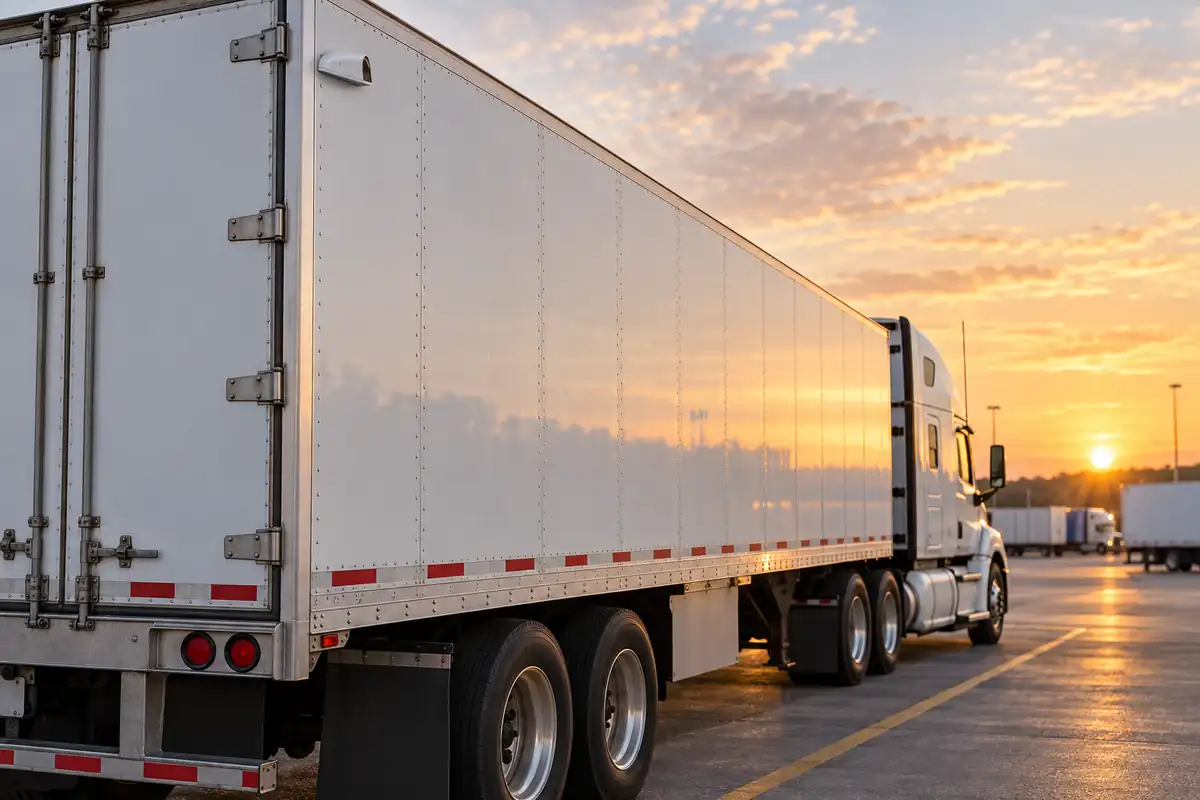
A multi-camera setup adds side, rear, cargo or passenger-area cameras connected to one recorder or gateway. For a semi truck camera system this often means side cameras for blind spots and a rear camera on the trailer. For buses, vans and service vehicles it can mean interior coverage of passengers or tools and exterior coverage around doors. The value here is less about the crash itself and more about everything else: theft, damage claims, passenger incidents, and what happened while the vehicle was parked.
AI dash cams
An AI dash cam runs detection on the device or in the cloud to flag events automatically: harsh braking, speeding, and on some products distraction or tailgating. The AI decides which clips get uploaded and which ones a manager sees first. The quality of that triage matters more than almost any spec sheet number.
| System type | What it covers best | Typical question it answers | What to watch |
|---|---|---|---|
| Road-facing | The road ahead | "Who caused the collision?" | Night and glare performance, mounting location |
| Dual-facing | Road plus driver | "Was the driver distracted?" | Driver buy-in, biometric and privacy rules |
| Multi-camera | Sides, rear, cargo, passengers, exterior | "What happened around or inside the vehicle?" | Power budget, cabling, install time |
| AI dash cam | Automatically flagged events | "Which of 10,000 hours should I watch?" | False alerts, which events are detected |
Many fleets end up combining types, such as road-facing cameras on long-haul tractors and multi-camera setups on buses or box trucks.
What to evaluate before you buy
Once you know the type, these are the areas that separate systems in practice.
Video quality where it counts
Ask to see footage at night, into low sun, and in rain, not just resolution numbers. A wide lens covers more area but makes distant objects smaller. For interior and passenger coverage, a wide fisheye can cover a whole cabin with one camera; for reading a plate or a face at a distance, a narrower lens does better. Ask for sample clips from vehicles like yours, not a showroom demo.
Storage, upload and remote access
This is the single most important technical question: how does video get from the truck to you, and how fast?
- Does the device record continuously, or only around events?
- How much is stored on the vehicle, and what happens when storage fills?
- Do event clips upload automatically over cellular, and can you request other footage remotely while the truck is on the road?
- Can you reach footage when the vehicle is parked and switched off?
- Does it offload over Wi-Fi at the yard to save cellular data?
If the honest answer to "can I see footage from a truck that is still on the road" is "only after it returns to the yard," that tells you how quickly you will be able to respond to a claim.
AI events and alert quality
Get a written list of the events the system detects, and ask which are detected by the camera's vision model and which come from vehicle data like speed or acceleration. Then run a pilot and count false alerts. A system that floods managers with alerts quickly gets ignored. Good systems let you tune thresholds and route different events to different people.
Driver privacy and consent
Driver-facing video and facial recognition raise real legal and morale questions. Illinois' Biometric Information Privacy Act, for example, treats a "scan of hand or face geometry" as a biometric identifier and requires written notice and a written release before collecting one. Ask each vendor whether face-based features are on or off by default, who can turn them on, and whether faces can be blurred before a clip is shared. Our dash cam laws by state guide covers recording laws.
Mounting rules
Windshield mounting is regulated. For commercial motor vehicles, 49 CFR 393.60(e) allows vehicle safety technology devices, which the rules define to include driver camera systems, to be mounted on the windshield within 8.5 inches of the top of the area swept by the wipers or within 7 inches of the bottom, and outside the driver's sight lines to the road, signs and signals. States can add their own rules. Your installer should know these before drilling anything.
Integration
Finally, ask where the video lives relative to your other systems. Some fleets want camera video inside the same app as their ELD and GPS tracking. Others want truck video in the same place as the cameras on their warehouse, yard and office. That choice leads to the biggest fork in the market.
Telematics-first vs security-platform-first
Vendors tend to come at vehicle video from one of two directions. Neither is wrong. They are built for different buyers.
Telematics-first platforms started with GPS tracking, electronic logging and fuel and maintenance data, then added dash cams. Their strengths are usually driver scorecards, coaching workflows and compliance features, all in the same app a fleet or safety manager already uses. If your main goals are hours-of-service compliance, driver coaching and insurance conversations, this approach is a natural fit. We compare several of these options in our Samsara alternatives guide.
Security-platform-first systems started with building video security, access control and alarms, then extended to vehicles. Their strengths are investigation tools: searching video by person or vehicle attributes, alerts for incidents like fights or a missing person, role-based access and clip sharing, and managing vehicle cameras next to building cameras. If your main problems are theft, vandalism, passenger incidents, cargo loss, or investigations that cross from the yard to the truck, this approach fits better.
A quick test: if the daily user is a safety or compliance manager, lean telematics-first. If it is a security, facilities or IT team that already manages cameras, lean security-first. Some organizations run both.
How to choose the best commercial truck camera systems for your fleet
Put your requirements in order before you compare brands. A simple scoring exercise works:
- List the incidents that cost you the most in the last two years: crash claims, cargo theft, damage disputes, passenger complaints, vandalism in the yard.
- Map each one to a camera position. Crash disputes need road-facing video. Cargo loss needs cargo or rear coverage. Passenger incidents need interior coverage.
- Decide who reviews video and how fast. Same-day remote access requires cellular upload and remote retrieval.
- Decide where the video should live (telematics app, security platform, or both).
- Set your privacy rules before you pick hardware, especially for driver-facing cameras and any face-based features.
- Pilot on a handful of vehicles across different routes and shifts before committing the fleet.
If the answers point at road-facing video and driver coaching, a dedicated fleet dash cam is likely your starting point; our guide to choosing a fleet vehicle dash cam goes deeper. If they point at a broader truck surveillance camera setup covering interior, cargo and exterior, a multi-camera system on a vehicle gateway is the better match.
Where Verkada Transportation fits
Verkada announced Verkada Transportation in September 2026 at its VerkadaOne conference. It is a security-platform-first system: vehicle cameras and a vehicle gateway managed in Verkada Command, the same cloud platform Verkada uses for its building cameras and access control. Here is what Verkada has published:
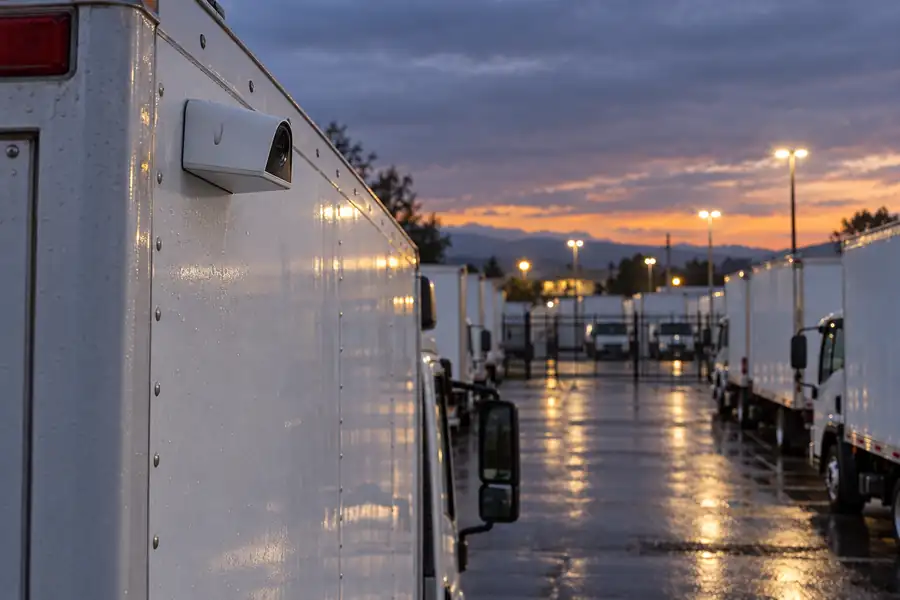
- Three ruggedized cameras in different form factors: the KCF61-E fisheye (12.5MP, 180° field of view, built-in microphone), the KCD41-E low-profile dome (5MP, 78°, built-in microphone), and the KCW41-E wedge camera for vehicle exteriors (5MP, 78°). Verkada says they are designed to withstand high vibration and a wide temperature range, and that the KCD41-E and KCW41-E are designed to withstand frequent pressure washing.
- Footage saved through a crash. Verkada states footage is processed and saved up to the moment of impact, even if a collision causes sudden power loss.
- The KGX61 gateway, which connects over 5G, LTE or Wi-Fi, powers up to 10 transportation cameras, reads vehicle diagnostics over OBD-II and J1939, and captures GPS location and trip history. Verkada says you can reach footage even when the vehicle is off, by cloud backup or by temporarily waking the gateway.
- Driving events such as speeding, harsh braking, harsh acceleration and sharp turning, shown with paired footage and GPS location.
- Fleet map and health, with real-time vehicle locations, active trips, and diagnostics such as fuel, transmission fluid and oil levels.
- Investigation tools, including clicking a point on a vehicle's route to see the footage from that spot, pulling up footage from every vehicle that passed an address, and searching by clothing color, vehicle make, natural language or photo upload.
- Privacy controls: facial recognition and other sensitive features are off by default and only admins can enable them; faces can be blurred in live footage or when saving clips; and the gateway can manage biometric features automatically based on vehicle location.
What it is not, based on what Verkada has published so far: it is not an electronic logging device, and Verkada has not listed driver-distraction or drowsiness detection among its driving events. Its form factors (fisheye, dome, exterior wedge) are built, in Verkada's words, "to secure areas inside or outside a vehicle." If forward road video and driver coaching are your top priority, ask us how it compares for your use case before you assume it replaces a dedicated dash cam.
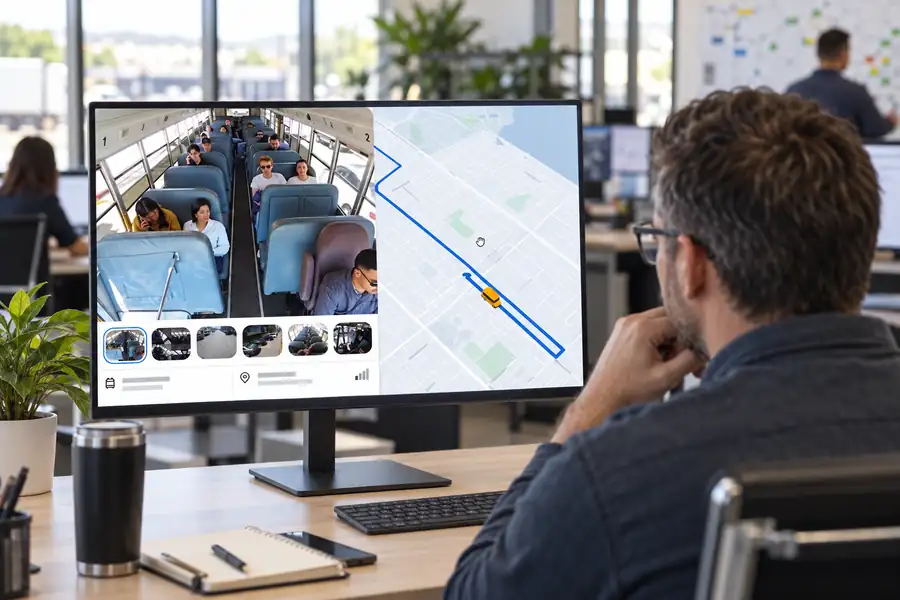
For a fleet that already runs Verkada at its yards, depots and offices, the appeal is one place to investigate an incident that starts at the loading dock and ends on the road. You can see the full overview on our Verkada Transportation page. Verkada has not published pricing for the line, so contact us for availability and a quote for your vehicles.
Total cost factors to budget for
We will not quote prices here. Costs vary by vendor, contract length and vehicle mix, and any number we printed would be out of date quickly. Instead, make sure every quote covers the same items:
| Cost factor | What to ask |
|---|---|
| Hardware | Price per camera and per recorder or gateway; which accessories are extra |
| Software licenses | Per camera, per vehicle, or per device? What features need a higher tier? |
| Cellular data | Included, pooled, or billed separately? What happens if you exceed it? |
| Installation | Per vehicle labor, cabling for multi-camera setups, downtime per truck |
| Warranty and replacement | Length of warranty and how failed units are swapped |
| Contract terms | Minimum term, early termination, and what happens to stored footage if you leave |
Build a five-year total for each finalist, since a cheap device on an expensive license can cost more than the reverse. For a sense of how building camera costs are structured, our guide to commercial security camera costs walks through the same license-plus-hardware model.
Questions to ask every vendor
Use this checklist in every demo. Ask for answers in writing.
- Which camera positions do you support (road, driver, side, rear, cargo, interior, exterior)?
- How many cameras can one vehicle recorder or gateway power?
- Where is video stored on the vehicle, and for how long?
- Which events upload automatically, and can I request other footage remotely while the vehicle is moving or parked?
- What happens to footage if the vehicle loses power in a crash?
- Which events are detected, and which rely on camera AI versus vehicle data?
- Can I tune alert thresholds and send alerts to specific people?
- Are face-based features off by default? Can faces be blurred before sharing?
- Does the system integrate with my telematics, ELD, or building security platform?
- Who installs it, and how long is each vehicle out of service?
- What is the warranty, and how are failed devices replaced?
- What is the full five-year cost, including data and licenses?
Rolling out cameras without a driver revolt
The technology is the easy part. Fleet safety cameras succeed or fail on how drivers experience them. A few practices consistently help:
- Tell drivers before install, not after. Explain what is recorded, who can view it, and what it will and will not be used for.
- Lead with exoneration. Video that clears a driver after a not-at-fault crash is the fastest way to earn trust. Our guide to driver exoneration covers how fleets use footage this way.
- Write the policy down. Cover retention, who can review, when driver-facing video is viewed, and how drivers can request their footage.
- Coach, don't ambush. Use flagged events for coaching conversations, and recognize safe drivers as well as correcting risky ones.
Frequently Asked Questions
What is the best commercial truck camera system?
There is no single best system for every fleet. The right truck security camera system depends on whether your biggest costs come from crash claims, driver behavior, theft, or passenger and cargo incidents. Define those first, then compare camera coverage, remote video access, alert quality, privacy controls and five-year cost.
Do commercial truck cameras need to be connected to the internet?
Not always, but connected systems are far more useful. Without a cellular connection, footage stays on the vehicle until someone retrieves it. With cellular upload, managers can review events and pull footage while the vehicle is still on the road.
Are driver-facing cameras legal?
In many places, yes, but rules vary by state and by what the camera captures. Face-based features such as facial recognition can fall under biometric privacy laws like Illinois' BIPA. Get legal advice for your states and write a clear driver policy before turning on driver-facing video.
Where can a dash cam be mounted on a commercial truck windshield?
For vehicles covered by the federal motor carrier safety rules, 49 CFR 393.60(e) allows vehicle safety technology on the windshield within 8.5 inches of the top of the wiper-swept area or within 7 inches of the bottom, outside the driver's sight lines. Some states add their own limits.
Is Verkada Transportation a dash cam?
Verkada Transportation is a vehicle video security system: fisheye, dome and exterior wedge cameras plus a 5G and Wi-Fi gateway that adds GPS, trip history, driving events and diagnostics, all managed in Verkada Command. Verkada has not described it as a windshield dash cam, so check whether it covers the road-facing needs your fleet has.
When can I buy Verkada Transportation through Monarch?
Verkada announced the line in September 2026. Contact Monarch for current availability and a quote for your vehicles.
Talk to Monarch about your fleet
Monarch designs, installs and supports Verkada systems nationwide. If you want an honest read on whether a security-first approach fits your fleet, we are happy to walk through it. Start with our Verkada Transportation overview or reach out to our team.