


Retail Security
& Loss Prevention Systems
Monarch Connected designs, installs, and supports retail security systems that stop theft while it's happening — AI shoplifting detection, POS-integrated video, access control, and panic alarms on one cloud platform. Built for the people who own the shrink number, from a single storefront to a hundred-site franchise.
Last updated: June 2026
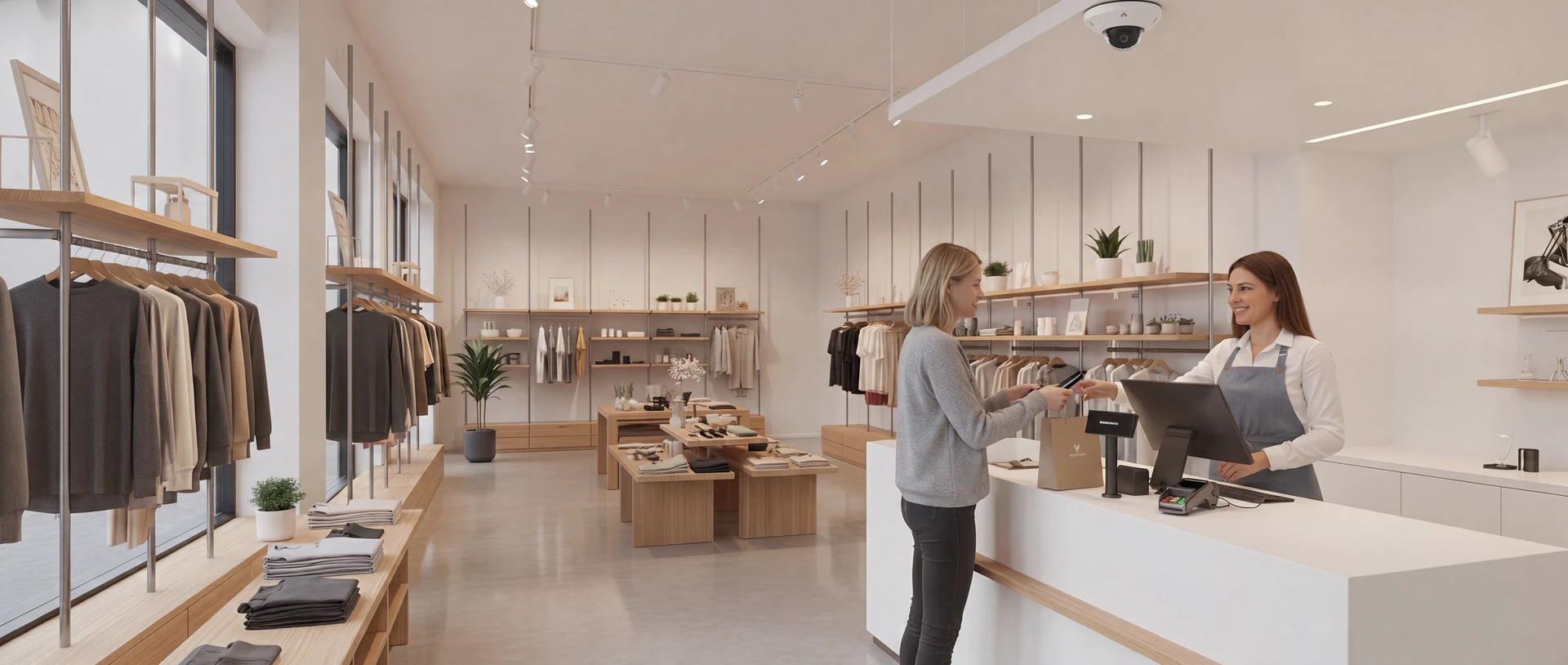
AI Shoplifting Detection
The camera sees the concealment. The AI flags it. Your staff get the alert — while the person is still in the store.
AI shoplifting detection changes what a camera is for. Traditional retail video surveillance records theft so you can watch it later — useful for an insurance claim, useless for the merchandise walking out the door. AI detection watches behavior in real time: a hand moving product into a jacket, a shopper lingering at the same high-theft shelf for the third time, a bag filling in a blind corner. When the model flags a concealment pattern, an alert reaches your floor staff in seconds — with a snapshot and the camera location — so a manager can offer "help" in aisle 7 before anything reaches the exit.
This is the part of retail security where the technology has genuinely moved. The same AI security cameras that record evidence now run on-device analytics around the clock, on every aisle simultaneously — no monitoring room, no extra headcount, no fatigue at hour nine of a shift. If you want the plain-English background first, start with our guide to what an AI security system actually is.
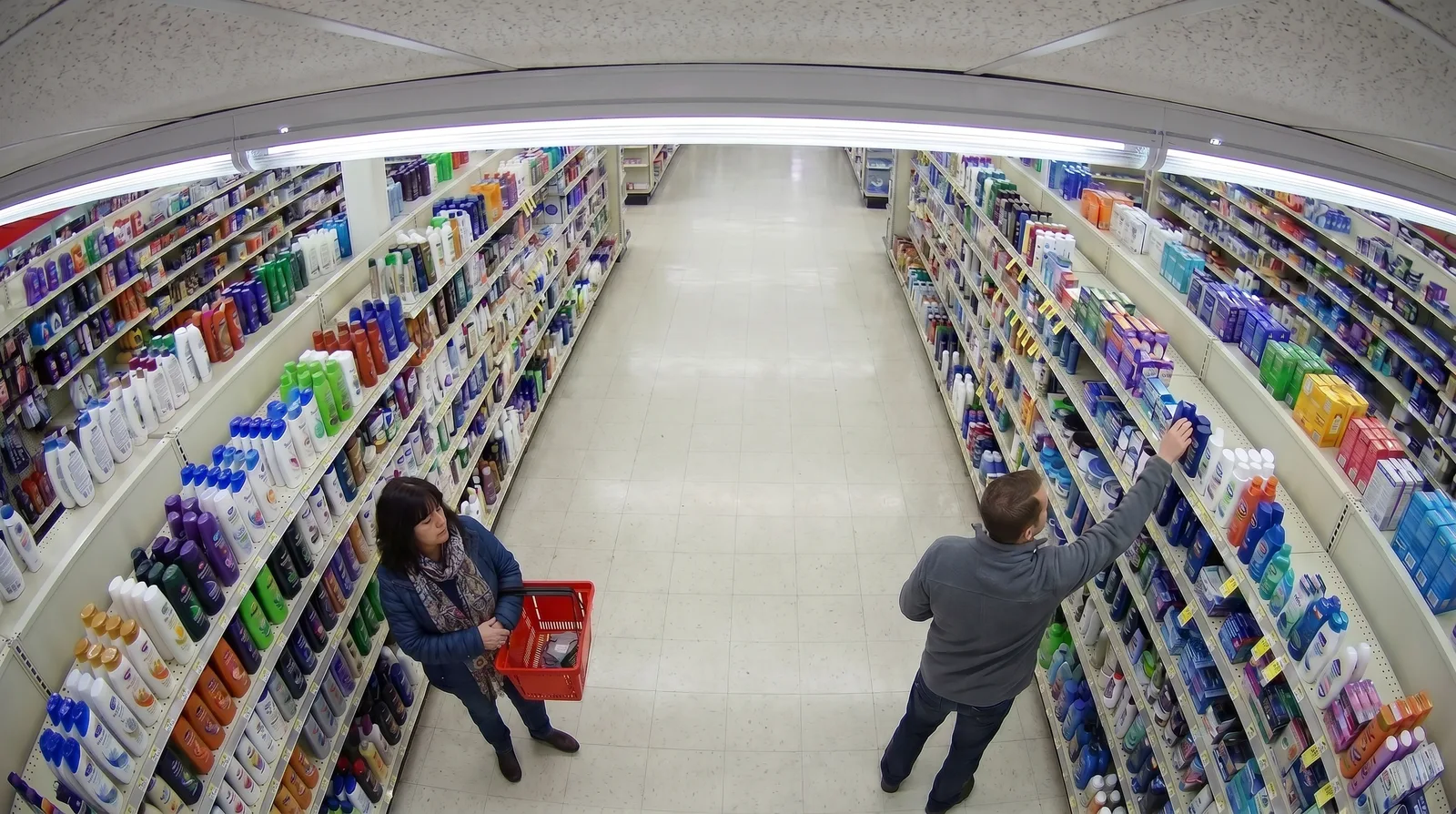
AI theft detection cameras — how they spot concealment
AI theft detection cameras don't recognize "shoplifters" — they recognize the physics of shoplifting. The on-camera model tracks people as they move through the frame and scores the gestures and patterns that precede nearly every theft: products moving toward the body instead of the basket, repeated reach-and-stow motions, loitering at high-shrink fixtures, groups splitting up at the entrance. Because the analysis runs on the camera itself, every aisle is scored continuously — there's no human picking which monitor to watch.
Just as important is what AI theft detection cameras do before anyone steals: deter. Stores publicize the capability with signage at the entrance, and the population that case-builds — checking camera positions, testing staff attention — reads the environment and moves on. The cameras Monarch installs do both jobs with the same hardware: deterrence and detection while the store is open, and sharp, searchable evidence when something does happen.
- Concealment gestures — product-to-body motion patterns flagged in real time, scored with a confidence level so staff can triage.
- Loitering & return visits — dwell alerts on high-theft aisles, and AI search that finds the same person across every camera and every prior visit in seconds.
- Every aisle at once — analytics run on each camera simultaneously; coverage doesn't depend on who's watching a wall of monitors.
- Human judgment stays in the loop — AI theft detection raises the flag; a trained person decides how to engage. No automated accusations, ever.
Real-time alerts to staff — not after-the-fact video
An alert that arrives tomorrow is a report. An alert that arrives in eight seconds is an intervention. When AI shoplifting detection fires, the platform routes the event wherever your floor team actually is — phones, radios via integration, or a screen at the POS — with the camera snapshot attached so staff know exactly who, where, and how confident the system is.
Camera watches the aisle
A dome camera covers the fixture; on-device AI tracks every person in frame, continuously, on every camera in the store.
AI flags the behavior
A concealment pattern crosses the confidence threshold. The event is scored, snapshotted, and logged with the video.
Staff phone buzzes
The alert lands on staff phones, radios, or the POS screen — snapshot, camera, and aisle. A manager walks over and engages.
That loop — see, flag, alert — is the difference between AI theft detection cameras and a recording you scrub through after close. The store's response can be as soft as attentive customer service; most interrupted concealments end with product back on the shelf and no confrontation at all.
Loss Prevention Security
Shrink isn't one problem. A loss prevention program that only watches the front door misses most of it.
Loss prevention security is the system-level answer to shrink: cameras, analytics, access control, and alarms designed as one program around how loss actually happens in your stores. If you search the term today you'll find guard companies and career guides — almost nothing for the operator who has to choose technology. This section is for that person. The honest starting point: shrink splits roughly into thirds — external theft, internal theft, and process failure — and each third calls for different tooling. A loss prevention security program earns its budget when it addresses all three with hardware you buy once and software that improves over time.
Cameras, analytics, and access control as an LP program
The program structure Monarch designs for retailers has three layers that share one platform. Cameras with AI analytics cover the sales floor — detection and deterrence where external theft happens. POS-integrated video covers the registers — where sweethearting and refund fraud happen. Access control covers the back of house — stockroom, cash office, receiving — where inventory disappears without ever crossing a register. Because all three layers log to the same cloud dashboard, an investigation that used to mean three systems and a notebook becomes one searchable timeline.
How the detection options compare
Monarch installs AI camera analytics — the EAS row is for honest comparison| Detection technology | Catches in the act? | Staffing burden | Evidence | Typical fit |
|---|---|---|---|---|
| AI camera analyticswhat Monarch installs | Catches in the act?Yes — concealment and loitering flagged in seconds, alert sent while the person is still in the store | Staffing burdenNone dedicated — alerts go to the staff already on the floor | EvidenceTimestamped video of the event, searchable across every store | Typical fitMost stores — deterrence, interruption, and evidence from one system |
| Traditional CCTV reviewrecord now, watch later | Catches in the act?No — footage is reviewed after the loss is discovered | Staffing burdenHours of scrubbing per incident, or a paid monitoring seat | EvidenceVideo exists if retention didn't lapse and someone finds the moment | Typical fitInsurance documentation; better than nothing, catches nothing live |
| EAS tag gatesnot a Monarch product | Catches in the act?Partially — alarms at the exit, after the concealment already happened | Staffing burdenTagging labor on every protected item, plus gate-response policy | EvidenceNone — an alarm beep with no recording attached | Typical fitHigh-value apparel; pairs with cameras rather than replacing them |
| Staff observationeyes on the floor | Catches in the act?Sometimes — when someone happens to be looking the right way | Staffing burdenThe whole floor team, on top of their actual jobs | EvidenceA verbal account; disputes become one person's word | Typical fitAlways part of the answer — strongest when AI tells staff where to look |
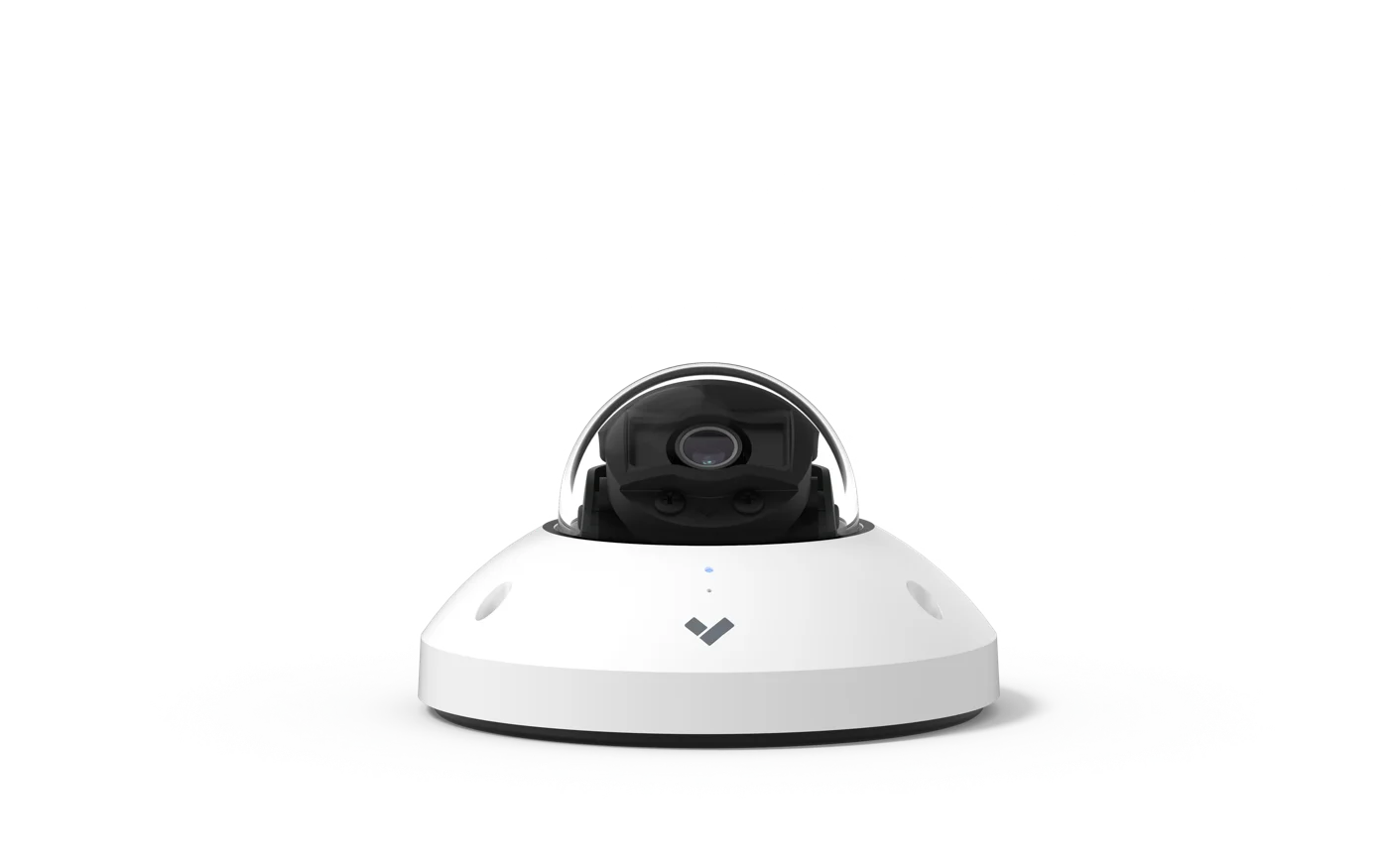 AI dome camera · sales floor & entrances
Where each layer earns its keep
- Sales floor — AI cameras on entrances, high-shrink aisles, and exits; alerts to staff, evidence on demand.
- Registers — transaction data synced to video, so every void, refund, and no-sale has a face attached.
- Back of house — retail access control on the stockroom, cash office, and receiving door; every entry logged to a person, not a shared key.
- Multi-site rollup — franchise and regional operators see every store's events in one view, and can audit any site from anywhere.
Employee theft prevention — the back-of-house angle
Internal loss is the uncomfortable third of shrink, and it rarely looks like a pocketed item — it looks like a discount applied to a friend, a refund to a personal card, a case of product that never made it from receiving to the shelf. Employee theft prevention works best when it's structural rather than accusatory: access control that replaces the shared stockroom key with individual credentials, cameras on receiving and the cash office, and POS exception reporting that surfaces unusual void and refund patterns automatically. Most teams never notice the controls — and the few who would exploit their absence notice immediately that they can't.
Organized retail crime prevention
Organized retail crime is a different adversary: crews that hit multiple stores, strip entire fixtures in minutes, and reappear across a region. Organized retail crime prevention at store level means fast alerts and good evidence — AI detection that flags group behavior and bulk concealment, license plate recognition in the lot, and face-quality video at entrances. Across stores, the cloud platform is the multiplier: when the same vehicle or the same crew appears at a second location, regional teams can search every site's footage at once and hand investigators a case file instead of a hunch — the difference between an incident report and a prosecution.
AI Security vs. Security Guards
Most retailers shopping for security are really weighing one question: people or technology? Here's the honest math.
Search for retail security and half of page one is guard companies — because for decades, a guard at the door was the only way to put judgment inside a store. That's no longer true. AI-monitored cameras now do the watching, and options like a virtual security guard or remote guarding service put a human responder behind every camera without a body at the door. The right answer for most stores isn't ideological — it's arithmetic plus a clear-eyed view of what each option actually does.
What a guard costs vs. what AI-monitored cameras cost
Security guard cost runs $25–40+ per hour through a staffing company. One post covered 12 hours a day lands around $110,000–$175,000 per store, per year; 24/7 coverage doubles it. An AI camera system for a typical store is a one-time install (see cost factors below) plus licensing — typically amortizing to a small fraction of one guard post annually. The table is the comparison we walk through with every retail operator; the numbers are planning ranges, not quotes.
Guard vs. AI cameras vs. hybrid — per store, per year
Planning ranges · guard math at $25–40/hr loaded| Comparison aspect | Security guard only | AI cameras only | AI + reduced guard coverage |
|---|---|---|---|
| Annual costper store | Security guard only$110k–$350k — one post, 12h/day to 24/7 at $25–40+/hr loaded | AI cameras only$5k–$20k — installed system amortized over 5 yrs + cloud licensing | AI + reduced guard coverage$45k–$120k — AI 24/7 + guard at peak hours or high-risk sites only |
| Coverage | Security guard onlyOne pair of eyes, one place at a time — usually the front door | AI cameras onlyEvery aisle, register, and door simultaneously, 24/7 | AI + reduced guard coverageFull-store AI coverage with a physical presence when it matters |
| Consistency | Security guard onlyVaries by person, shift, and hour nine of the shift | AI cameras onlyIdentical attention at 2 PM and 2 AM; never calls in sick | AI + reduced guard coverageAI sets the floor; the guard adds judgment at peak |
| Evidence | Security guard onlyAn incident report written from memory | AI cameras onlyTimestamped video of every event, searchable across stores | AI + reduced guard coverageVideo evidence plus a witness on site |
| Physical response | Security guard onlyStrongest — presence, de-escalation, hands-on response | AI cameras onlyAlerts staff and monitoring; talk-down speakers; no physical presence | AI + reduced guard coverageResponse on site during covered hours, escalation paths after |
| Best for | Security guard onlyHigh-confrontation environments that need a person at the door | AI cameras onlyMost stores — full coverage at a fraction of one guard post | AI + reduced guard coverageHigh-risk locations and peak seasons; the common end-state |
What AI does that a guard can't — and what guards still do better
AI camerasWhere technology wins
- Every aisle at once — an AI security guard doesn't choose what to watch; it watches everything.
- 24/7, no fatigue — the same vigilance at closing time, overnight, and through holiday season.
- Instant, documented alerts — every event scored, snapshotted, and logged; nothing depends on recall.
- Recorded evidence — prosecutable video, searchable across every store and every visit.
- Scales without headcount — store #40 costs the same per camera as store #1, with remote guarding available overnight.
GuardsWhere people still win
- Physical presence — a person at the door changes behavior in ways a sign can't.
- De-escalation — confrontations, disputes, and trespass situations need human judgment on site.
- Hands-on response — when something physical has to happen, only a person can do it.
Monarch isn't anti-guard — we're the technology layer. The most common outcome of this analysis is a hybrid: AI cameras watching every store 24/7, with guard spend concentrated on the locations and hours that genuinely need a person.
Get a retail security assessment.
A Monarch expert walks your store, maps cameras and doors against your shrink data, and hands you a scoped plan with real numbers — free, whether or not you buy from us.
What Is Retail Loss Prevention?
Retail loss prevention is the set of practices and technologies stores use to reduce shrink — inventory lost to external theft, employee theft, fraud, and process error. Modern programs combine AI cameras, POS-integrated video, access control, and analytics on one platform, so stores can interrupt theft in progress instead of reviewing it afterward.
Shrink is the gap between the inventory you should have and the inventory you do, and it has three main causes: external theft (shoplifting and organized retail crime), internal theft, and process failure — receiving errors, damage, administrative mistakes. Loss prevention is the program — people, policy, and increasingly technology — that measures that gap and closes it.
Source: National Retail Federation, National Retail Security Survey (2023 edition, 2022 fiscal-year figures — the most recent published).
POS-Integrated Video
Every transaction, synced to the camera that watched it happen.
A point of sale security system ties your transaction log to your video timeline. Every receipt line — sale, void, refund, discount, no-sale drawer open — is stamped onto the footage from the camera covering that register. Instead of scrubbing hours of video to investigate a suspicious refund, you search the transaction and the system jumps to the exact moment, with the receipt data beside the frame. Exception reports do the hunting for you: unusual void rates, refunds without a customer present, discounts after hours — each one a click away from its video.
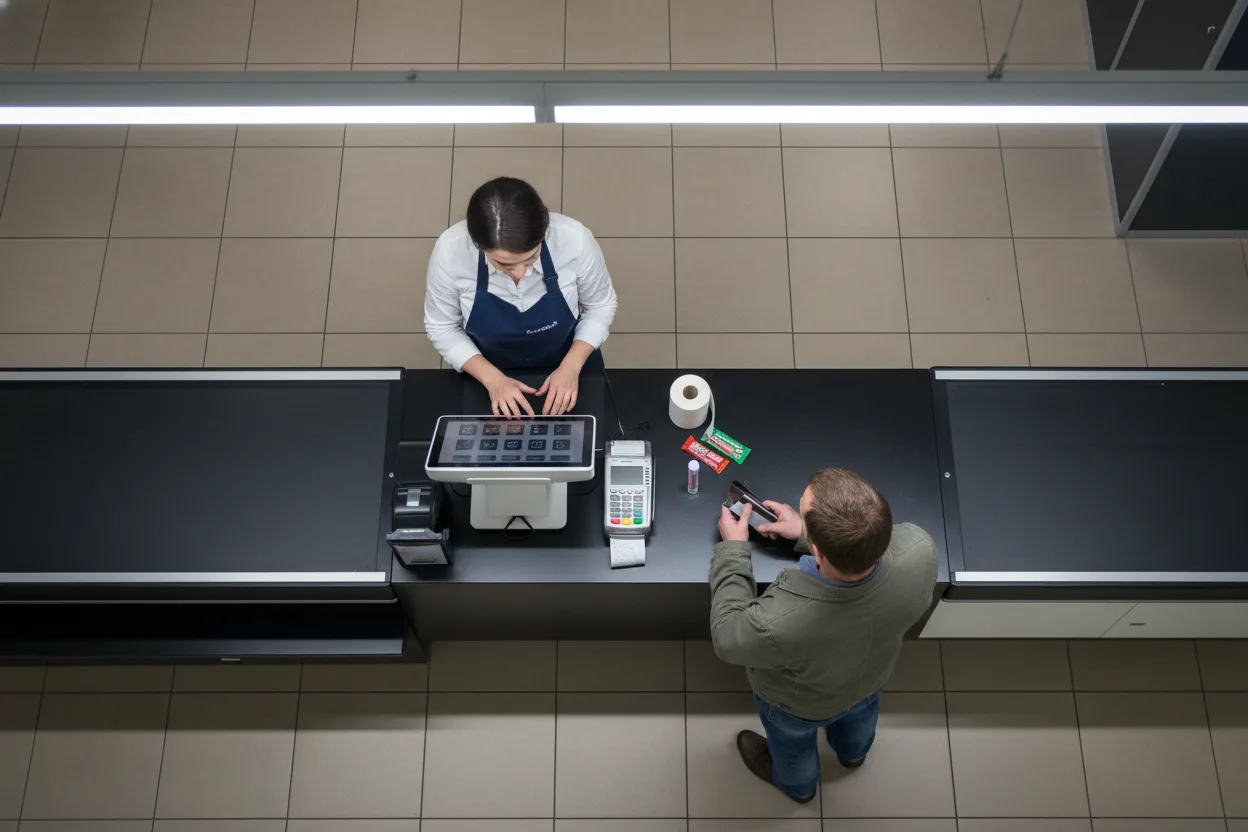
POS-integrated video pays for itself at the registers — sweethearting, refund fraud, and drawer manipulation are nearly impossible to prove without it and nearly impossible to hide with it. It's also the fastest way to clear honest employees: most exceptions have innocent explanations, and thirty seconds of video settles it without an accusation.
Retail Cameras, People Counting & Store Analytics
The same cameras that stop theft also tell you how your store actually performs.
The store security cameras Monarch installs are commercial-grade cloud video surveillance devices: footage encrypted on the camera, no DVR closet to maintain, firmware that updates itself, and AI search across every site from one dashboard. But modern retail security cameras carry a second job that older retail video surveillance never could — analytics. A people counting camera at the entrance turns foot traffic into conversion data; heatmaps show which fixtures pull shoppers and which aisles go dark; queue alerts page a second cashier before the line costs you a sale. Our guide to AI video analytics covers the full menu.
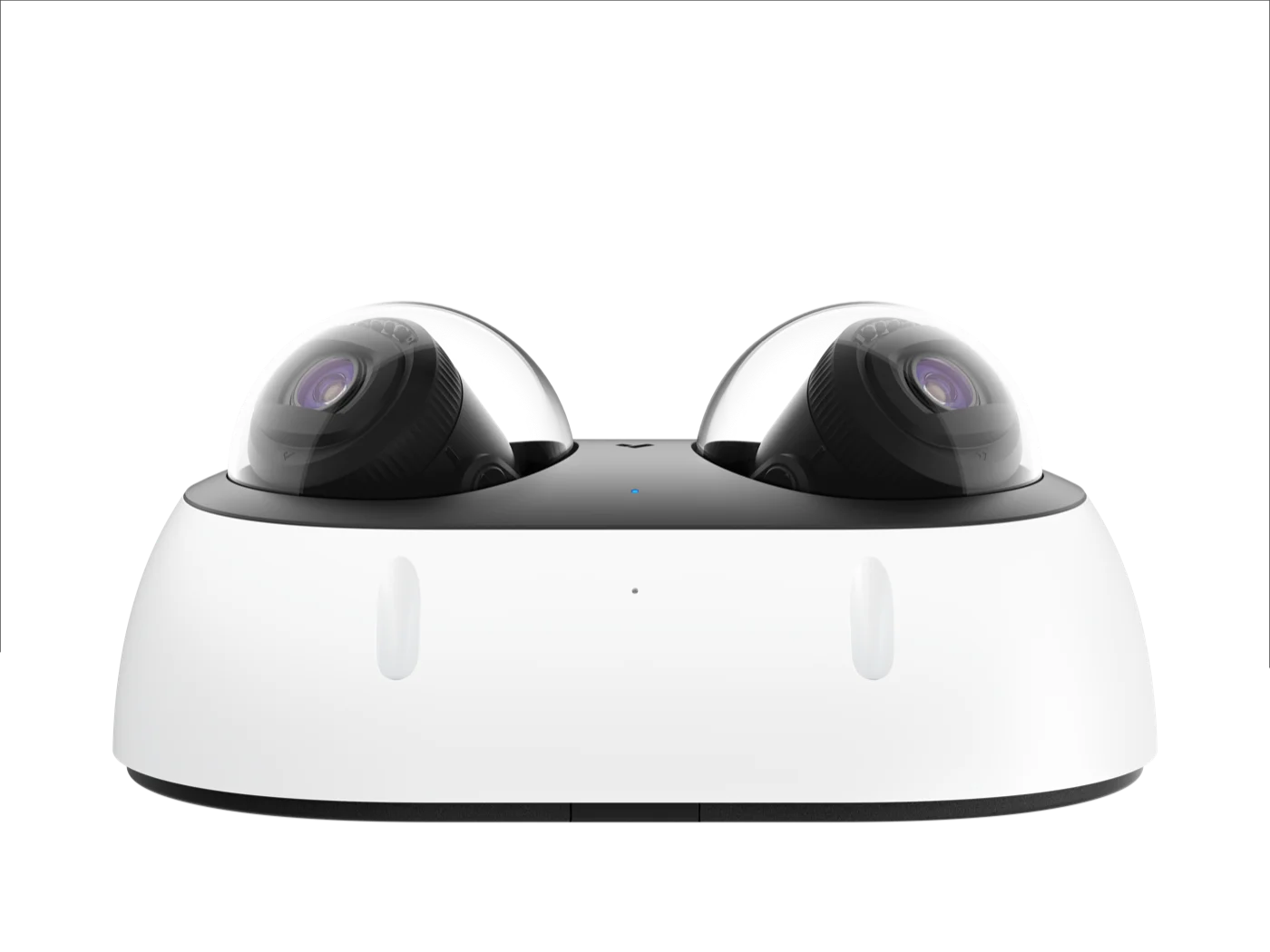 Multisensor · two views, one mount, one cable
Built-in store intelligence
- People counting — entrance counts by hour, conversion when paired with POS data, and occupancy for fire-code or event limits.
- Heatmaps & dwell — see where shoppers stop, which displays work, and which corners nobody visits.
- Queue & occupancy alerts — page staff when the line passes three deep or the stockroom door props open.
- License plate recognition — track vehicles of interest in the lot; pair with ORC investigations across sites.
See license plate recognition in action
License plate recognition reads every plate that enters the lot and makes it searchable — the capability regional teams lean on when the same vehicle shows up at a second store. This 30-second demo shows plates being captured and searched live.
A word on facial recognition in retail
Facial recognition retail deployments are powerful for repeat-offender alerting — and tightly regulated. Several states and cities restrict or condition biometric identification in commercial settings (Illinois' BIPA is the best-known, with Texas, Washington, and Portland, OR among others), and disclosure requirements vary. Monarch's position: we design facial recognition only where it's lawful, disclosed, and policy-backed — and in most states, behavior-based AI detection delivers the loss-prevention value without the biometric compliance burden. We'll walk you through what your state allows before anything is configured.
One Integrated Retail Security System — not four vendors.
Most retailers accumulate security the hard way: cameras from one vendor, a burglar alarm from another, door locks from a locksmith, and a panic button bolted on after an incident. Four contracts, four apps, four things that don't talk to each other at 2 AM. Monarch deploys retail security systems as one platform — cameras, access control systems, alarms with panic buttons, and intercoms sharing a single cloud dashboard, one user directory, and one audit trail. When the panic button behind the register is pressed, the nearest cameras pop onto the alert, doors lock by rule, and monitoring sees it all in the same second — because it's all the same system. We've written about that architecture in our guide to building an integrated security environment that scales.
AI Cameras
Sales floor, registers, stockroom, and lot — detection, analytics, and evidence.
Access Control
Stockroom, cash office, and receiving — credentials instead of shared keys.
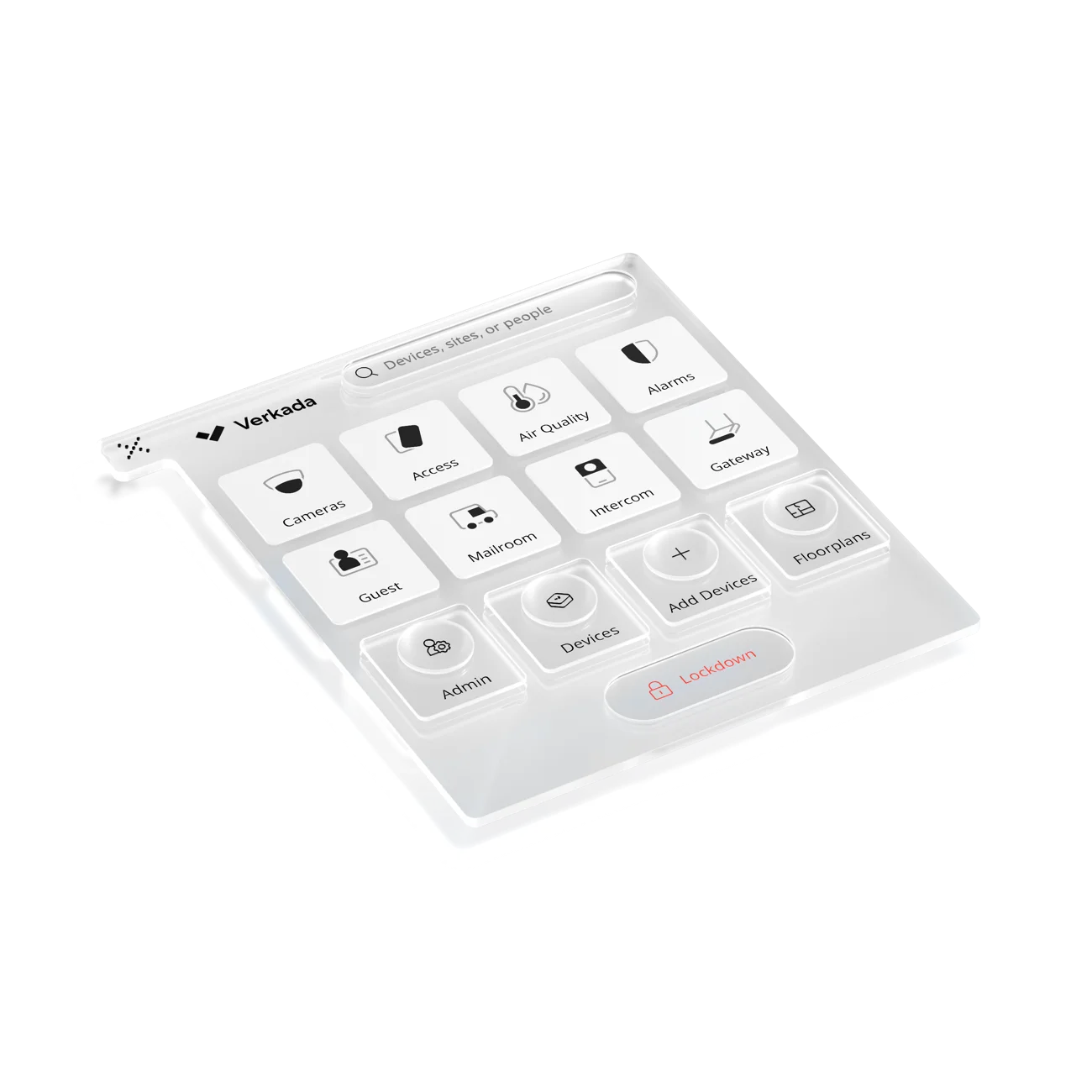
One cloud platform
Every device, every store, one dashboard — one login for the owner, the regional manager, and the LP team.
Alarms + Panic Buttons
Professional monitoring after close; a silent button behind every register while open.
Intercom
Receiving door and after-hours entry — see and verify before anything unlocks.
No competitor tells this story because almost none of them can: manufacturers sell their box, guard companies sell hours, and alarm companies sell monitoring contracts. As an integrator, Monarch designs the four products as one system — then installs and supports it across every store you operate.
Security for Every Store Type
Same platform, different risk profile. Here's how the design changes by format.
Grocery
High traffic, thin margins, self-checkout shrink. AI detection at self-checkout and high-theft aisles, people counting for staffing, and receiving-door access control.
Convenience & Gas Station
Open late, often staffed alone. Panic buttons at the counter, AI cameras inside and on the pumps, license plate capture at the exits, and remote video monitoring overnight.
Jewelry
Low volume, extreme value. Face-quality cameras at the door and cases, glass-break and duress alarms, access-controlled vaults, and footage retention that satisfies insurers.
Cannabis Dispensary
High-value product, cash-heavy sales, and a vault in back. Dispensary security cameras over the sales floor and vault, access control on back of house, and panic buttons at the counter.
Mall & Shopping Center
Common areas, parking structures, and dozens of tenants. Campus-wide cameras with shared-view permissions, intercom call stations, and incident search across the property.
QSR & Drive-Thru
Speed is the metric. Drive-thru cameras with timer analytics, kitchen and cash-office coverage, back-door access control, and franchise-wide rollup for multi-unit owners.
What Does Retail Security Cost?
No competitor publishes numbers. Here are real planning ranges — and the factors that move them.
Every manufacturer's pricing page says "request a quote." Here's ours instead: the typical installed ranges we see across retail deployments, before multi-store volume pricing. Treat these as planning numbers — the real answer comes from a store walk-through, which is exactly what our free assessment is for.
Camera, mount, cabling, and cloud license. Indoor domes land low; outdoor multisensor and parking-lot cameras land high. A typical store runs 8–24 cameras. See our 2026 camera cost guide.
Reader, controller, lock hardware, and licensing. Most stores secure 2–5 doors: stockroom, cash office, receiving, and back entry.
Fixed buttons at registers and offices. Intrusion alarm systems with professional monitoring add a per-site monthly fee.
Transaction-to-video sync priced by register count and POS platform. Scoped during design — bring your POS vendor's name to the assessment.
The factors that actually move the number
Store size & camera count
Square footage and sightlines set the camera count — an open-floor boutique needs 6; a grocery with 14 aisles and a lot needs 30+.
Ceiling & cabling
Drop tile is cheap to cable; open joist and concrete decks aren't. Night work to avoid closing the store adds labor but protects revenue.
License term
Cloud licenses run 1–10 years. Longer terms lower annual cost and lock pricing — multi-store operators usually buy 5 or 10.
Store count & phasing
Per-unit pricing falls meaningfully across a rollout. Phasing by region spreads spend across budget years without redesign.
Monitoring model
Self-monitored alarms cost less per month; professional monitoring or overnight remote guarding adds a fee but removes the 3 AM question.
Compliance scope
Dispensary retention rules or insurer requirements shape storage and camera selection — say so up front and the design accounts for it.
Why Retailers Choose Monarch
Manufacturers sell hardware. Guard companies sell hours. An integrator owns the outcome.
A security purchase for your stores has three kinds of sellers, and they are not interchangeable. Monarch is the third kind: we assess your stores, design across the product line, install around your operating hours, and support the system after go-live — the same model behind our healthcare security systems and the 1,200+ sites we protect nationwide. Already know what you need? You can browse security hardware directly.
Integrator vs. manufacturer vs. guard service
Who does what — and who's accountable after go-live| Comparison aspect | Manufacturer | Guard service | Monarch (integrator) |
|---|---|---|---|
| Sells you | ManufacturerTheir hardware — whatever your problem is, their box is the answer | Guard serviceHours of human presence, billed forever | Monarch (integrator)A designed system — cameras, doors, alarms, and POS video scoped to your stores |
| Design | ManufacturerA parts list from a spec sheet | Guard serviceA post schedule | Monarch (integrator)A store walk-through, camera placement plan, and risk-mapped scope — free |
| Installation | ManufacturerReferred out to "a local partner" | Guard serviceN/A | Monarch (integrator)Our crews, scheduled around store hours, commissioned and tested |
| After go-live | ManufacturerA support ticket queue | Guard serviceA new invoice every month | Monarch (integrator)Training, support, and a named team that knows your stores |
Assess
A Monarch security expert walks your store — entrances, aisles, registers, back of house, lot — and maps risks against your shrink data.
Design & install
Camera placement plan, door scope, and POS integration designed as one system — then installed around your operating hours.
Support
Training for managers and staff, monitoring options, and a support team that answers — for store #1 and store #100.
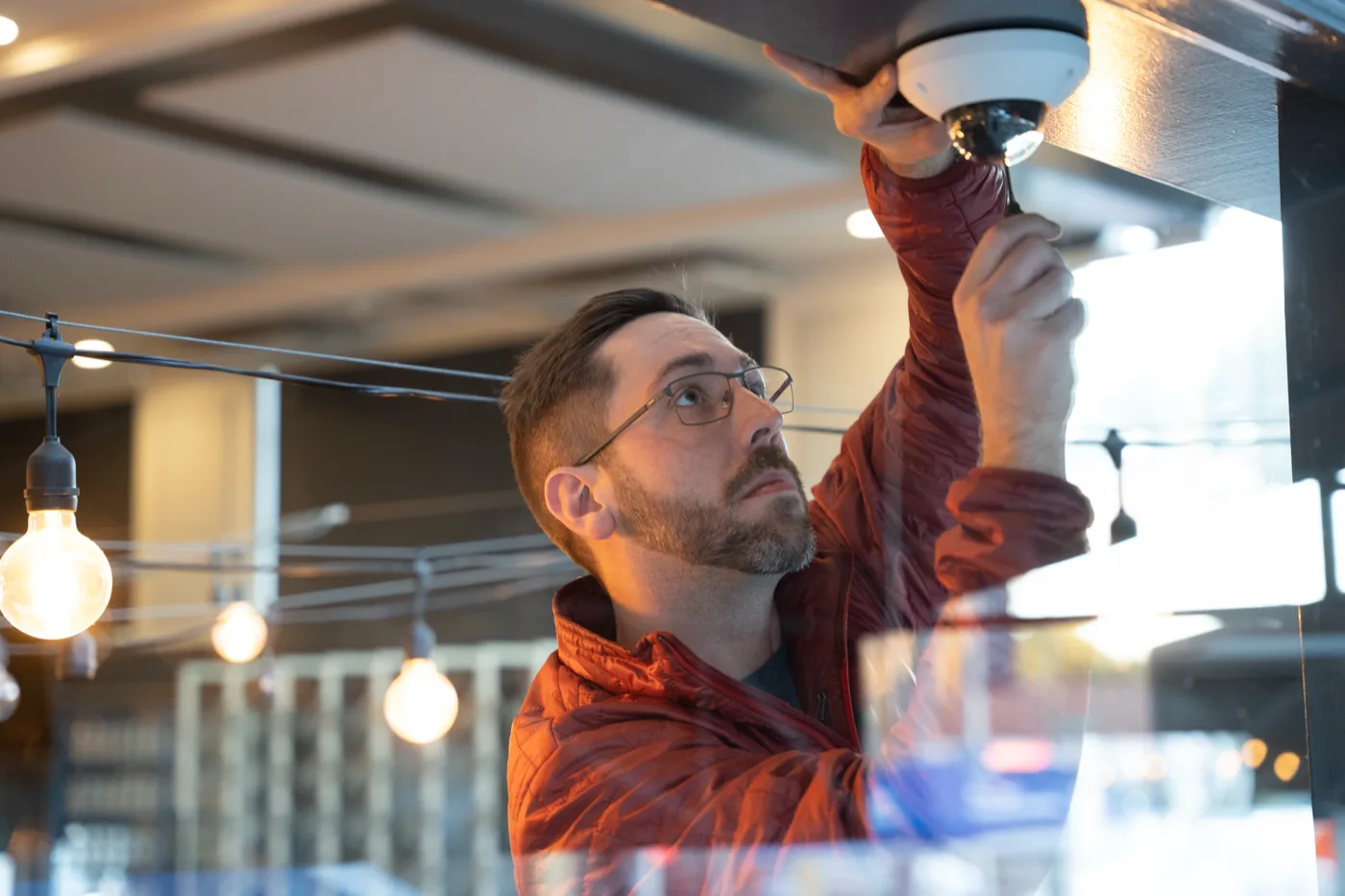
Talk to a security expert about your stores
Tell us about your stores and what shrink is costing you. A Monarch expert will walk your highest-priority site, map cameras, doors, and POS integration against your actual risks, and hand you a scoped plan — no cost, no obligation. Prefer the phone? Call (415) 326-3592.
Retail Security FAQs
The questions retail operators actually ask — answered straight.
How do stores prevent shoplifting?
Stores that control shrink layer their defenses: visible cameras at entrances and high-theft aisles, AI shoplifting detection that flags concealment behaviors in real time, staff trained to engage when an alert fires, controlled back-of-house access, and clear sightlines in the store layout. The shift in the last few years is from recording theft to interrupting it — alerts reach the floor while the person is still in the store.
Do AI cameras really detect shoplifting?
AI cameras detect the behaviors associated with shoplifting — concealment gestures, loitering in high-theft aisles, repeated reach-and-stow patterns — and alert staff in seconds. They're accurate enough to change outcomes but not infallible; well-designed systems route alerts to a person who makes the judgment call. The measurable wins are deterrence, interrupted thefts, and evidence quality — and results depend heavily on camera placement and tuning, which is integrator work.
How long do retail stores keep security footage?
Most retailers keep 30–90 days of continuous footage. Cloud cameras make retention a setting rather than a hardware limit — typically configurable from 30 to 365 days per camera — and incident clips can be exported and kept indefinitely. Regulated retail runs longer: many states require cannabis dispensaries to retain 45–90+ days of footage, so check your state's rules.
What is the difference between loss prevention and security?
Security is the broad discipline of protecting people and property — guards, cameras, alarms, access control. Loss prevention is retail's narrower, results-driven version: a program aimed specifically at reducing shrink from external theft, internal theft, and process failure. Modern loss prevention security is mostly a technology program — cameras, analytics, POS integration, and access control working together — with people focused on response and investigation.
What percentage of retail shrink is internal vs external?
NRF's National Retail Security Survey consistently attributes roughly a third of shrink to external theft (including organized retail crime), roughly 30% to internal and employee theft, and the remainder to process failure and administrative error. The split varies by vertical — grocery skews external, while back-of-house-heavy formats see more internal loss. The takeaway: a loss prevention program that only watches the front door is missing most of the problem.
How much does a retail security system cost?
Most retail deployments land between $1,200–$3,500 per camera installed including cloud licensing, $1,500–$3,500 per access-controlled door, and $150–$500 per fixed panic button; POS-video integration is scoped by register count and platform. A typical store runs 8–24 cameras and 2–5 controlled doors. The biggest movers are store size, ceiling and cabling condition, license term, and store count.
Do dispensaries have special security camera requirements?
Yes. Most states that license cannabis retail impose specific camera rules — minimum resolution, coverage of every point of sale and entrance, and retention periods that commonly run 45–90+ days, well past typical retail settings. California's Department of Cannabis Control, for example, publishes detailed surveillance requirements. Monarch designs dispensary systems to the letter of the operating state's spec.
Does Monarch install and support the system, or just sell hardware?
Monarch Connected is a security integrator, not just a reseller. We assess your stores, design the system, install and commission every device, train your team, and support the deployment after go-live — across cameras, access control, alarms, POS-integrated video, and intercoms, from a single storefront to a multi-state franchise.
Keep reading
From the Monarch security blog.

What is an AI security system?
Smart detection, cloud management, and faster incident response — a plain-English guide to how the technology on this page actually works.
Read the explainerAI video analytics explained
From motion alerts to license plates and people counting — what the analytics layer sees and the questions to ask any vendor.
Read the guideCommercial security camera costs in 2026
Hardware, software, installation, and networking — what camera systems really cost, with the same planning ranges we quote here.
Read the guideBook a demo.
From AI shoplifting detection to POS-integrated video and back-of-house access control, Monarch Connected designs, installs, and supports the complete system — the same way we deliver commercial security camera systems and healthcare security for 1,200+ sites nationwide.