


Updated September 16, 2026.
Cloud-managed cameras have changed how organizations approach video for security and operations. Instead of relying on on-premises recorders alone, hybrid systems combine local storage on the camera with cloud-based management software to deliver remote access, analytics, and simpler multi-site administration.
This guide explains how cloud-based video surveillance works, how it compares with traditional DVR and NVR setups, and what to plan for when migrating from analog systems. It also outlines the practical trade-offs, such as internet dependency and vendor lock-in, that buyers should weigh before choosing a platform.
What cloud-based video surveillance means today
Cloud-based video surveillance can mean remote recording, cloud management of locally recorded video, or a hybrid of those functions. Ask where the original footage is stored and which search, viewing and administration features depend on an internet connection. Demonstrate the proposed design’s behavior during an outage.
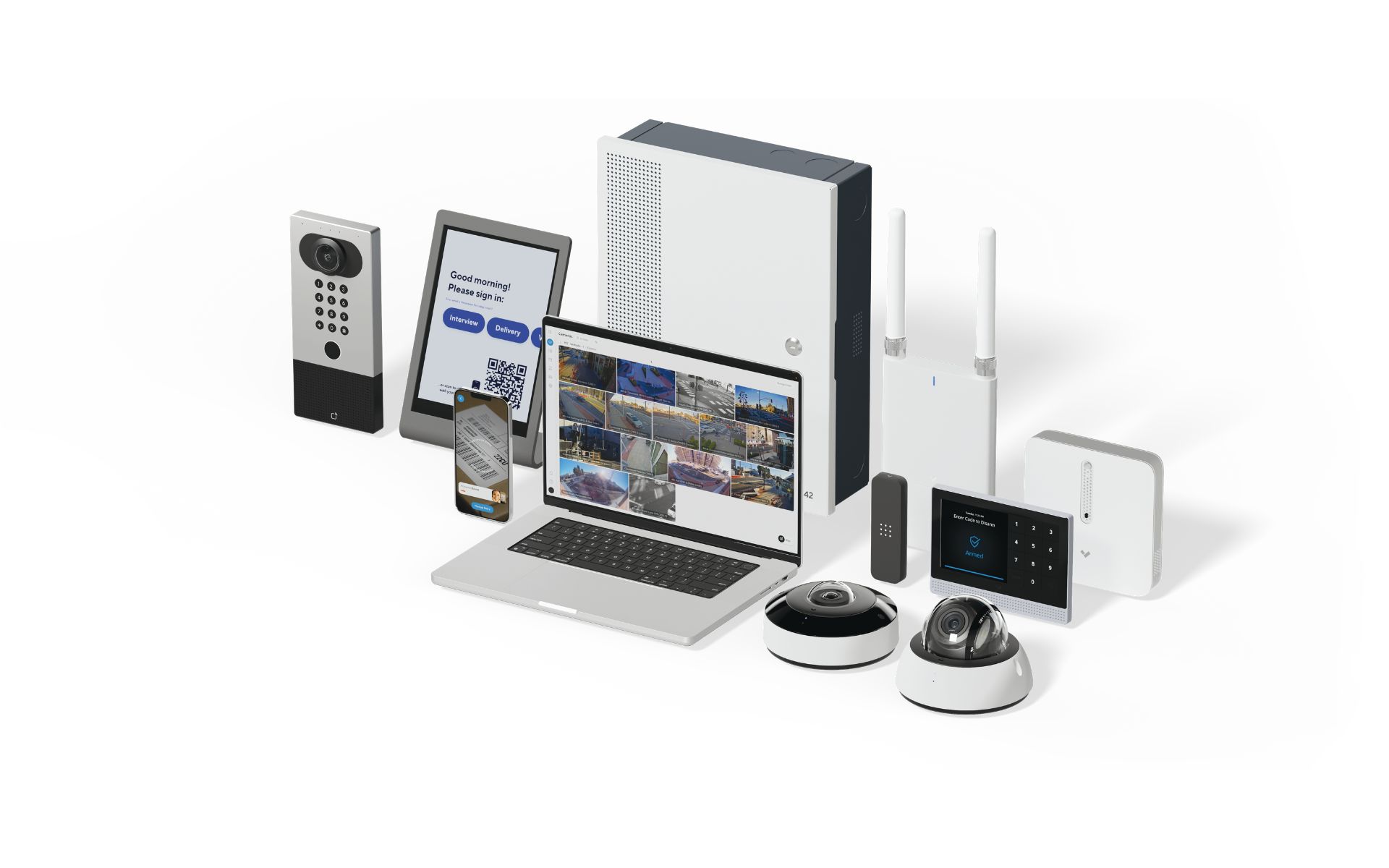
Many modern platforms, including Verkada, run analytics on the camera itself and use the cloud primarily for management, metadata, and secure remote access. This hybrid edge-cloud design reduces the need for on-site DVRs or NVRs and lowers the operational burden of firmware updates and remote maintenance. Buyers should confirm specific hardware capabilities, storage tiers, and warranty terms directly with the vendor before purchase.
How cloud cameras generally work
In a hybrid edge-cloud model, the workflow usually looks like this:
- Edge processing on the camera identifies motion and, depending on the model, people, vehicles, or license plates, and tags that activity as searchable metadata.
- Onboard storage retains the primary video. Retention length depends on the camera model, resolution, and configured frame rate.
- The cloud stores metadata, health status, and settings, which enables cross-camera search and centralized management across sites.
- Remote users view live and historical video through encrypted connections in a browser or mobile app, without opening inbound ports on the local network.
Because most compute happens on the camera, live and recorded viewing can perform well even on modest uplinks. Pulling long archived clips or many simultaneous streams will use more bandwidth, so uplink sizing still matters.
Trade-offs vs. DVR and NVR
Traditional DVR and NVR systems keep everything on site, which can be an advantage (no dependency on internet or a cloud vendor) and a liability (a stolen or failed recorder can mean lost footage, and scaling across sites duplicates hardware and management effort).
Cloud-managed systems shift that balance:
- Centralized management and user administration across locations
- Analytics that help narrow investigations to relevant clips
- Remote access without VPNs or port forwarding
- Automatic firmware and feature updates
- Encrypted transmission and storage, with audit logs of user activity
The trade-offs are real and worth naming:
- Internet dependency: Remote viewing, alerts, and cloud search require connectivity. Local recording continues during outages on most modern platforms, but remote features do not.
- Vendor uptime and lock-in: You depend on the vendor's cloud availability, pricing, and continued support. Migration between cloud platforms is typically harder than swapping recorders.
- Ongoing subscription costs: Cloud licensing is usually a recurring expense, which changes the total cost profile compared with a one-time recorder purchase.
- Data governance: Footage metadata and, in some workflows, video itself traverse or reside in vendor infrastructure. Confirm where data is stored and who can access it.
For multi-site operators, the management benefits often outweigh the trade-offs. For a single small site with limited change, a well-maintained on-premises system may still be a reasonable fit.
Security, privacy, and encryption
Ask the supplier to document the proposed system’s authentication, permissions, encryption, update support and recording access controls. The SIA Data Privacy Code of Practice for Video Surveillance is a privacy-planning reference, not evidence that a particular vendor implements every control. Verify the actual product configuration.
Define who is responsible for the purpose, access, retention and sharing of recordings. Review the applicable privacy obligations for your location and use before enabling features such as face matching or vehicle-history search. A vendor feature list does not establish that a deployment meets those obligations.
A short list of buyer questions worth asking any cloud video vendor:
- Where is video and metadata stored, and in which regions?
- Can the vendor access customer footage, and under what circumstances?
- Are third-party security audit reports (for example, SOC 2) available on request?
- How are firmware updates signed and delivered, and can they be scheduled?
- What happens to recorded video if the subscription lapses or the account is closed?
- What is the documented warranty length and RMA process?
Planning bandwidth, retention, and user permissions
A few planning notes that apply to most hybrid cloud deployments:
- Bandwidth: Because video is typically stored on the camera, steady-state upload is modest. Live viewing, multi-camera video walls, and large exports increase bandwidth needs. Size the uplink for expected concurrent viewers rather than the raw stream count.
- Retention: Retention depends on onboard storage, resolution, frame rate, and scene activity. Ask the vendor for retention estimates based on your specific camera models and settings, and export important clips before they age out.
- Role-based permissions: Grant least-privilege access. Site managers might get live view and clip export for their location, while security leads have administrative rights across sites. Use SSO and periodic access reviews where available.
If a control room or video wall is part of the plan, confirm supported display counts, latency, and layout options with the vendor before purchase.
Migrating from analog: encoders or staged replacement
Organizations with existing coax cameras have two common paths to a cloud-managed model:
- Encoders to bridge analog to IP: Video encoders digitize existing analog feeds so they can be managed alongside IP cameras. This preserves prior investment and can be a transitional step while a replacement plan is developed. Image quality and analytics capability are limited by the original analog cameras.
- Staged camera replacement: Prioritize high-value areas first, such as main entrances, cash-handling zones, and exterior perimeters, then phase in remaining areas over time. This spreads cost and improves quality where it matters most.
Both approaches can coexist during a migration. Confirm which encoders, if any, your chosen cloud platform supports before committing to a bridge strategy.
AI analytics: useful, not magic
Edge analytics help teams narrow long recordings to relevant events, for example by filtering for people, vehicles, or specific attributes. Accuracy depends on camera placement, lighting, resolution, and the analytic model. Treat analytic results as investigative aids rather than definitive identification, and validate performance in your environment before relying on them for decisions.
For a broader overview of when higher-resolution sensors or specialized optics are worth the added cost, see Monarch's guidance on AI security cameras. If you need human verification on top of automated alerts, professional remote security monitoring can add a review layer to reduce false dispatches.
Centralized management with Verkada Command
Verkada Command is the cloud software used to manage Verkada cameras, access control, sensors, and alarms from a single dashboard. Typical capabilities include:
- Live and recorded viewing across sites
- User, role, and share-link management with expirations
- Correlating door events and sensor data with video
- Alerting, retention configuration, and privacy modes
This unified model scales from a single site to larger portfolios and integrates with other components of an integrated security system such as access control or environmental sensors. Confirm specific feature availability with your Verkada or reseller contact, since capabilities and licensing tiers change over time.
For a product-family security reference, the AXIS OS hardening guide documents controls for supported Axis devices. Ask your shortlisted vendor for equivalent guidance and verify which settings are included in the installation and handover.
For the next planning step, see Types of CCTV Cameras: What Actually Works Where. Contact Monarch with the site requirements to discuss the next step.
Frequently asked questions
Does cloud management mean all video is stored remotely?
No. Ask where the full recording resides and which clips or metadata are uploaded. Cloud management, cloud recording and remote backup are separate functions.
What happens when internet service fails?
The answer depends on the configuration. Demonstrate local recording, remote alerts, search and recovery separately, and document which functions are unavailable until connectivity returns.
Can existing cameras be connected?
Only if the proposed platform supports the exact camera or encoder and the functions you need. Verify stream, firmware and licensing requirements with an actual demonstration.
How can we compare subscriptions?
Use the same camera count, retention and feature scope. Separate recording storage, management, analytics, support and export terms, and identify renewal assumptions and cancellation consequences.
Summary and next steps
Cloud-based video surveillance offers centralized control, remote access, analytics-assisted search, and automatic updates, at the cost of internet dependency, ongoing subscription fees, and reliance on a vendor's cloud. For multi-site operators, the management benefits are often decisive; for single small sites, the trade-offs deserve careful review.
Before purchasing, ask vendors specific questions about data location, audit reports, retention math for your exact configuration, warranty length, and what happens to your footage at end of contract. If Verkada is on your shortlist, Monarch can walk through hardware, licensing, and migration options for your sites. Contact our team at 415-326-3592 or sales@monarchconnected.com, or ask about a walkthrough of remote security monitoring workflows and how they integrate with automated alerts.