


Hospital Access Control
& Security Systems
Monarch designs, installs, and supports hospital access control and complete security systems — badge readers, staff duress alarms, video intercoms, and HIPAA-compliant cameras, unified on one cloud platform. One partner from facility assessment to go-live and beyond.
What is hospital access control?
Who can open which door, when — decided by software, enforced at every reader, and logged forever.
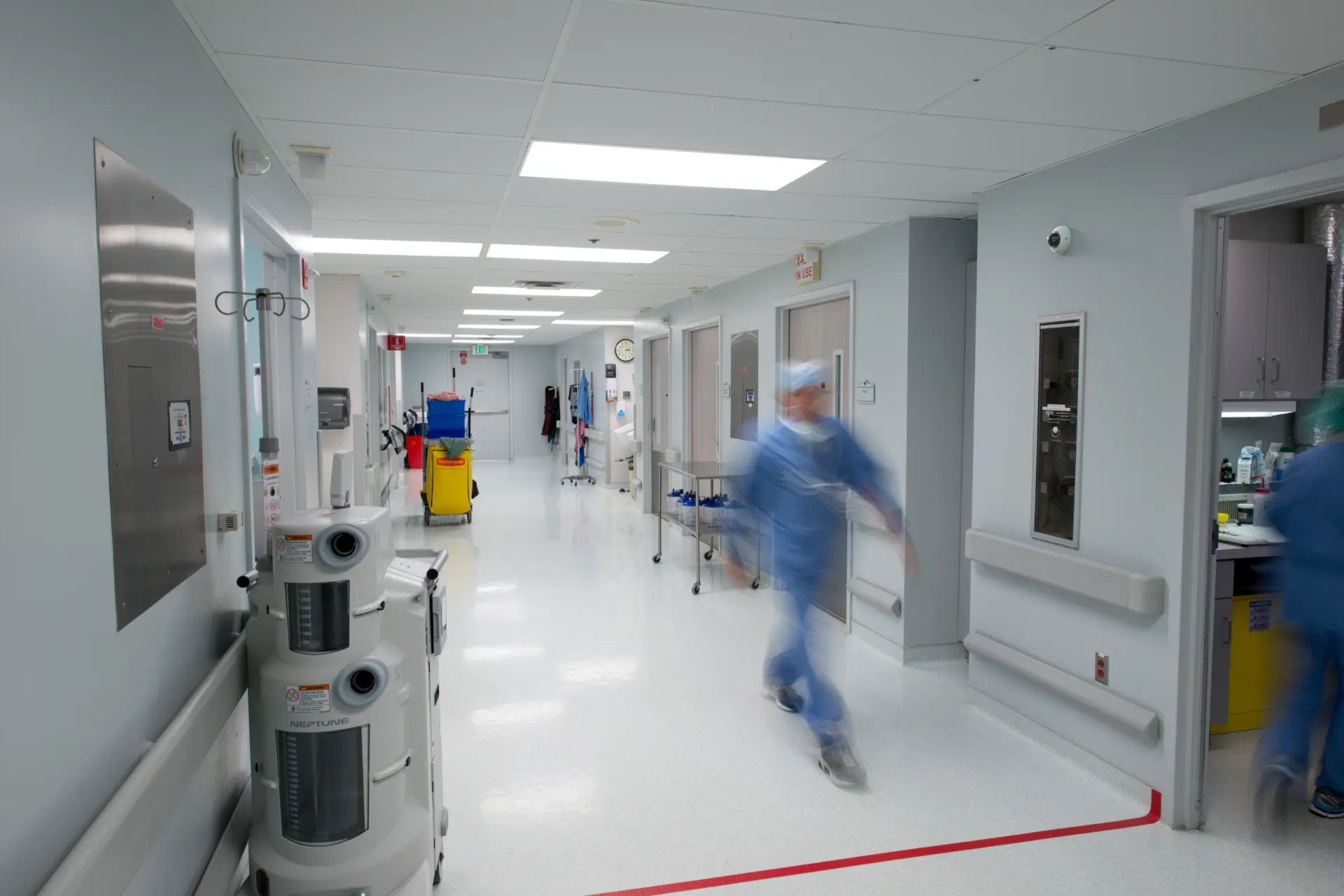
Hospital access control is the system of electronic credentials, door readers, and management software that decides who can move through a hospital — and records every time they do. Instead of brass keys that get copied and lost, staff present a badge, a phone, or a fingerprint at the door. Software grants or denies entry based on role and schedule, and security teams can change permissions for one nurse or an entire department in seconds. Monarch designs and installs hospital access control systems built specifically around how hospitals operate.
Hospitals are unlike any other building a security team will ever manage. They are open to the public 24 hours a day, yet they contain controlled substances, protected health information, infants, and patients in crisis. The same lobby that welcomes visitors at 2 PM must screen them at 2 AM. A pharmacy needs different rules than a loading dock; a behavioral health unit needs different rules than both. That is why hospital access control is never an off-the-shelf product — it's a design exercise in matching technology to clinical workflow, unit by unit.
Types of access control for hospitals
Most hospitals run a mix of credential types: badges for the general workforce, mobile credentials for physicians who rotate between facilities, biometrics or dual-factor at the highest-risk doors, and PIN pads where shared access is unavoidable. The right answer is almost always a blend — if you want the background, our guide to the three types of access control covers the models behind these choices.
Access control credential types — hospital comparison
Relative cost: ● low → ●●● high| Credential | Best for | Pros | Cons | Relative cost |
|---|---|---|---|---|
| Badge / cardProx or smart card | Best forGeneral staff doors, units, supply rooms — the workhorse across the whole facility | ProsFamiliar to staff; doubles as ID; cheap to issue and replace; works with badge reels | ConsCards get shared, lost, or cloned (older prox formats); physical issuance overhead | Relative costLow |
| Mobile credentialPhone or watch | Best forPhysicians and float staff who cross buildings; administrators; contractors with expiring access | ProsNothing extra to carry; revoke instantly; harder to clone; remote issuance in minutes | ConsDepends on phones being charged and carried; BYOD policy questions | Relative costMedium |
| BiometricFingerprint / face | Best forPharmacy vaults, med rooms, data closets — anywhere "who exactly opened this door" matters | ProsCan't be shared or stolen; strongest audit trail; pairs well as a second factor | ConsHighest hardware cost; enrollment workflow; glove and PPE friction in clinical areas | Relative costHigh |
| Keypad / PINCode entry | Best forLow-risk interior doors, break rooms, and as a fallback or second factor on sensitive doors | ProsNo credential to issue; works for vendors and one-time access; inexpensive | ConsCodes get shared and rarely rotated; weakest accountability on its own | Relative costLow |
Security-sensitive areas: pharmacy, med rooms, NICU, ED, data closets
A hospital access control design starts with a map of its highest-risk rooms. Each one carries its own regulatory weight and its own failure mode — and each one deserves stricter credentials, tighter schedules, and camera coverage at the door.
 Pharmacy · reader + dome camera at the door
- Pharmacy & medication rooms. Controlled substances demand the tightest rules in the building: dual-factor entry, per-person audit trails for DEA and board-of-pharmacy reviews, and a camera on every door.
- NICU and Labor & Delivery. Infant security means controlled entry, visitor escorting, and door-held-open alerts that page the unit instantly.
- Emergency department. The highest-friction point in the hospital: public on one side, clinical on the other, with staff-only doors that must lock down in seconds when an incident starts.
- Behavioral health units. Anti-ligature hardware, controlled ingress and egress, and careful camera placement that respects patient dignity.
- Data closets & records. PHI lives here too — HIPAA's physical safeguards expect controlled, logged access to network and records rooms just like clinical space.
Lockdown and emergency response workflows
The difference between a good and a great healthcare access control deployment shows up in the worst five minutes of the year. Lockdown has to be designed in advance: which doors belong to which zone, who is authorized to trigger it, and what happens to elevators, stairwells, and egress when it fires. Cloud-managed doors make this practical — a charge nurse can lock down the ED from a browser or phone, security can lock down the campus, and a duress button press can do either automatically. Fire-egress rules always win: lockdown controls entry, never exit. After the event, the same system produces a timestamped record of every door event for the incident review.
 Self-service check-in · photo capture
Hospital visitor management
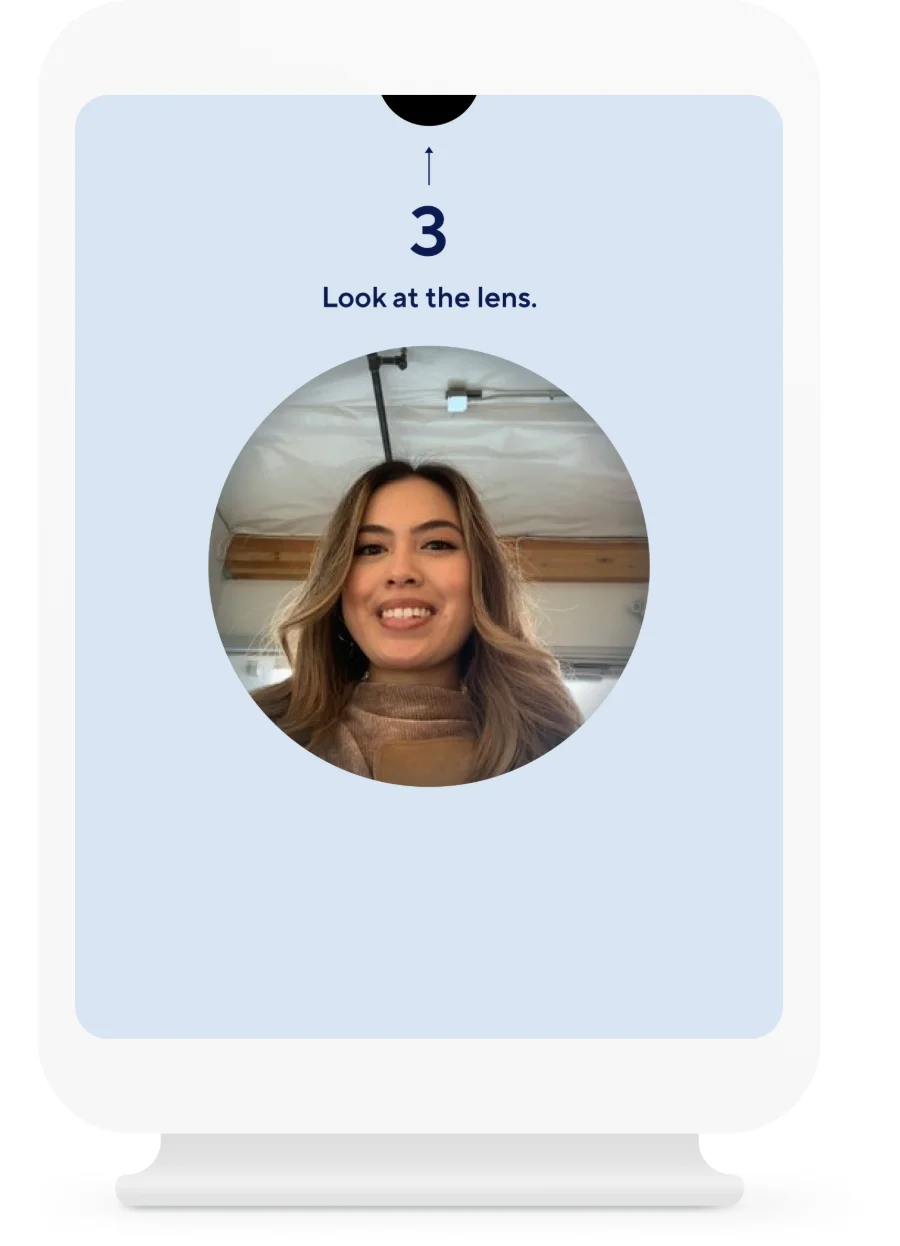
A hospital visitor management system answers a deceptively hard question: who is in the building right now, and should they be? Visitors check in at a kiosk or the front desk, scan a government ID, get screened against configurable watchlists, and receive a printed badge that identifies where they're allowed to go. Every entry is logged — which matters as much for an evacuation headcount as it does for an investigation.
Because visitor management shares a platform with the doors, a visitor badge can carry real, time-limited access — the family member headed to post-op can badge through the visitor entrance to the right floor, and nowhere else, with access that expires when visiting hours end.
- ID scanning & photo capture — verified identity in seconds, not a paper logbook.
- Watchlist screening — flag former employees, restraining-order subjects, and prior incident contacts before a badge prints.
- After-hours flow — overnight visitors route through the ED entrance with intercom-verified check-in and security sign-off.
- Integrated with access control — visitor badges open only the doors they should, and expire automatically.
Staff duress alarm systems for hospitals
A silent button that brings help to a nurse's exact location — before a situation becomes a statistic.
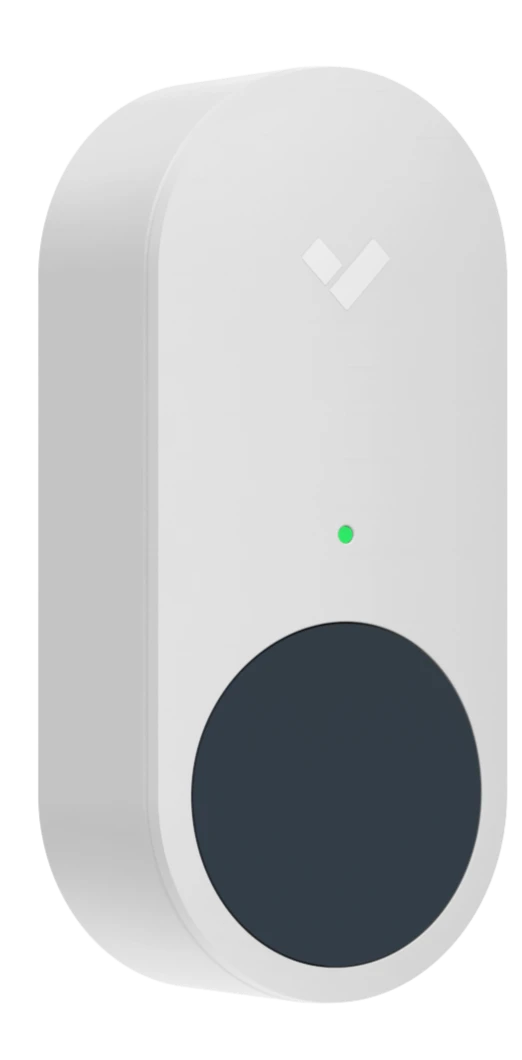
A hospital duress alarm system gives clinical staff a discreet, instant way to call for help. Press a wearable button on a badge reel, a fixed panic button at the registration desk, or a button in a mobile app — and security knows who needs help and exactly where, without a phone call, without leaving the room, and without escalating the situation in front of an agitated patient. For nurses working alone in triage, behavioral health, or home-health check-in areas, a staff duress system is rapidly moving from "nice to have" to standard of care.
Types of duress devices: wearable, fixed-point, and mobile
The three device families solve different problems, and most hospitals deploy at least two. Wearables protect people wherever they go; fixed buttons protect known hot spots like the ED registration desk; mobile apps extend coverage to staff in parking lots and off-campus clinics.
Duress device comparison
Most hospitals blend wearable + fixed-point| Device | Response time | Coverage | Staff adoption | Typical use |
|---|---|---|---|---|
| Wearable buttonBadge-worn | Response timeFastest — one press from anywhere, with room-level location | CoverageFollows the person across every unit the locating network covers | Staff adoptionHigh once issued with the badge; needs charging/battery program | Typical useNurses and aides in ED, behavioral health, and inpatient units |
| Fixed-point buttonDesk / wall mount | Response timeInstant at the button — staff must be able to reach it | CoverageProtects a known location: registration, triage, pharmacy hatch, cash office | Staff adoptionEffortless — nothing to wear, charge, or remember | Typical useED registration desks, pharmacy windows, front lobbies, exam rooms |
| Mobile appPhone-based | Response timeFast if the phone is in hand; slower if pocketed or locked | CoverageAnywhere with signal — parking structures, satellite clinics, home visits | Staff adoptionMixed — depends on BYOD culture and app fatigue | Typical useSecurity officers, home-health staff, lone workers off the main campus |
Workplace violence in hospitals — the numbers, and what regulators expect
Healthcare workers face workplace violence at rates far above the all-industry average — federal injury data consistently shows healthcare and social assistance workers absorbing the majority of nonfatal workplace-violence injuries involving days away from work. OSHA's healthcare workplace violence guidance makes prevention an employer responsibility under the General Duty Clause, and a growing list of states now require duress systems or violence-prevention plans in healthcare settings. Since 2022, The Joint Commission's workplace violence prevention standards require accredited hospitals to maintain a defined program — including reporting systems, post-incident analysis, and environmental controls. CDC/NIOSH research on violence in healthcare is the reference point most safety committees build from. A program of panic buttons for nurses is one of the most concrete, auditable controls a hospital can present against all three.
 Panic button · wireless, one-press alert
How duress integrates with cameras and door lockdown
A standalone panic button summons help. An integrated hospital duress alarm system changes the event. Because Monarch deploys duress on the same platform as cameras and doors, a single button press can do all of this at once:
- Cameras snap to the scene. The nearest cameras pop onto the security desk's screen automatically, with live video and the minutes before the press already cued.
- Doors react by rule. Lock the unit's public doors, hold the stairwell open for responders, or trigger a full ED lockdown — pre-programmed, not improvised.
- The right people know instantly. Security, the house supervisor, and — when configured — local PD get an alert with name, location, and a live camera link.
- Everything is documented. Button press, door events, video, and acknowledgment times land in one timeline — exactly what a Joint Commission post-incident review asks for.
Get a hospital security assessment
A Monarch security expert will walk your facility — ED, pharmacy, units, parking — and map duress, doors, and cameras against your actual risks. No cost, no obligation.
Hospital intercom systems
See, hear, and verify before a door ever opens — at every entrance you can't staff around the clock.
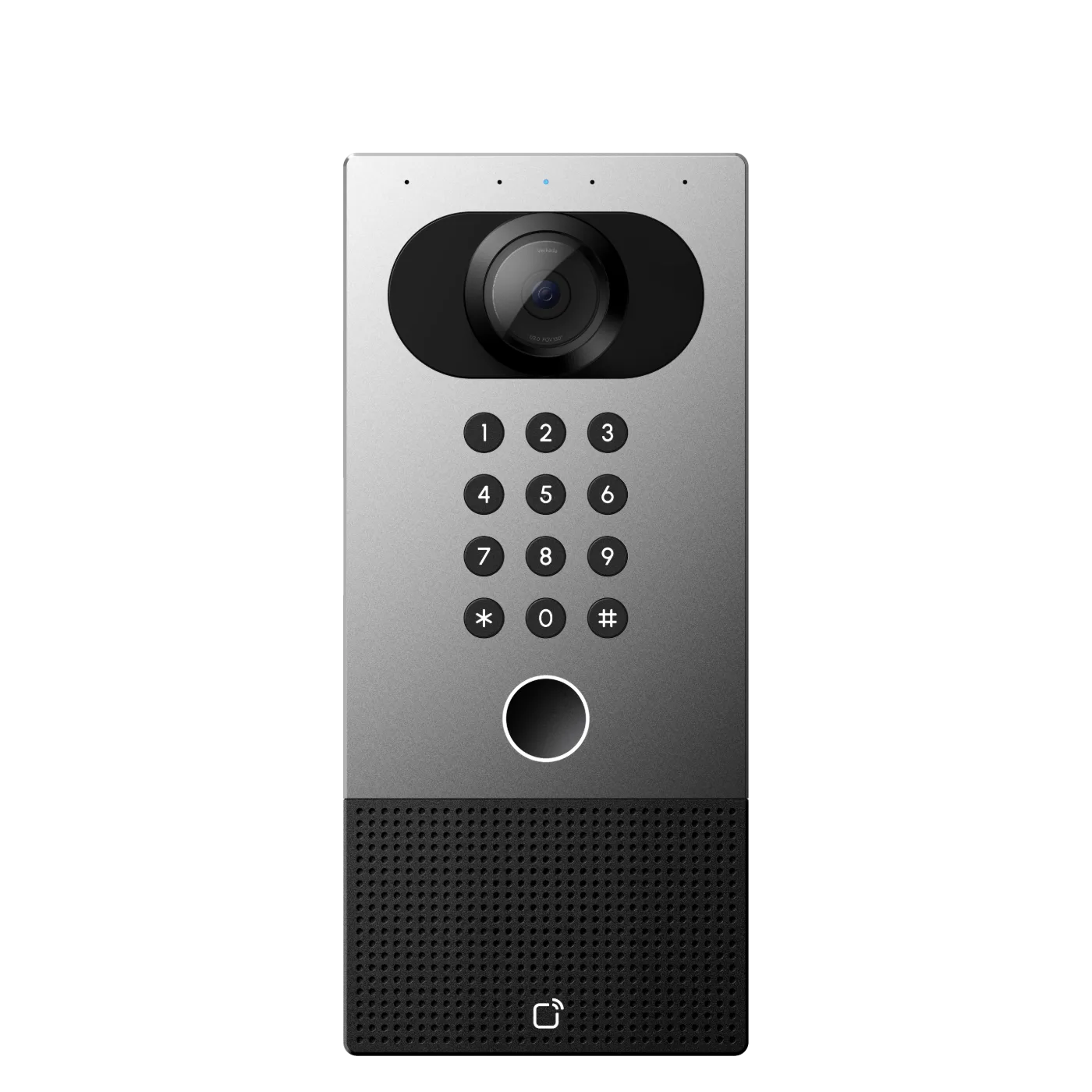
A hospital intercom system is the verification layer of the building: two-way audio and video at the doors where someone has to make a judgment call before granting entry. After hours, the main entrance locks and visitors route to a video intercom; security sees a face, checks an ID against the visit, and releases the door remotely — from the desk or from a phone. Tied into the same platform as the doors and cameras, the intercom call, the unlock, and the video all land in one searchable record.
 Video intercom · door release + call routing
Every judgment-call door
- After-hours main entrances — verify and release without a guard posted at the door.
- ED triage and ambulance bays — control the clinical side while keeping arrival fast.
- Pharmacy hatches and med rooms — verified handoffs at the highest-risk windows.
- Parking structures and remote lots — emergency call stations staff can reach at 3 AM.
- Clean rooms and labs — communicate through the barrier without breaking protocol.
- Loading docks and service entrances — vendor verification where deliveries actually arrive.
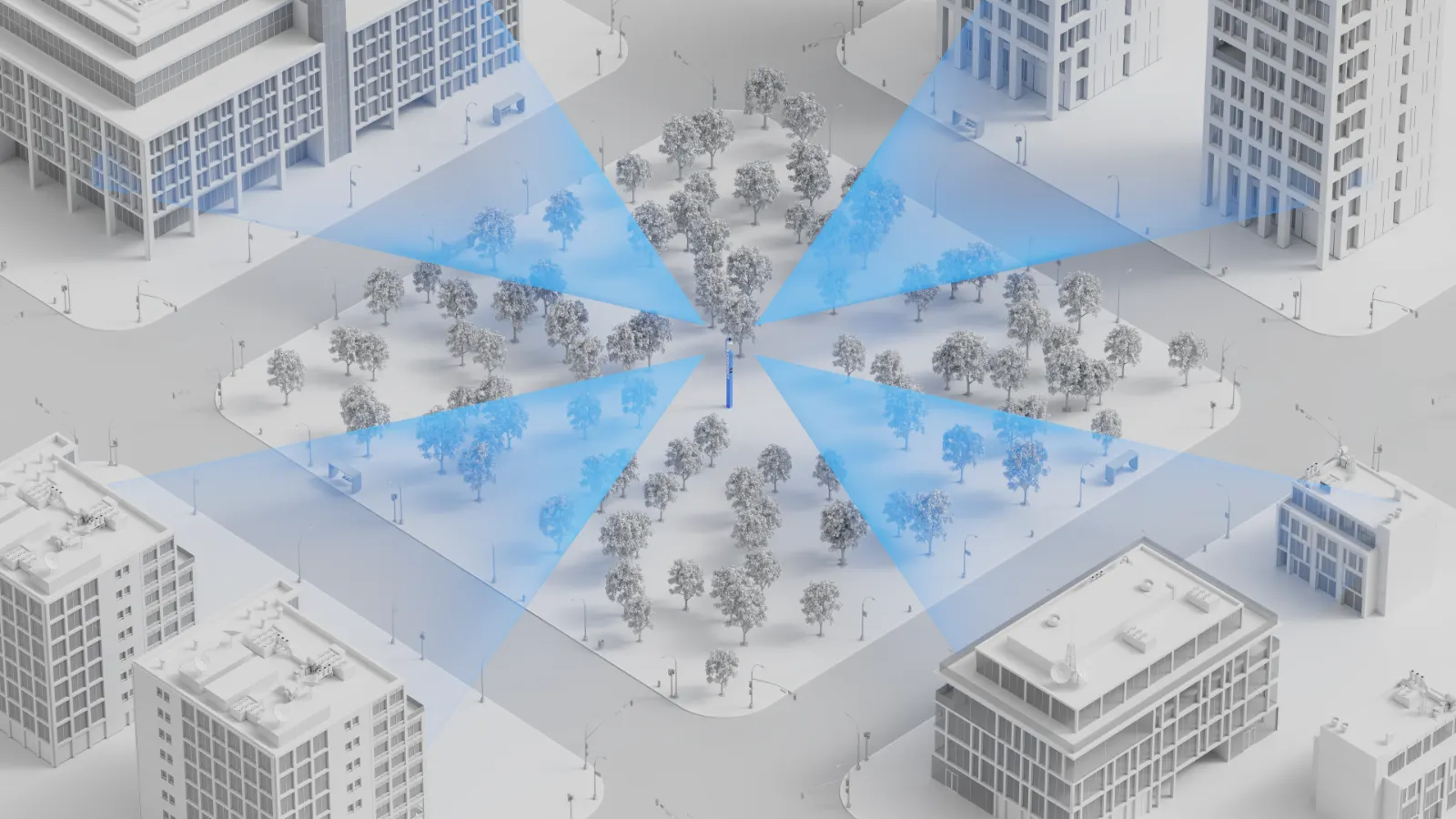 Blue-light tower · 360° camera + call station
The buyer's guide a manufacturer can't write
Aiphone, Zenitel, Commend, Verkada — each makes a capable hospital intercom system, and each will tell you theirs fits every door. As an integrator, Monarch's answer is more useful: it depends on the door. High-noise ambulance bays favor hardware with strong echo cancellation; campuses already on a cloud platform gain the most from intercoms that share its dashboard; unionized security desks may need handsets, not browsers. We design across brands, then install and support what actually fits your workflows — including outdoor blue-light towers that put a camera, strobe, and two-way call station in the middle of a parking lot or campus quad.
The questions that decide it: Who answers calls, and where? Does the intercom need to release the door directly? Does video need to be recorded and searchable with the rest of your cameras? Get those three right and the hospital intercom system choice becomes obvious.
HIPAA-compliant security cameras
Cameras don't violate HIPAA. Unmanaged access to what they record does.
"HIPAA compliant security cameras" is really shorthand for a camera program that satisfies the HIPAA Security Rule: cameras placed where they're appropriate, footage protected like the sensitive data it is, and access to that footage controlled, logged, and reviewable. Hardware matters — encryption, sign-in controls, audit trails — but placement policy and access governance are what an auditor will actually examine. Monarch designs all three layers together.
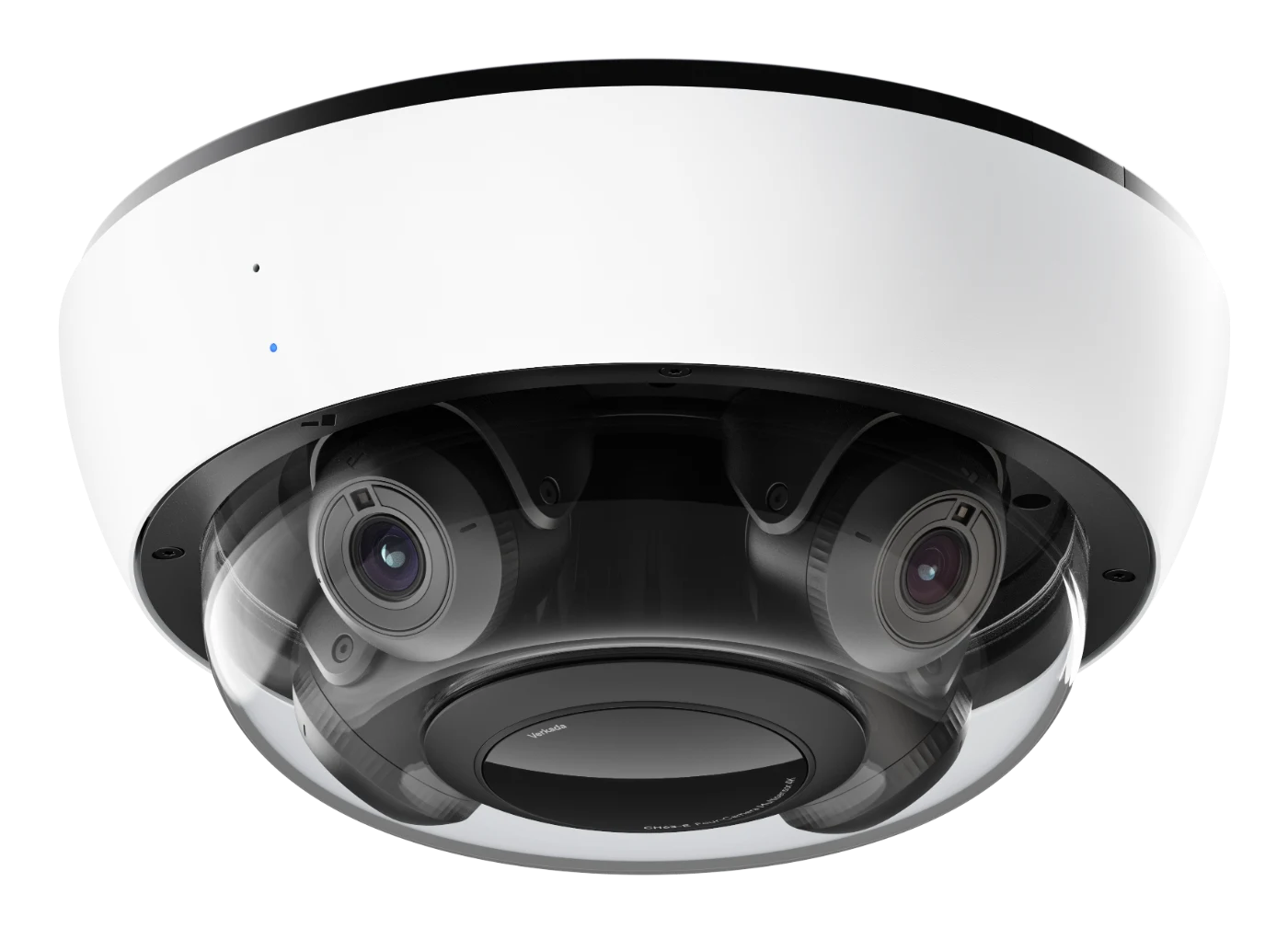 Dome camera · corridors and entrances, not patient areas
Hallways yes. Patient rooms no.
The placement rule of thumb: cameras belong where security needs outweigh any reasonable expectation of privacy — and never where care is delivered or patients undress.
- Appropriate: corridors, entrances and lobbies, waiting rooms, pharmacy and med-room doors, loading docks, parking structures, cash-handling areas.
- Off-limits: patient rooms, exam and treatment areas, restrooms, locker rooms — anywhere patients receive care or have a clear privacy expectation.
- Document both lists. A written placement policy is the first thing to produce in an audit or a complaint.
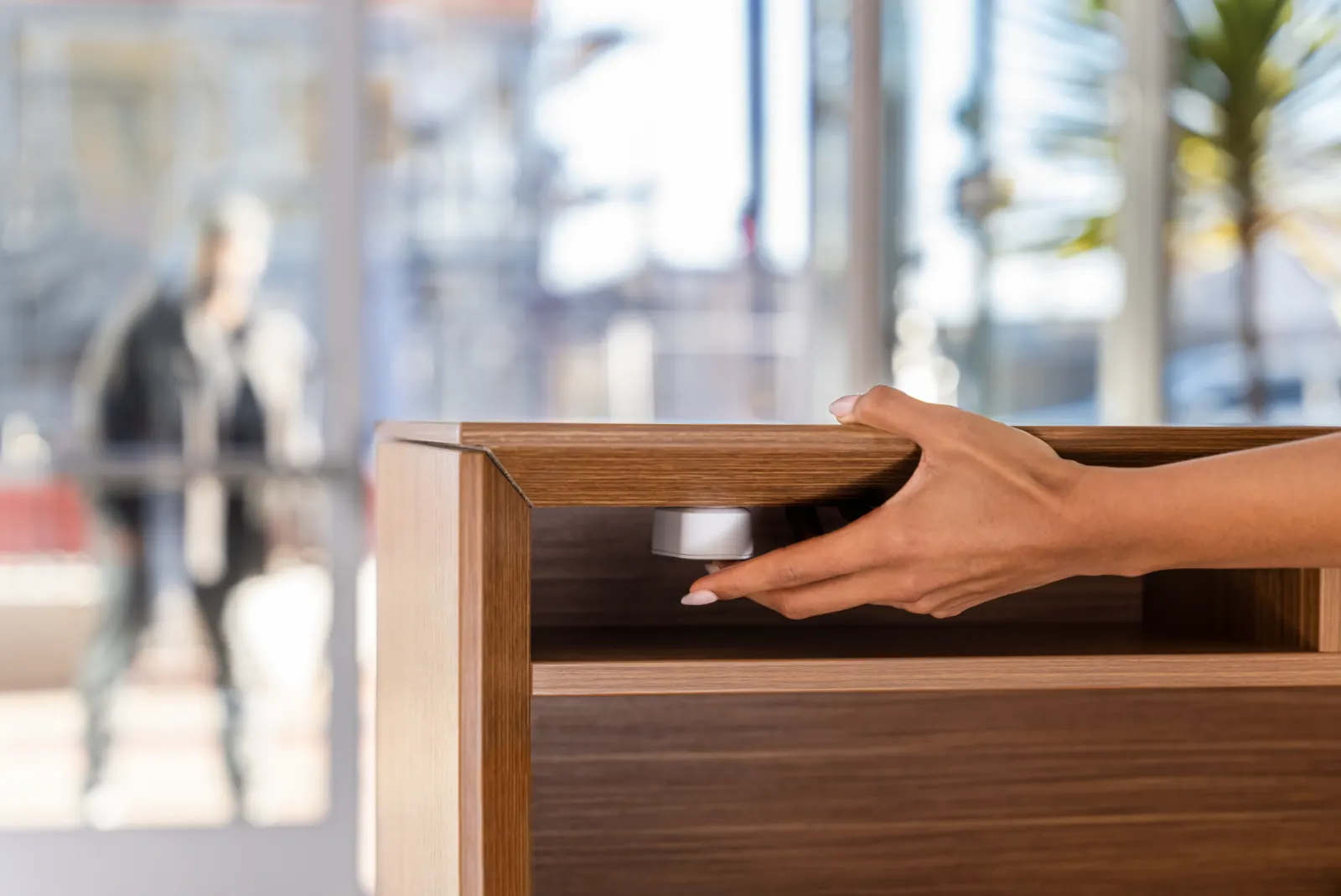 Fixed-point duress · same audit-logged platform
What the HIPAA Security Rule requires for video
HIPAA-compliant security cameras are defined less by the lens than by the controls around the footage. When cameras can capture protected health information — a face in a waiting room, a whiteboard with patient names — the HIPAA Security Rule's safeguards (HHS) apply to the footage. In practice, that means four controls your video system must be able to demonstrate:
- Access logging. Unique accounts for every viewer, role-based permissions, and an audit log of who watched, exported, or shared any clip.
- Defined retention. A written retention schedule the system actually enforces — not "whatever the DVR holds."
- Encryption. Footage encrypted in transit and at rest, with no default passwords or open RTSP streams on the clinical network.
- Governed viewing. A short, named list of who may view footage, a process for releasing it, and business associate agreements with vendors who can touch it.
Cloud video for hospitals
Monarch deploys AI security cameras that store footage encrypted on the device and stream to the cloud — no NVR in a closet, no server to patch on the clinical network, and automatic firmware updates that close vulnerabilities instead of accumulating them. Role-based access and audit logs are native, not bolted on — which is what makes cloud platforms the most practical route to HIPAA-compliant security cameras at hospital scale. AI search finds a person or vehicle across every camera in seconds, and footage shares with investigators as an expiring link instead of a USB stick. For the architecture details, see our cloud video surveillance guide.
One integrated hospital security system — not four silos.
Most hospitals run a hospital alarm system from one vendor, cameras from another, badge access from a third, and a duress product bolted on after an incident. Four contracts, four dashboards, four things that don't talk to each other at 2 AM. Monarch's approach is one integrated environment: access control, duress, intercom, alarms, and cameras sharing a single cloud dashboard, a single user directory, and a single audit trail. The payoff isn't tidiness — it's speed. When a duress button fires, doors and cameras react in the same second, because they're the same system. We've written about what that architecture looks like at scale in our guide to building an integrated security environment that scales.
Where the hospital alarm system fits
The hospital alarm system is the layer that never blinks: intrusion detection on after-hours perimeters, door-forced and door-held-open alerts on sensitive rooms, a hospital panic button at the registration desk, and environmental sensors watching pharmacy refrigeration and air quality. On an integrated platform, those alarms aren't a separate panel on the wall — an after-hours alarm pages security with the nearest camera feed attached, and arming schedules follow the same calendar as the doors.
One event, one timeline
A duress press, the doors it locked, the cameras that saw it, and who acknowledged it — a single timestamped record, ready for the post-incident review.
One directory, every device
A nurse's badge, app, and camera permissions live in one profile. Offboarding is one click — not four tickets across four vendors.
One dashboard for the desk
The security desk works one screen: live cameras, door status, alarms, intercom calls, and visitor logs — across every building on the campus.
One compliance story
HIPAA access logs, Joint Commission incident documentation, and DEA pharmacy audit trails all come out of the same system, in minutes.
What does hospital security cost?
Nobody publishes numbers. Here are real ranges — and the factors that move them.
Every manufacturer's answer is "request a quote." Here's ours instead: the typical installed ranges we see across hospital and clinic deployments, before volume pricing. Treat these as planning numbers — the honest answer always comes from a walk-through, which is exactly what our free assessment is for.
Reader, controller, lock hardware, cabling, and licensing. Retrofit door condition is the swing factor — a clean prep door lands low; replacing a 1980s mortise lock lands high.
Camera, mounting, cabling, and cloud license. Indoor domes land low; outdoor multisensor and parking-structure cameras land high. See our 2026 camera cost guide.
Fixed-point buttons installed. Wearable systems price per bed or per user — typically $15k–$60k+ for a unit or facility depending on the locating network required.
Video door stations with remote release. Outdoor blue-light towers with 360° cameras and strobes are a campus-level line item — typically $15k–$30k each, sited per lot.
The factors that actually move the number
Door & building condition
Existing electrified hardware and clean cable paths cut per-door cost dramatically; plaster walls, asbestos abatement zones, and historic buildings raise it.
License term
Cloud licenses run 1–10 years. Longer terms lower the annual cost and lock pricing — most hospitals buy 5 or 10 to match capital planning cycles.
Scale & phasing
Per-unit pricing falls meaningfully past ~25 doors or ~50 cameras. Phasing by building or by floor spreads spend across budget years without redesign.
Network readiness
Available PoE switch ports and IDF capacity are free money; adding switches, UPSs, or fiber runs between buildings is not.
Monitoring model
A self-monitored hospital alarm system costs less per month; professional monitoring adds a per-site fee but removes the 3 AM "who's watching" question.
Compliance documentation
If you need DEA-grade pharmacy audit trails or Joint Commission-ready reporting, say so up front — it shapes device selection, not just configuration.
Hospital security compliance checklist
Three rulebooks govern hospital security. Here's how the systems on this page map to each.
Security purchases in a hospital ultimately answer to three authorities: the HIPAA Security Rule, The Joint Commission's Environment of Care and workplace-violence standards, and OSHA's workplace-violence expectations. The mapping below — which you won't find on any manufacturer's page — shows what each requires, which system addresses it, and what evidence to keep on file for the next survey.
Compliance mapping — requirement → system → evidence
Verify against the linked primary sources below| Standard | What it requires | Which system addresses it | Evidence to keep |
|---|---|---|---|
| HIPAA Security Rule45 CFR §164.304–312 | What it requiresPhysical safeguards for facilities and workstations; technical safeguards — access control, audit controls, integrity, transmission security — for systems touching PHI, including video that can capture it | Which system addresses itAccess control (facility access), HIPAA-compliant cameras (audit logs, encryption, role-based viewing), visitor management (facility access records) | Evidence to keepCamera placement policy, footage access/audit logs, retention schedule, BAAs with vendors, door event history for records and data rooms |
| Joint CommissionEC + WPV standards | What it requiresA managed security environment (EC.02.01.01), identification of security-sensitive areas, and since 2022 a workplace violence prevention program with reporting, analysis, and environmental controls | Which system addresses itStaff duress alarms, the hospital alarm system and lockdown zones, cameras for post-incident analysis, intercoms for controlled after-hours entry | Evidence to keepSecurity risk assessment, sensitive-area door schedules, duress test logs, incident timelines (button → response), annual program review minutes |
| OSHAGeneral Duty Clause + guidance | What it requiresA workplace free from recognized hazards; OSHA's healthcare guidance names violence as one and points to engineering controls — alarms, monitoring, controlled access — as expected abatement | Which system addresses itDuress devices (wearable, fixed, mobile), cameras in high-risk areas, access control separating public from clinical zones | Evidence to keepHazard assessment, device coverage map, training records, OSHA 300 logs correlated with duress events, response-time reports |
The checklist your safety committee can run with
Every requirement from the table above as a working checklist — HIPAA video safeguards, Joint Commission EC and workplace-violence items, and OSHA documentation — with an evidence column to fill in as you go.
Why hospitals choose Monarch
Manufacturers sell you their hardware. An integrator designs the system your hospital actually needs.
Every vendor on a hospital security shortlist makes one thing. Monarch's job is different: we assess the facility, design across brands, install around clinical schedules — units don't pause for cable pulls — and answer the phone after go-live. We're a Verkada Authorized Reseller and we deploy their platform often, but we'll specify a different duress or intercom product when the door demands it. You can also browse security hardware in our catalog if you already know what you need.
Walk the facility
A security expert maps your ED, pharmacy, units, and parking against the risks above — and produces a door-by-door, camera-by-camera design with real pricing.
Build around care
Licensed installers work unit-by-unit on clinical schedules, with infection-control protocols, badging, and after-hours work where the floor requires it.
Stay accountable
Training for security and charge staff, duress test schedules, and one number to call — for every brand in the deployment, for the life of the system.
Talk to a hospital security expert
Tell us about your facility and a Monarch expert will follow up within one business day — with answers, not a sales sequence. Prefer the phone? Call (415) 326-3592.
 Emergency tower · campus & parking coverage
Hospital security FAQs
The questions security directors, facilities leaders, and compliance officers ask us most.
What is hospital access control and how does it work?
Hospital access control replaces physical keys with electronic credentials — badges, mobile credentials, PINs, or biometrics — presented at readers on secured doors. Software decides who can open which door on which schedule and logs every event centrally. Permissions follow roles (nurse, pharmacist, contractor), can be changed or revoked instantly, and doors can be locked down by zone in seconds.
How much does a hospital security system cost?
Most hospital deployments land between roughly $1,500–$3,500 per access-controlled door installed, $1,200–$3,500 per camera installed including cloud licensing, $150–$500 per fixed duress button, and $2,000–$6,000 per video intercom station. The biggest drivers are door hardware condition, cabling distances, license terms (1–10 years), and how many buildings share the deployment. The cost section above breaks down each factor.
Are security cameras allowed in hospitals?
Yes — in the right places. Cameras are standard in hallways, entrances, waiting rooms, pharmacies, loading docks, and parking areas. They are not placed where patients have a reasonable expectation of privacy: patient rooms, treatment and exam areas, restrooms, and locker rooms. A well-designed camera plan documents both lists in a written placement policy.
What does HIPAA require for hospital security cameras?
When video can capture protected health information, the HIPAA Security Rule's safeguards apply: restrict who can view footage with unique accounts and role-based access, keep audit logs of viewing and exports, encrypt video in transit and at rest, define and enforce retention, and put a business associate agreement in place with any vendor that can access footage.
What is a staff duress alarm system?
A staff duress alarm system gives hospital staff a silent way to summon help — a wearable button on a badge, a fixed panic button at a desk or registration counter, or a mobile app. Activating it alerts security with the staff member's identity and location, and can automatically pull up nearby cameras and trigger door lockdowns.
Does OSHA require panic buttons for healthcare workers?
There is no federal OSHA standard that explicitly mandates panic buttons today, but OSHA's General Duty Clause and its workplace violence guidance for healthcare put clear expectations on employers — and a growing list of states have passed laws requiring duress systems in healthcare settings. The Joint Commission's workplace violence prevention standards also require accredited hospitals to maintain a prevention program. Check current state law for your facilities; this is an area where requirements are actively emerging.
Can hospital access control trigger a lockdown automatically?
Yes. Modern cloud access control can lock down a unit, a floor, or an entire campus in seconds — triggered manually from a browser or phone, by a duress button press, or by an automated rule. Doors group into zones, so an ED lockdown doesn't disrupt the rest of the hospital, and egress always remains free.
Does Monarch install and support the system, or just sell hardware?
Monarch is a security integrator, not just a reseller. We assess the facility, design the system, install and commission every device, train your team, and support the deployment after go-live — across access control, cameras, duress, intercom, and visitor management.
Book a demo.
From hospital access control to duress, intercoms, and HIPAA-compliant video, Monarch designs, installs, and supports the whole system — the same way we deliver commercial security camera systems and government security systems for over 1,200 sites nationwide.