


Updated September 22, 2026.
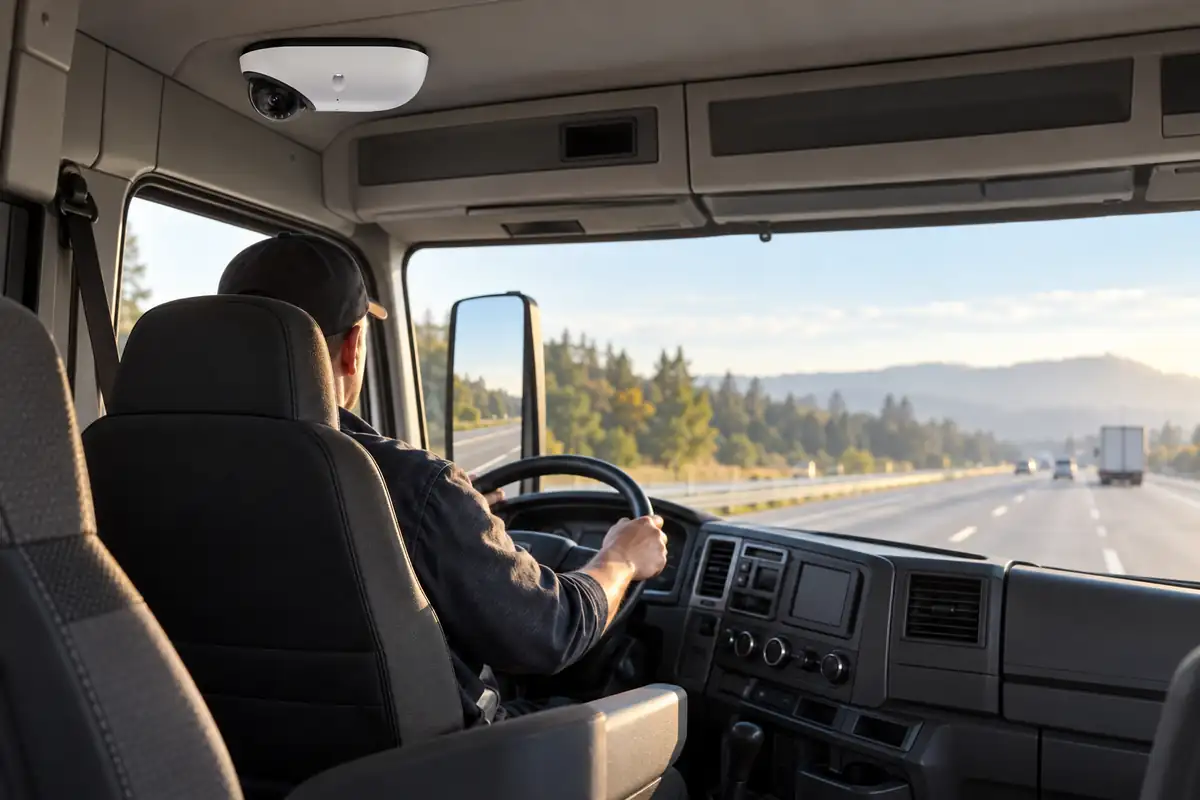
A fleet vehicle dash cam is a connected camera system that records the road, the driver or both, and sends important events to a manager without anyone touching a memory card. Unlike a consumer dash cam, it is managed centrally across every vehicle, usually uploads flagged clips over cellular, and often pairs video with GPS and driving data. Fleets use it to settle crash disputes, coach drivers and protect vehicles.
This guide covers how a fleet dash cam differs from the one you would buy for your car, the camera types, what AI event detection can and cannot do, and how to roll a program out without losing your drivers' trust. We are Monarch Connected, an authorized Verkada reseller that designs, installs and supports Verkada systems, and we will explain where Verkada's new vehicle line fits as well.
What is a fleet vehicle dash cam?
At its simplest, a fleet vehicle dash cam is a windshield-mounted camera that records continuously and saves the moments that matter. What makes it a fleet tool is everything around the camera:
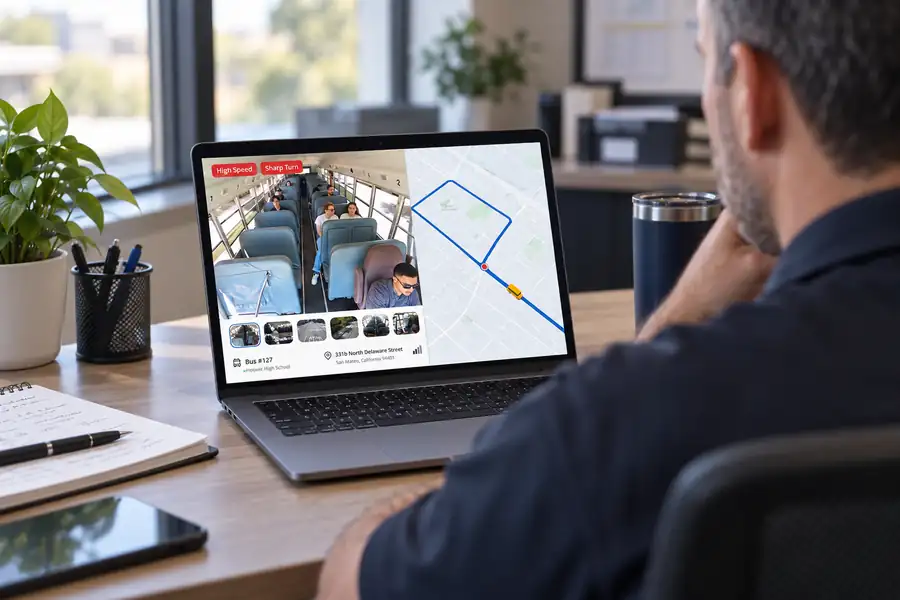
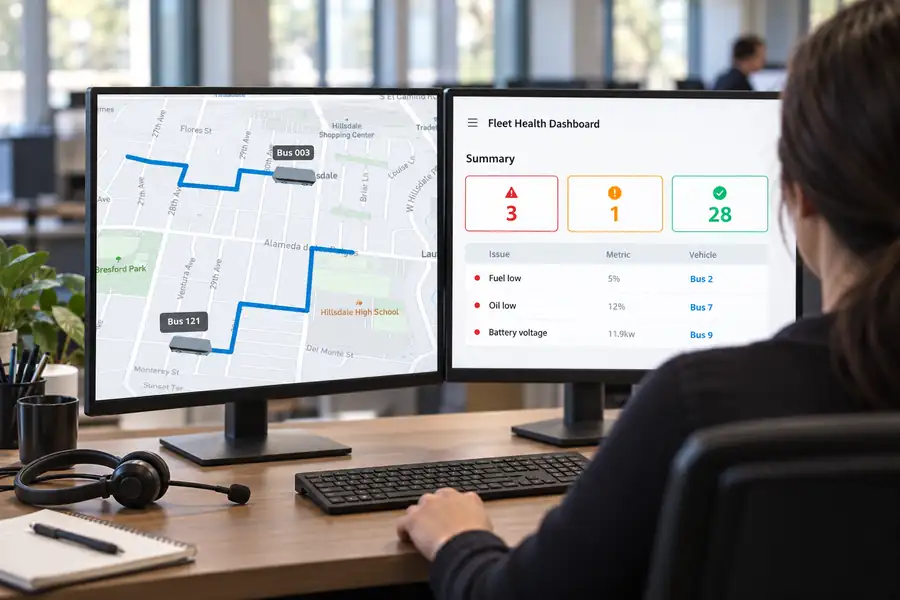
- Central management. Every camera across every vehicle shows up in one web or mobile dashboard.
- Connectivity. A cellular modem, often with Wi-Fi offload at the yard, uploads events and lets managers pull footage remotely.
- Vehicle data. GPS location, speed and acceleration are recorded next to the video so a clip shows where and how fast, not just what.
- Event detection. Sensors and, increasingly, AI flag harsh braking, speeding and similar events so managers don't have to watch hours of footage.
- Access controls. Permissions decide who can view, download and share video.
The camera is the visible part. The dashboard, the connection and the policy around them decide whether the program works.
Fleet dash cam vs consumer dash cam
A consumer dash cam can record a good image of a crash. The trouble starts when you have 30 vehicles, a claim from last Tuesday, and no idea which truck was there.
| Feature | Consumer dash cam | Fleet dash cam |
|---|---|---|
| Where video lives | Memory card in the device | On the device plus uploaded to a cloud dashboard |
| Getting footage | Someone removes the card | Automatic event upload; remote retrieval |
| Number of vehicles | One | Tens to thousands in one account |
| Vehicle data | Sometimes GPS | GPS, speed, driving events, sometimes diagnostics |
| Event alerts | Rarely | Alerts routed to managers |
| Driver-facing option | Occasionally | Common, with policy controls |
| User permissions | None | Role-based access, clip sharing, audit trail |
| Cost model | One-time purchase | Hardware plus ongoing software and data |
The last row matters. A dash cam fleet program is a subscription service in most cases, so compare total cost over several years, not just the price of the device.
Road-facing, driver-facing and dual-facing cameras
Road-facing
A road-facing camera records what is in front of the vehicle. It is the least controversial option and often the one that pays off first, because it shows what the other driver did. For many fleets, a road-facing truck dash camera is the entire first phase.
Driver-facing
A driver-facing camera records the cab. It can show phone use, seatbelt use, eyes off the road and signs of fatigue, and it can prove a driver was paying attention. It is also the part drivers worry about most. Some fleets only save driver-facing video when an event is triggered, rather than letting managers watch the cab at any time.
Dual-facing
A dual-facing unit combines both lenses in one housing. It gives the fullest picture of an incident. A semi truck dash camera setup may also add side and rear cameras for blind spots and the trailer, which moves it from "dash cam" into a multi-camera system. Our commercial truck camera systems guide covers those larger setups.
Which to pick depends on the question you most need answered. If most of your disputes are "who hit whom," start road-facing. If your concern is distraction and coaching, you'll need a driver view as well, and a stronger policy to go with it.
How AI event detection works, and where it falls short
Modern fleet cameras use two sources to decide what is worth flagging.
Vehicle motion data. Accelerometers and GPS catch harsh braking, harsh acceleration, sharp turns, speeding and impacts. These are reliable because they are measuring physics.
Computer vision. On products that support it, an AI model looks at the video itself to spot things like following too closely, phone use, or a driver's eyes leaving the road. This is where products differ most, and where false alerts come from. Glare, sunglasses, a passenger's phone, or a driver checking a mirror can all confuse a model.
Three things to check in any AI dash cam:
- The exact event list. Get it in writing, and ask which events come from motion data and which from vision.
- Where the AI runs. Detection on the device can flag events without a connection; detection in the cloud depends on video being uploaded first.
- How you tune it. You should be able to adjust thresholds, turn off events you don't use, and route alerts to the right people.
Run a pilot and count how many flagged events were real. That number will tell you more than any demo.
Exoneration: where dash cams earn their keep
The classic case for fleet cameras is simple: a crash where your driver is blamed and there is no way to prove otherwise. Video changes that conversation.
Road-facing footage can show a car cutting in, a vehicle running a red light, or a rear-end collision caused by someone else. Paired GPS and speed data can show the truck was traveling at a legal speed. That evidence can matter to your insurer, in litigation, and in how the incident is recorded against your company.
Exoneration only works if you can get the footage quickly and trust it. That means:
- Automatic upload of collision events, so video survives even if the device is damaged.
- A clear chain of custody: who downloaded the clip, when, and whether it was edited.
- Retention settings long enough to cover when claims actually arrive, which can be weeks or months after the incident.
Our guide to driver exoneration covers how to build that process and use video with insurers and in disputes.
Mounting and the rules of the road
A dash cam is mounted where it can see, which is also where it can block the driver's view, so it is regulated.
For commercial motor vehicles covered by federal safety rules, 49 CFR 393.60(e) lets "vehicle safety technology" (defined to include driver camera systems) be mounted on the inside of the windshield within 8.5 inches of the top of the area swept by the wipers or within 7 inches of the bottom, and outside the driver's sight lines to the road and to signs and signals.
States add their own rules, and they differ. California's Vehicle Code section 26708, for example, sets specific windshield zones for video event recorders and adds conditions, including a posted notice to passengers and a requirement that an employee can get an unedited copy of their recorded video at no cost on request. Audio recording raises separate consent rules. Our dash cam laws by state guide goes through these state by state. Confirm the rules for every state you operate in before installing.
Driver buy-in and privacy
Driver acceptance is the biggest factor in whether a camera program improves fleet safety or just creates turnover. Road-facing cameras tend to be the easier conversation. Driver-facing cameras are a different conversation, because they point at a person for an entire shift.
A few principles make a real difference:
- Explain the why. Lead with protection: video that clears drivers of false claims.
- Limit who can watch. Use role-based permissions so only trained safety staff review driver-facing video.
- Record events, not people. If you can, save driver-facing video only around triggered events rather than enabling live viewing of the cab.
- Be careful with biometrics. Features that identify a face can fall under biometric privacy laws. Illinois' Biometric Information Privacy Act treats a "scan of hand or face geometry" as a biometric identifier and requires written notice and a written release before one is collected. Prefer systems where face-based features are off by default.
- Give drivers their footage. Let drivers see the clips used in their coaching, and in states like California, know your obligations to provide copies.
Get legal advice before enabling driver-facing video or any face-based feature. This guide is not legal advice.
Where Verkada Transportation fits
In September 2026, Verkada announced Verkada Transportation, a vehicle video security line managed in Verkada Command, the same cloud platform Verkada uses for building cameras. It is worth understanding what it is, because it approaches vehicles from the security side rather than the telematics side.
According to Verkada, the line includes:
- Three ruggedized cameras: the KCF61-E fisheye (12.5MP, 180°), the KCD41-E low-profile dome (5MP, 78°) and the KCW41-E wedge camera for vehicle exteriors (5MP, 78°).
- The KGX61 gateway, which connects over 5G, LTE or Wi-Fi, powers up to 10 cameras, reads OBD-II and J1939 diagnostics, and captures GPS location and trip history.
- Driving events including speeding, harsh braking, harsh acceleration and sharp turning, with paired footage and location "to audit claims or coach drivers."
- Footage processed and saved up to the moment of impact, even if a collision causes sudden power loss.
- Remote access to footage from moving or parked vehicles, including when the vehicle is off.
- Privacy controls: facial recognition and other sensitive features disabled by default, face blurring in live footage or saved clips, and a gateway that can manage biometric features based on vehicle location.
Verkada describes these cameras by form factor (fisheye, dome, exterior wedge) for covering areas inside and outside a vehicle. It has not presented the line as a windshield dash cam, and it has not listed driver-distraction or drowsiness detection among its events. So it is a natural fit for fleets that care about passenger, cabin, cargo and exterior security, or that want vehicle video alongside their Verkada building cameras. If a forward-facing dash cam with distraction coaching is your core need, a telematics-first product may be the better tool; our look at Samsara alternatives compares approaches. Many fleets will use both.
You can read more on our Verkada Transportation page. Verkada has not published pricing, so contact Monarch for availability.
Fleet dash cam rollout checklist
Use this list to go from decision to a fleet-wide program.
- Write down the three incident types costing you the most, and match each to a camera view.
- Decide road-facing only, dual-facing, or multi-camera for each vehicle class.
- Confirm windshield mounting rules for every state you operate in.
- Draft a written camera policy (see below) and have it reviewed by counsel.
- Brief drivers before installation, including what is recorded and who can view it.
- Pilot on a small group of vehicles across different routes, shifts and drivers.
- Count real vs. false events during the pilot and tune thresholds.
- Set role-based permissions for managers, safety staff and anyone who shares clips.
- Set retention periods and a process for preserving footage when a claim or lawsuit arrives.
- Schedule installs to limit vehicle downtime, and verify every camera's view after install.
- Review results with drivers after the first 60 to 90 days and adjust.
Policy tips for a fleet dash cam program
A written policy protects the company and the driver. At minimum it should cover:
- Purpose. Safety, exoneration, coaching and security. Say what cameras will not be used for.
- What is recorded. Road, cab, audio (if any), and when each is saved.
- Who can view. Named roles, not "management."
- Live viewing. Whether anyone can watch a live feed, and when.
- Coaching process. How flagged events turn into coaching, and how drivers can respond.
- Retention and legal holds. How long video is kept, and how it is preserved after a crash.
- Sharing. Rules for sending clips to insurers, attorneys or law enforcement.
- Personal use. How off-duty time and personal conveyance are handled, if applicable.
- Tampering. What happens if a camera is covered or unplugged, and how drivers report a broken camera.
Keep it short enough that drivers will read it, and have every driver acknowledge it in writing.
Frequently Asked Questions
What is the difference between a fleet dash cam and a regular dash cam?
A regular dash cam stores video on a memory card in one vehicle. A fleet dash cam connects every vehicle to a central dashboard, uploads flagged events over cellular, adds GPS and driving data, and controls who can see footage.
Should I use driver-facing cameras?
Only if you have a clear reason, such as coaching distraction, and a written policy. Road-facing cameras deliver most of the exoneration value with far less driver pushback. If you add a driver view, limit who can watch it and check biometric privacy laws in your states.
Where should a dash cam be mounted in a commercial truck?
Under 49 CFR 393.60(e), within 8.5 inches of the top or 7 inches of the bottom of the wiper-swept area, outside the driver's sight lines. Some states have their own rules, so check each state you operate in.
Do fleet dash cams record all the time?
Most record continuously to local storage and upload only events or requested clips. How much is kept on the device, and for how long, varies by product. Ask each vendor.
Can a dash cam prove my driver was not at fault?
It often can, especially road-facing video paired with speed and GPS data. It works best when collision clips upload automatically and you keep a clear record of who handled the footage.
Is Verkada Transportation a fleet dash cam?
It is a vehicle video security system with fisheye, dome and exterior cameras and a 5G/Wi-Fi gateway that adds GPS, trip history, driving events and diagnostics. Verkada has not described it as a windshield dash cam. Talk to us about whether it fits your vehicles.
How do I get Verkada Transportation?
Verkada announced it in September 2026. Monarch is an authorized Verkada reseller; contact us for availability.
Getting started
The best fleet dash cam program starts with the problem, not the device: the incidents that cost you money, the camera views that would have settled them, and a policy drivers can live with. If you want help deciding whether a security-first system like Verkada Transportation fits your fleet, Monarch can walk you through it.