


Updated September 16, 2026.
A parking lot is one of the hardest spaces to secure and one of the most important. It's large, often poorly lit, full of vehicles and people moving in unpredictable ways, exposed to weather, and frequently the site of theft, vehicle break-ins, vandalism, and slip-and-fall claims. Getting parking lot security cameras right isn't about buying one camera — it's about choosing the right types of cameras and putting each where it does the most good.
This guide walks through why parking areas need their own camera strategy, what each camera type is for, how to plan coverage for both open lots and multi-level garages, and how to handle the two problems that trip up most parking deployments: lighting and power. Where it helps, we'll use Verkada's cameras — which Monarch designs and installs — as concrete examples.
Why parking lots and garages need their own strategy
You can't secure a parking lot the way you secure a hallway. Parking areas combine several hard problems at once:
- Scale. A single lot can be hundreds of feet across — far beyond what one fixed camera covers in usable detail.
- Low light. Lots and garages are dim at night, and headlights create glare that washes out faces and plates.
- Mixed activity. Vehicles and pedestrians, both moving, often at speed — different from monitoring a static doorway.
- Distance and detail. You need wide situational coverage and enough detail to read a plate or identify a person at specific points.
- Weather and tampering. Outdoor cameras face rain, heat, cold, and a higher risk of vandalism.
- Power and connectivity gaps. The far corners of a lot, a new overflow area, or a remote gate often have no power or network drop nearby.
Because no single camera solves all of that, an effective parking deployment uses a mix of camera types, each doing the job it's best at.
What parking lot cameras are actually for
Do parking lots have security cameras?
Most commercial parking lots and garages do, and for good reason — they address several distinct risks at once:
- Deterrence. Visible cameras (and signage) discourage theft, break-ins, and vandalism before they happen.
- Incident evidence. When something does happen, you have a recorded, time-stamped record instead of "he-said, she-said."
- Vehicle identification. License plate recognition at entrances and exits ties vehicles to times — useful for investigating hit-and-runs, theft, and trespass.
- Liability protection. Slip-and-fall and "your lot damaged my car" claims are common; footage helps document what actually happened.
- Safety. Coverage of pedestrian routes, stairwells, and elevators in garages protects the people using them.
What's an effective deterrent to crime in parking lots?
The most effective deterrent is visible, capable surveillance combined with good lighting — cameras that are clearly present, obviously modern, and paired with signage, backed by lighting that removes the dark corners offenders rely on. Cameras that can actually identify a person or read a plate (not just record a blur) are a stronger deterrent than token cameras, because the footage is actually usable in an investigation. Some cameras and monitoring services add active deterrents, such as triggering lights or audio warnings when motion is detected after hours.
The camera types for parking — and where each goes
This is the heart of a good parking design: matching camera type to location.
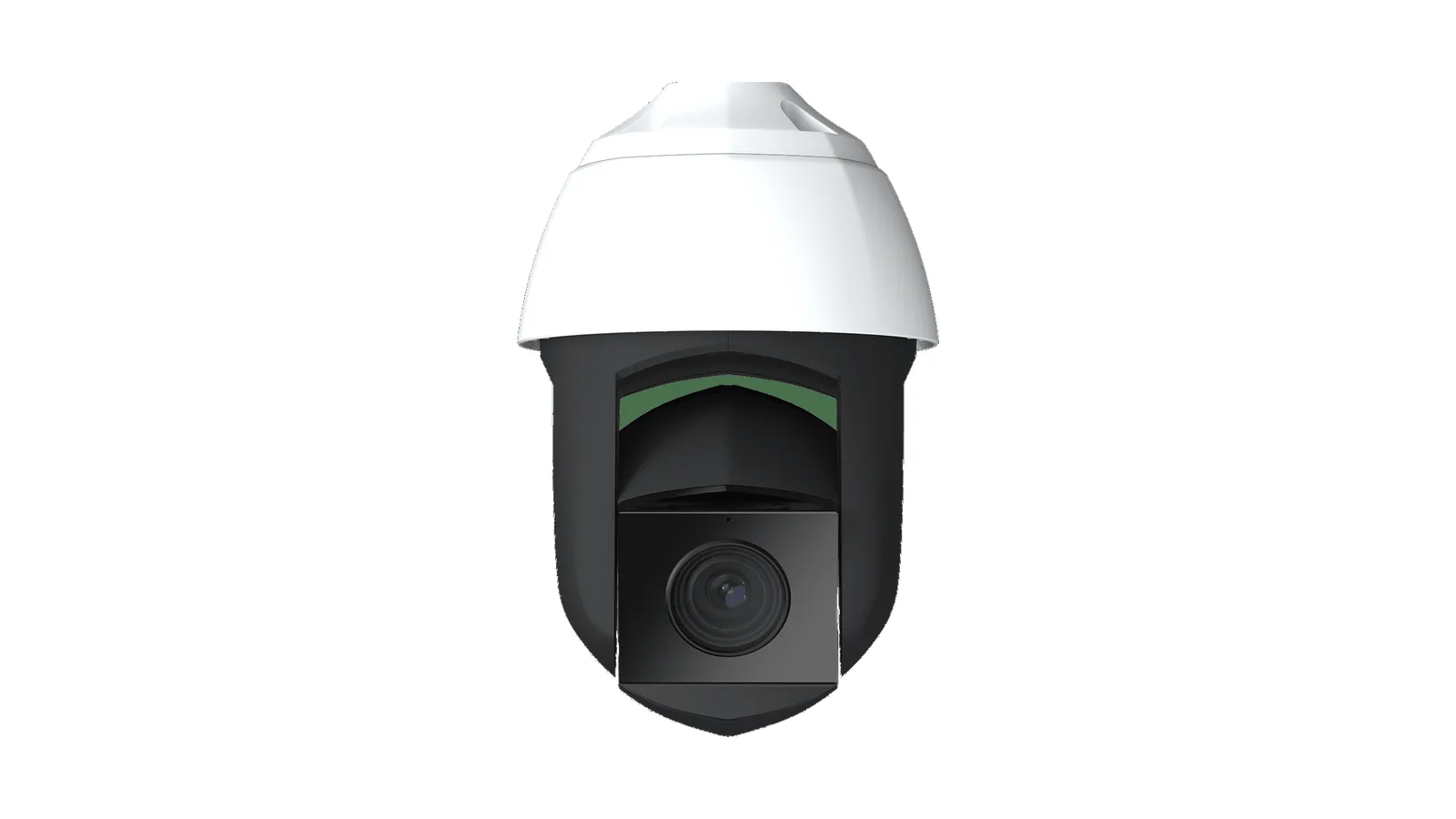
- PTZ cameras for large-area coverage and zoom. A pan-tilt-zoom camera like the Verkada CP63 can survey a wide lot and zoom in on activity, making it a good fit for big open areas and for sites with someone actively monitoring. It covers ground a fixed camera can't.
- Bullet cameras with LPR at entrances and exits. Plate capture belongs at the chokepoints where vehicles enter and leave. Verkada's 4K bullets (the CB62/CB63) are Monarch's typical choice for gate-line LPR — see our license plate recognition guide for placement details, lane geometry, and the speed and lighting limits to ask any vendor about.
- Fisheye cameras for wide situational coverage. A fisheye camera mounted on a pole or garage ceiling captures a whole zone at once with no blind spots — strong for drive aisles and open areas where you want to see everything and zoom into recordings later.
- Fixed bullets/domes for specific points. Stairwells, elevators, payment kiosks, and pedestrian entrances are best covered by a fixed camera framed on that exact spot.
- Remote cameras for no-power, no-network spots. The far corner of a lot, an overflow area, or a temporary lot may have no infrastructure. A remote camera like the Verkada CR63-E runs on LTE and solar/battery, so coverage isn't limited to where the cabling already reaches.
Planning coverage: open lots vs. garages
Open lots. Work from the perimeter in. Cover every entrance and exit with LPR-capable cameras; cover drive aisles and pedestrian routes with wide-area cameras (PTZ or fisheye); and make sure payment stations and any cart corrals or high-theft zones have a clear view. The goal is no meaningful blind spots and identification-grade detail at the points that matter (gates, doors, payment).
Parking garages add their own challenges: multiple levels, low ceilings, structural columns that block sightlines, and ramps between floors. Plan a camera at each ramp/transition (so you can follow a vehicle between levels), cameras down each parking row angled to avoid column obstruction, LPR at the entry/exit gates, and dedicated coverage of stairwells and elevators, which are the garage's highest-risk pedestrian points. Low ceilings make fisheye and compact dome cameras especially useful indoors.
How many cameras does a parking lot need?
There's no single number — it scales with the area and the number of "points that matter" — but you can estimate it by working through a short checklist rather than guessing:
- One LPR camera per entrance and exit lane. These are non-negotiable chokepoints.
- Wide-area coverage of the drive aisles. A PTZ or a few fisheye/wide cameras positioned so there's no aisle a vehicle or person can travel unseen.
- A camera on each high-risk point — payment kiosks, cart corrals, the corners where break-ins cluster, and any pedestrian entrance.
- Stairwells and elevators (garages) — one each, framed tight.
- Perimeter — coverage of the lot edges and any fence lines or gaps people use to enter on foot.
A small retail lot might be well covered by a handful of cameras; a large garage or a multi-acre lot can need dozens. The right way to size it is a walk of the property identifying every entrance, aisle, and risk point — then matching a camera type to each. Over-buying identical cameras and bolting them everywhere wastes money and still leaves gaps; the goal is the right camera at each point, not the most cameras.
How much does a parking lot camera system cost?
Like the camera count, cost scales with the size of the area and the number of points you're covering, and it's built from a few parts: the cameras themselves (a mix of types, so a range of prices), mounting (poles, arms, or existing structures), power and network (PoE cabling, or LTE/solar for remote units), storage, and installation. The two big swing factors unique to parking are mounting (running power to a light pole in the middle of a lot is real work) and how many no-infrastructure spots need LTE/solar remote cameras instead of cabled ones.
Two choices keep parking costs sane. First, no NVR: cameras that store onboard with cloud backup remove the on-site recorder and its maintenance from the bill. Second, right-sizing camera types: using one PTZ or fisheye to cover an area that would otherwise need several fixed cameras, and reserving expensive LPR bullets for the gates where plates actually matter. The honest way to a real number is to scope the property first — lot size, entrances, risk points, and which corners lack power.
Lighting and night performance
Most parking incidents happen after dark, so night performance is non-negotiable. Two things matter:
- The cameras' low-light capability. Ask any vendor for the specific model's rated IR range, low-light sensor performance, and how it handles headlight glare (wide dynamic range, or WDR). Get those numbers on the model's spec sheet — not a general product line claim — before you buy.
- The lot's actual lighting. Even the best camera benefits from good site lighting — they work together. Upgrading lighting is one of the cheapest ways to improve both camera footage and deterrence at the same time.
A camera that produces a usable image at 2 a.m. is the entire point in a parking lot; one that produces a dark smear is worse than none, because it creates false confidence.
The power and connectivity challenge
This is where parking deployments most often get stuck. Cameras need power and a network path, and parking areas are exactly where those are scarce.
- For cabled cameras, verify the supported channel length, cable route and power budget for the exact equipment. Include intermediate networking or fiber where the design requires it; our PoE camera guide explains the planning questions.
- For spots with no infrastructure, a remote camera with LTE and solar/battery (the CR63-E) removes the dependency entirely — it's the clean answer for far corners, overflow lots, and new or temporary areas.
Planning power and connectivity before the install is what separates a parking system that covers everything from one with a dark, unmonitored back corner.
AI analytics built for parking
Modern parking cameras don't just record — they help you find and prevent. The analytics that matter most here:
- License plate recognition (LPR) at the gates — search and alert by plate, and tie every vehicle to an entry/exit time.
- Vehicle and person detection — filter footage to just vehicles or just people, and search across the whole site.
- Loitering and line-crossing alerts — get notified when someone lingers in the lot after hours or crosses a boundary.
- Person of Interest alerts — flag a known individual tied to past incidents (deployed responsibly; see our facial recognition guide).
On Verkada cameras these run onboard and surface in Command, so you can search hours of multi-camera parking footage instead of scrubbing it by hand.
Privacy, signage, and policy — the part most guides skip
Write a policy for the actual purpose and users of the parking-lot system. Identify the areas recorded, who may search or export footage, the retention period and how an incident recording is preserved.
New Mexico State University’s camera rule is one example of an organization documenting surveillance responsibilities. Its retention and operating rules apply to that institution; they are not a national specification for your property.
For your site, review notice, audio recording, neighboring views and any sensitive uses with the appropriate adviser. Demonstrate privacy masks where needed and confirm that exports follow the approved access process. Keep access limited to people with a defined responsibility, and review it when those responsibilities change.
Common parking camera mistakes to avoid
Most disappointing parking deployments fail for the same handful of reasons. Knowing them up front is the cheapest fix there is:
- One camera type everywhere. Bolting identical fixed cameras around a huge lot leaves you with wide shots that can't identify anyone and no plate capture at the gates. Parking needs a mix.
- No identification-grade coverage at the chokepoints. Wide situational coverage is good, but if no camera can read a plate at the entrance or a face at the payment kiosk, you can't actually act on an incident.
- Ignoring night and glare. A camera that looks great in the daytime demo and produces a dark, headlight-blown smear at 2 a.m. is the classic parking failure. Specify night performance and fix the lot lighting.
- Forgetting the dead corners. The far edge of the lot with no power is exactly where incidents happen; if the plan stops at the cabling limit, that corner is a blind spot. Plan LTE/solar remote cameras for it.
- Mounting too high or too far. Coverage isn't detail — a camera mounted for a sweeping view often can't identify anyone in it. Balance wide cameras for awareness with closer cameras for identification.
- Treating it as install-and-forget. Lots change — new overflow areas, relocated entrances, seasonal lighting. The system should be reviewed as the property evolves.
Parking cameras with Verkada
Monarch builds parking coverage on Verkada's range, choosing the camera type per location and managing all of it from one place with no on-site NVR — cameras store footage onboard with cloud backup through Verkada Command:
- CP63 Outdoor PTZ for wide-area lot coverage and zoom. See the CP63.
- CB62-E / CB63-E 4K bullets for LPR at entrances and exits and for long-throw detail. See the CB62 and CB63.
- CF83-E fisheye for whole-zone coverage of drive aisles and garage levels. See the CF83.
- CR63-E remote (LTE + solar) for corners and lots with no power or network. See the CR63.
For any specific model, ask us (or check the current Verkada spec sheet) for the exact IP/IK weather and impact rating, IR range, and onboard-retention days for the storage tier you're considering — those numbers vary by model and change as new hardware ships. This pairs naturally with construction and site security for staging yards and with office and government and retail properties where the parking lot is part of the footprint.
Questions to ask any parking camera vendor
Before you sign, get specific answers on:
- LPR speed, lane count, and lighting range for the exact bullet model quoted — not a marketing claim for the product line.
- Weather and impact rating (IP and IK) for each outdoor model, and expected operating temperature range for your climate.
- Night performance — IR range, WDR spec, and sample after-dark footage from a site like yours (not a lab demo).
- Retention — how many days of continuous recording each camera holds at the resolution you're deploying, and what happens to older footage.
- Power plan for cameras beyond PoE range, and whether the vendor supplies or specifies the LTE/solar remote setup.
- Access control and audit log — who can view footage, and is every access logged.
- Signage, audio, and retention policy — will the installer help you meet local legal requirements.
For a dedicated plate view, review the exact product’s capture and recognition requirements. The Verkada LPR configuration guide is a product-specific example, not proof that every parking-lot camera can read plates at the entrance.
Frequently asked questions
Do parking lots have security cameras?
Most commercial lots and garages do. They deter theft and vandalism, provide evidence for incidents and liability claims, identify vehicles via license plate recognition at the gates, and protect pedestrians on stairwells and walkways.
What's the most effective deterrent to crime in a parking lot?
Visible, capable cameras combined with good lighting. Cameras that can actually read a plate or identify a person — not just record a blur — paired with signage and a well-lit lot are a strong passive deterrent; some systems add active deterrents like motion-triggered lights or audio warnings after hours.
What kind of camera is best for a parking lot?
There's no single best camera — the right design uses a mix: PTZ or fisheye for wide-area coverage, LPR bullets at entrances and exits, fixed cameras on stairwells and payment points, and LTE/solar remote cameras for spots with no power. Matching camera type to location is the whole game.
How do I get cameras to a far corner of the lot with no power?
Use a remote camera with a built-in LTE modem and solar/battery power, like Verkada's CR63-E. It removes the need for a cable run, so coverage isn't limited to where power and network already reach.
How long is parking lot footage kept?
Choose retention from your documented incident-review needs and applicable obligations. Ask the supplier to calculate and demonstrate the period supported by the exact camera, storage configuration and recording settings. Confirm separately what is copied remotely and what survives a device or connection failure.
Do parking cameras read license plates?
Cameras with LPR do, placed at entrances and exits where vehicles slow. Ask for the specific model's rated capture speed, number of lanes, and low-light performance — and see our LPR guide for placement details.
How often are parking lot security cameras checked?
It varies by site. Many businesses don't watch live feeds constantly — instead the cameras record continuously and are reviewed when an incident occurs, while AI alerts (loitering, line-crossing, person-of-interest, after-hours motion) flag events worth looking at in real time. Larger or higher-risk sites may add active or third-party monitoring. The advantage of a searchable, cloud-managed system is that "checking" footage is fast and on-demand rather than a person staring at a wall of monitors.
How many security cameras does a parking garage need?
A garage typically needs more than an open lot of the same footprint because of its levels and blind spots: plan a camera at each ramp/level transition, coverage down each parking row (angled around columns), LPR at the entry/exit gates, and dedicated cameras on every stairwell and elevator. The exact count comes from walking each level and mapping the transitions and risk points.
Designing your parking coverage
Securing a parking lot or garage well comes down to three things: using the right mix of camera types, putting each where it does the most good, and solving lighting and power before they become blind spots. Done right, you get deterrence, identification-grade detail at the points that matter, and a searchable record of the whole site — not a wall of dark, useless footage.
If you're planning parking coverage for a lot, a garage, or a multi-site portfolio, that's exactly what we do. Talk to a Monarch security expert and we'll design the camera mix and the power plan around your site — and show you what running it all NVR-free from one dashboard looks like.