


Updated September 16, 2026.
A single fisheye camera, mounted on a ceiling, can watch an entire room — every corner, every direction, all at once. There are no seams between adjacent camera views to plan around and no motor to wear out. For open offices, retail floors, warehouses, and intersections of hallways, that coverage-per-device ratio is hard to beat.
This guide explains what a fisheye security camera is, how a usable image is produced from a curved lens, when one camera genuinely replaces several fixed ones, and how to decide between fisheye, PTZ, and fixed cameras. Where it helps, we reference Verkada's CF83-E — the fisheye camera Monarch designs and installs — as a concrete example. Verify current specs on the vendor's product page before purchasing.
What is a fisheye camera and how does it work?
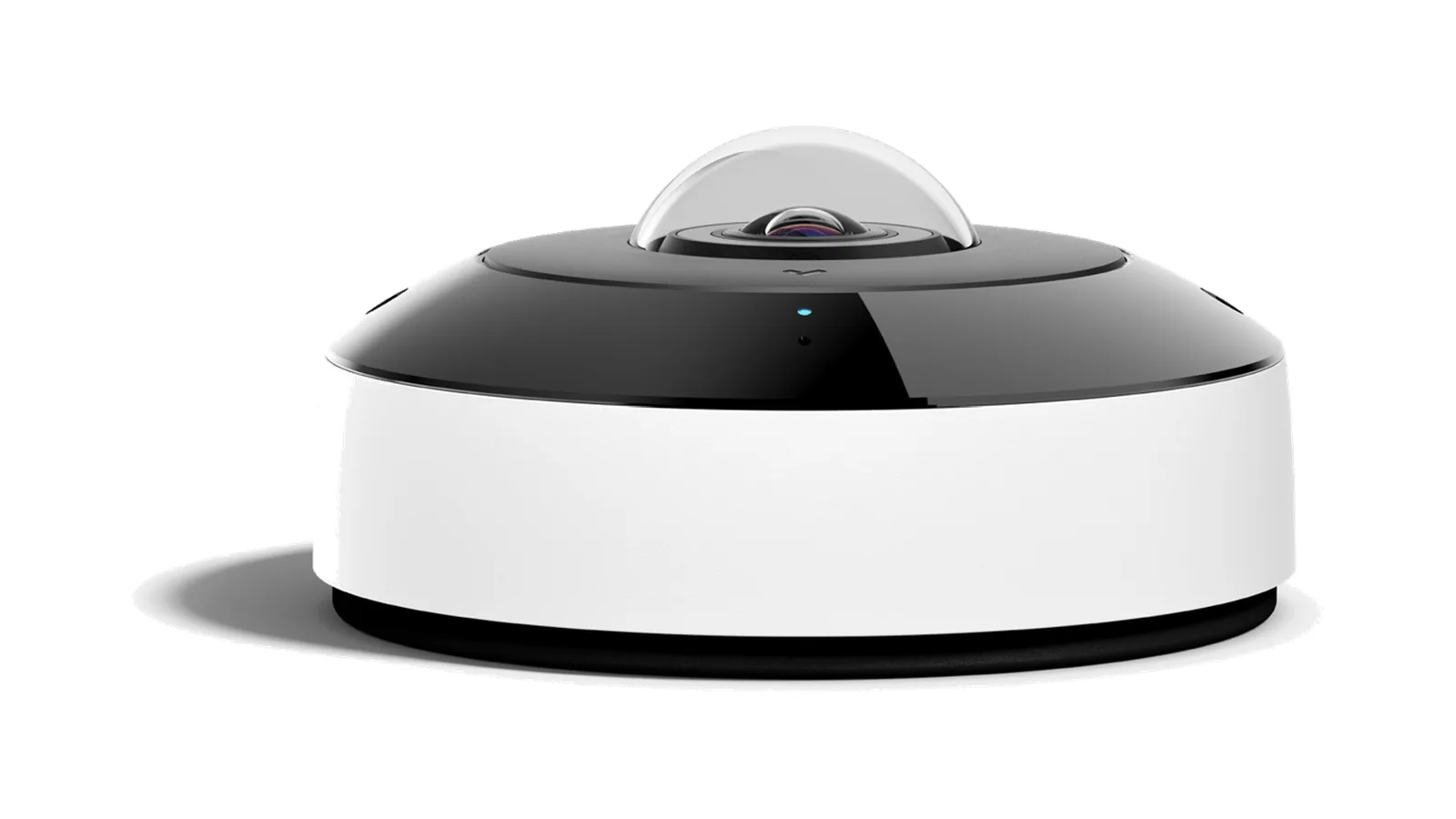
A fisheye camera is a security camera with an ultra-wide hemispherical lens — roughly a 180-degree field of view — typically mounted overhead to see the space beneath it in one shot. Because a ceiling-mounted 180° hemisphere captures the full circle around the camera, fisheye cameras are commonly marketed as 360-degree security cameras.
The trade for that coverage is the picture itself. Light coming through a fisheye lens lands on the sensor as a round, curved image where straight lines bow outward. On its own that circular image is hard to interpret, so cameras (or the software that displays them) perform a second step called dewarping: math that flattens sections of the curve into rectangular views a person can read.
Where the dewarping happens matters. Some cameras dewarp one or two selected views inside the camera and stream only those to the recorder, which means the rest of the scene isn't recorded and can't be reviewed later. Others transmit the full circular fisheye image and let the viewing software produce dewarped views on demand. Pelco's Fisheye Cameras Operations Manual documents in-camera dewarping modes that transmit the original 360° stream plus multiple dewarped streams — for example, five streams total in a "90 x 4" mode (the 360° view plus four 90° views) or four streams in a "120 x 3" mode — each presented to the VMS as a separate "head."
Ask any vendor two questions before you buy: Is the full 360° image recorded? And can you digitally pan, tilt, and zoom around recorded footage after the fact? If the answer to either is no, you're getting a fisheye lens without the main benefit.
When one 360° camera can replace multiple fixed cameras
The strongest case for a fisheye is arithmetic. Cover a four-way hallway intersection with traditional fixed cameras and you're buying a camera, a cable run, a switch port, and a license for each direction. Mount one fisheye at the center of that intersection and a single device covers all four approaches. Fewer devices generally mean less cabling, less switch capacity, and fewer licenses to manage over the life of the system.
Places where the swap tends to work well:
- Hallway and aisle intersections, where several fixed cameras become one overhead view.
- Open floor plans and lobbies, where a scattering of ceiling cameras becomes a single dome.
- Retail sales floors and warehouse bays, where wide-area coverage matters more than a long-throw view.
"One camera replaces four" is a rule of thumb for open, roughly square spaces, not a guarantee. A long, narrow corridor, a single doorway, or a spot that needs to read faces or plates at distance is still a job for a well-placed fixed or PTZ camera — more on that below.
Viewing modes: panoramic, split view, and digital PTZ
Because the camera captures the whole hemisphere, viewers can choose how they see it — live and on recorded footage. Typical viewing modes across the category include:
- Panoramic — the dewarped scene flattened into one or two wide strips, good for taking in a whole room at a glance. Pelco's manual, for example, documents a "180 x 2" mode that produces two 180° views that together represent the entire 360° scene.
- Split view — the circle divided into several straightened panels, so one camera reads like several, each framing a different part of the space.
- Digital PTZ (ePTZ) — pan, tilt, and zoom around the image after the fact. When the full circular scene is recorded, you can digital-PTZ into past footage, not just the live view. A fixed or mechanical PTZ camera can only show you where it was pointing at the time.
That last point is the quiet advantage of a 360° camera recorded in full: an investigation isn't limited to where an operator aimed a lens.
Fisheye vs. PTZ vs. fixed cameras
Fisheye, PTZ, and fixed cameras are three different tools, and most buildings use a mix.
| Capability | Fisheye (360°) | PTZ | Fixed dome / bullet |
|---|---|---|---|
| Coverage | Entire area at once, all directions | Anywhere it's aimed — one direction at a time | One fixed field of view |
| Zoom | Digital, after the fact (works on recordings if the full scene was recorded) | True optical zoom, live | Fixed or limited optical |
| Moving parts | None | Motorized pan/tilt (a wear item) | None |
| Records everything? | Only if the full circular image is recorded — confirm with the vendor | Only where it was pointing | Yes, within its one view |
| Best for | Open rooms, intersections, retail floors | Perimeters, gates, staffed live monitoring | Doorways, aisles, long throws |
The short version: a fisheye works where you want complete situational coverage of an open area and the ability to investigate any corner later. A PTZ works when an operator needs true optical zoom to follow activity across a large outdoor area like a yard or a gate. A fixed camera works on a specific choke point — a door, a register, a long narrow aisle — where one framed shot is exactly what you need. For true optical zoom on a perimeter, look at PTZ options like Verkada's CP52 and CP63.
Fisheye security camera applications by industry
Fisheyes tend to earn their keep wherever the area is open and overhead mounting is available:
- Schools and campuses — one ceiling fisheye can cover a classroom or cafeteria corner to corner, and corridor intersections are a textbook multi-camera-to-one swap. See education and campus security.
- Retail — whole-floor coverage with the ability to digitally zoom into any aisle after an incident, paired with fixed cameras over the registers. See retail and loss prevention.
- Warehouses and industrial sites — high ceilings help here, letting one camera cover wide bays, racking intersections, and loading-area staging.
- Offices and government lobbies — open floor plans and entrances covered without dotting the ceiling with cameras. See office and government security.
- Construction and parking yards — outdoor-rated fisheyes watch staging areas and parking aprons from a single pole or wall mount. See construction site security.
Limitations to know before you buy
A fisheye has real trade-offs worth knowing up front:
- Detail falls off toward the edges, and digital zoom is not free. A fisheye spreads pixels across a very wide angle, and detail is best near the optical center. When you digitally zoom into a section of a fisheye view, you are cropping a small piece of the total sensor — so a heavily zoomed ePTZ shot from a multi-megapixel fisheye can end up with far less usable detail than the sensor's headline resolution suggests. For tasks that demand fine detail at a distance — reading license plates across a lot, for instance — a dedicated camera aimed at that spot is a better tool.
- Mounting height and location matter. Too low and coverage shrinks; too high and people become small in the frame. A ceiling fisheye centered in a room or intersection uses its full field of view; corner-mounting a hemispheric camera wastes a large portion of it on wall and ceiling.
- Long, narrow spaces are a poor fit. A single corridor run or a row of parking spaces wastes most of a fisheye's circular field of view on walls. Those are jobs for a fixed bullet or dome.
- The image needs dewarping to be useful, and the where matters. Confirm whether the full 360° image is recorded and how dewarping is done. If dewarping happens only in the camera and only selected views are recorded, you lose the ability to explore parts of the scene the installer didn't pre-configure.
- IR range is limited. Even outdoor fisheyes with built-in infrared illuminators generally light up only the nearest area beneath the camera. For large dark yards, plan supplemental lighting or dedicated low-light cameras.
Being honest about where a fisheye isn't the answer usually leads to a better system — most sites end up with a mix of fisheye, fixed, and occasionally PTZ, each doing what it's best at.
The Verkada CF83-E fisheye camera
The fisheye camera Monarch designs and installs is Verkada's CF83-E, an outdoor-rated 360° camera that pairs a wide hemispherical view with onboard storage and cloud management — no on-site NVR or DVR to buy or maintain. Because product specifications, pricing, and storage tiers change, confirm the current details on Verkada's CF83-E product page or through Monarch before ordering; use our CF83-E product page for current numbers.
Questions worth asking your integrator or the vendor directly, for any fisheye you're considering:
- Is the full 360° image recorded, or only pre-selected dewarped views?
- What dewarped viewing modes (panoramic, split, ePTZ) are available on both live and recorded footage, and does ePTZ work on recordings?
- What is the sensor resolution, and how much of that resolution is preserved after dewarping into a typical operator view?
- What is the built-in IR range, and is it sufficient for your mounting height and scene?
- What weather and impact ratings does the housing carry, and what is the operating temperature range?
- How is the camera powered (PoE class), and what are the storage and retention options?
- If cloud-managed, what happens to recording during an internet outage, and what are the ongoing license costs?
For spaces that need multiple distinct angles from one mounting point rather than a single hemisphere, look at multisensor options such as the CH52-E.
Check dewarping, view modes and configuration in the exact model’s manual. The Honeywell Performance Series fisheye manual is one product-specific reference; its supported modes should not be assumed for a different camera.
Frequently asked questions
What resolution do fisheye security cameras provide?
It varies widely. Because a fisheye spreads pixels across a whole room, higher sensor resolution translates directly to more useful digital zoom. Ask the vendor for the native sensor resolution and — more importantly — what resolution a typical dewarped view retains, since a small ePTZ crop of a large sensor can end up at a much lower effective resolution.
Can a fisheye camera be used outdoors?
Yes, provided the model is rated for it. Check the IP (dust/water) rating, IK (impact) rating, and operating temperature range against your environment. Indoor-only fisheye models will fail quickly in weather.
Can I view fisheye footage remotely?
Yes, on a cloud-managed platform. You typically view live and recorded footage — including dewarped panoramic, split, and digital-PTZ views — from a web browser or mobile app. Ask specifically whether ePTZ works on recorded video, not just live.
Is dewarping included?
On modern cloud-managed platforms, dewarping is usually built into the viewing software. On older DVR- and VMS-based systems it may be an add-on, may run only in the camera, or may only cover selected views. Confirm before buying.
Can fisheye cameras see in the dark?
Many outdoor and indoor fisheye models include built-in infrared illuminators, but IR range is finite and covers only the area near the camera. Confirm the manufacturer's IR distance and compare it to your mounting height and the scene you need to see at night.
How long do fisheye cameras store footage?
Retention depends on the storage size, video resolution, frame rate, and whether recording is continuous or motion-based. Cloud-managed cameras often include onboard storage plus optional cloud backup; traditional systems store footage on an NVR sized to your retention target. Ask for a retention estimate for your number of cameras and settings, not a marketing number.
Choosing the right 360° coverage
A fisheye is often the most efficient way to cover an open space completely — one device, every direction, with the ability to zoom into any corner of the recording after the fact, provided the full scene is being recorded. It won't replace every camera in a building, but in the right rooms it replaces several, and it closes the seams between adjacent fixed-camera views.
If you're weighing fisheye against PTZ and fixed cameras for a specific space, that's worth talking through with someone who installs them. Talk to a Monarch security expert and we'll help you map where a 360° camera makes sense — and where it doesn't — with real pricing.