


Updated September 16, 2026.
Facial recognition is one of the most powerful — and most regulated — capabilities in physical security. Used well, it can flag a specific known individual walking into a store, let an enrolled employee open a door without a badge, or narrow down hours of footage to the moments a particular person appeared. Used carelessly, it creates real legal and privacy exposure. This guide explains what facial recognition security cameras actually do, how the technology works at a high level, the categories of law you have to consider, and questions to ask before you deploy.
Face detection vs. facial recognition: not the same thing
These two terms get used interchangeably, and the difference matters — legally and technically:
- Face detection simply notices that a face is present in the frame. It can support features like counting people or blurring faces for privacy. It doesn't identify anyone.
- Facial recognition goes further: it converts a face into a mathematical representation (a "template") and matches it against a set of reference faces to answer "who is this?" This is the capability that raises privacy questions, because it identifies specific individuals.
Most "facial recognition" security questions are really about that second capability — matching a live face against a list — so that's what this guide focuses on.
How facial recognition works at a high level
Regulatory and standards bodies describe the process in similar terms. The OSAC Technical Guidance Document on live facial recognition breaks it down like this: a face is detected in the video stream, converted into a mathematical representation ("template"), and searched against a "watchlist" of reference images. If the similarity score is above a set threshold, the system generates an alert for a human operator to review. If there's no match, the OSAC guidance recommends the subject's image and template be deleted immediately as a privacy-enhancing feature.
The UK Information Commissioner's Office (ICO) describes the same core idea and emphasizes that a human should typically review any suggested match before action is taken.
The critical design questions for a buyer are:
- Where does matching happen — on the device, on-premises, or in the cloud?
- What's stored — a raw face image, or a non-reversible template?
- Against what list — a list you deliberately build, or something broader?
Do not build a face gallery by collecting images indiscriminately. Have the responsible legal and privacy advisers review the proposed purpose, image source, authorization, retention and access before enabling face matching. A vendor’s search capability does not establish permission to use it.
Where facial recognition shows up in a camera system
Two common places to encounter it:
- On cameras, as watchlist/"person of interest" alerts. A camera platform matches faces in the video stream against a list you build and notifies an operator when there's a potential match. Whether a specific camera model supports this depends on its onboard processing and platform features — ask the vendor which models in their line support face-based watchlists, how the watchlist is managed, how alerts are reviewed, and how face data is stored and deleted.
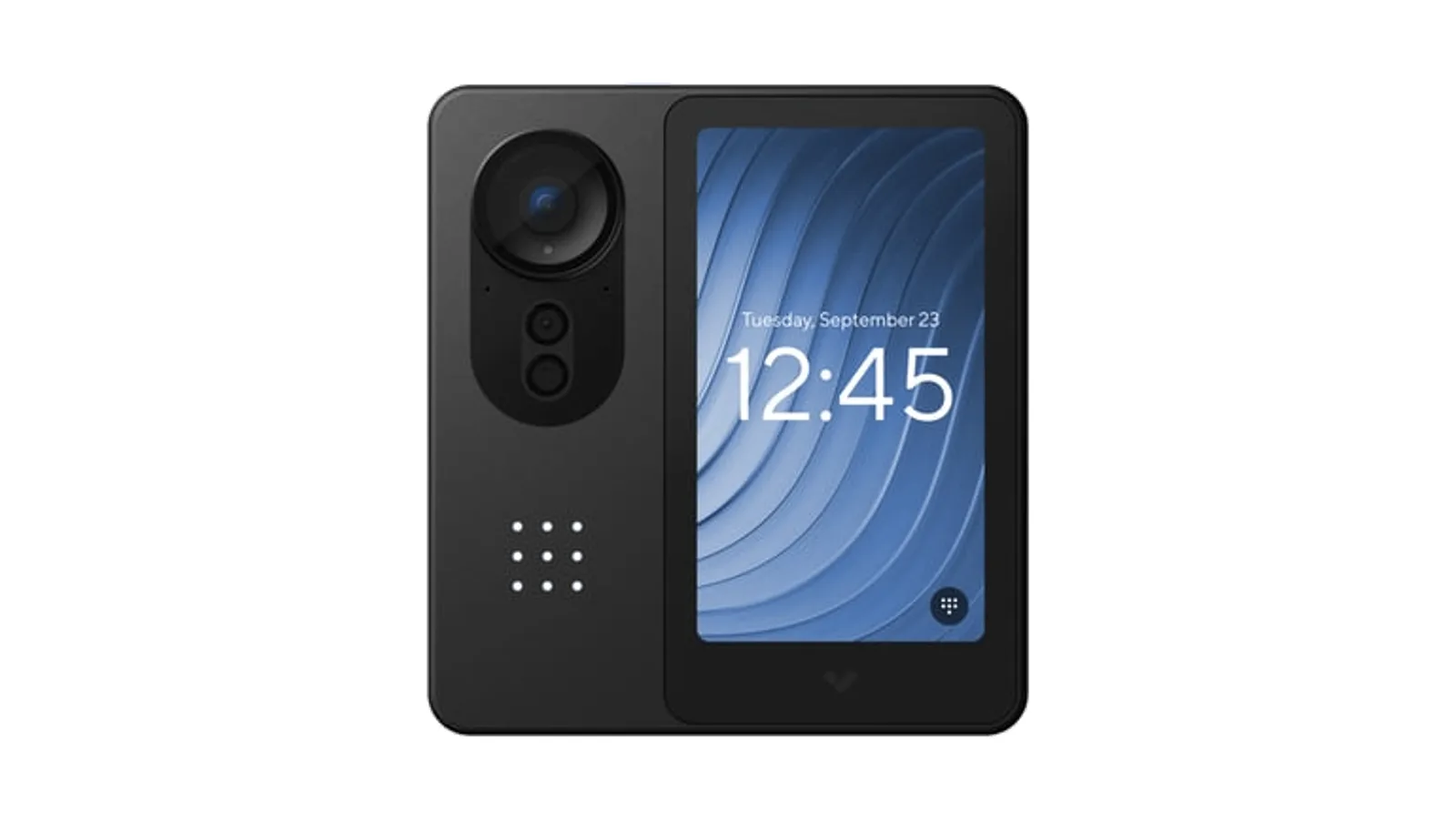
- At the door, as a face-based access credential. Here facial recognition is used to authenticate an enrolled person — an employee opens a door with their face instead of a badge. For access use, the buyer questions are more specific: does the reader use liveness/anti-spoofing (typically a depth or infrared sensor) to reject a photo or video? Is face data processed and stored on the device or sent to the cloud? How is it stored — as a reversible image, or as a non-reversible template? How many enrollments does the device support? Vendors should be able to answer each of these from product documentation.
The legal landscape (and why you have to check)
Facial recognition is legal for many business uses in the United States, but it's increasingly regulated at the state and city level, and rules vary widely. This is not legal advice — treat this as a map of what to research before you deploy, and confirm the specifics with counsel for your jurisdiction and use case.
Categories of law that commonly apply:
- Biometric privacy statutes. Several U.S. states have passed laws specifically covering biometric identifiers. Illinois, Texas, and Washington are commonly cited examples, and additional states have been active. Requirements can include notice, consent, retention limits, and — in some cases — a private right of action. Confirm the current text and case law in each state where you operate.
- General privacy and consumer-protection law. In some jurisdictions, biometric data is covered under broader privacy statutes rather than a dedicated biometrics law.
- Employment law. If you enroll employees in a face-based access system, employment and labor rules — including notice, consent, and accommodation for anyone who declines — typically come into play.
- Local restrictions and bans. Some cities have restricted or prohibited certain government or public-space uses of facial recognition; a few restrict private use in specific contexts.
- Purpose limitation and retention. Even where use is permitted, principles common across privacy frameworks — collect only what you need, for a defined purpose, and don't keep biometric data longer than necessary — are good practice and often required. The ICO guidance, for example, expects organizations to document lawful basis, necessity, why less intrusive options were ruled out, and how effectiveness will be measured.
Practical implication: get the legal review done before enrollment or watchlist building, not after. And document your purpose, lawful basis, retention period, and who has access — this is what a Data Protection Impact Assessment or equivalent internal record is meant to capture.
Does it actually work?
Modern facial recognition can be accurate under favorable conditions, but performance depends heavily on deployment. Factors that consistently matter:
- Image quality. The OSAC guidance notes that current systems typically work better when the subject's face has roughly 64 to 128 pixels between the eyes, with the lower bound requiring near-ideal conditions. Lighting, angle, and camera placement all affect whether you get usable images.
- Threshold settings. Every system trades off false accepts against false rejects via a match threshold. Loosening the threshold catches more true matches but produces more false alerts; tightening it does the reverse.
- Demographic performance. NIST has published extensive testing showing that accuracy and demographic differentials vary substantially between algorithms — generalized statements ("facial recognition is biased" or "facial recognition is accurate") don't hold up across the field. Ask vendors for their NIST FRVT results and the settings at which they were measured.
- Liveness / anti-spoofing (for access use). Without it, a printed photo or a phone screen can potentially fool a reader.
- Watchlist quality. Recognition only matches against the faces you enroll; poor enrollment images produce poor results.
Two habits that matter regardless of vendor: treat every match as a lead for a person to verify, not an automatic decision; and measure your own false-positive and false-negative rates in your environment so you know how the system is actually performing.
Do you actually need facial recognition?
Worth asking honestly, because facial recognition carries the heaviest compliance burden of any common camera capability — and many security goals don't require it.
Modern AI cameras can do a great deal without identifying anyone: people and vehicle detection, occupancy trends, line-crossing and loitering alerts, and attribute-based search ("find footage of a person in a red jacket near the loading dock this afternoon"). These recognize that there's a person, not who they are, and often meet the investigative and monitoring need with far less privacy exposure.
Cases where true identification is actually the goal are the ones where facial recognition earns its added responsibility — for example, alerting on specific individuals tied to prior retail theft incidents, or replacing badges with a face-based credential for enrolled employees. If a lighter-weight analytic gets you there, that's itself a privacy best practice.
Deploying facial recognition responsibly
If facial recognition fits your needs, a defensible deployment generally includes:
- A specific, documented purpose and the lawful basis for it.
- Matching only against lists you control — a defined watchlist or an enrolled-employee roster — not a mass or scraped database.
- Posted notice and, where required, consent — particularly for employees enrolled in a face-based access program, with an alternative available for anyone who declines.
- Retention and deletion policies for both face data and any associated video, with automatic deletion of non-matching subjects where the system supports it.
- Access controls and audit logging for who can view, add to, or act on face data.
- Human review of every match before any consequence — the OSAC guidance and ICO guidance both treat human-in-the-loop review as central.
- A Data Protection Impact Assessment or equivalent documenting risks and mitigations, reviewed before each new deployment.
Buyer questions to ask any vendor
Before you commit to a facial recognition system, get specific answers to:
- Which specific camera or reader models support face-based recognition, and what are their published NIST FRVT results?
- Where does matching run — on the device, on-premises, or in the cloud?
- Is stored face data a reversible image or a non-reversible template? Can it be re-identified?
- For access readers: what liveness/anti-spoofing method is used, and against what spoof types has it been tested?
- How many enrollments does the device or platform support, and how is enrollment managed?
- What happens to a subject's image and template when there's no match?
- What retention controls, access controls, and audit logs are available?
- What does the vendor recommend, in writing, for compliant deployment in your jurisdiction?
If a vendor can't answer these from documentation, treat that as a signal.
For the next planning step, see Types of CCTV Cameras: What Actually Works Where.
Frequently asked questions
Which cameras have facial recognition?
It varies by manufacturer and model. Face-based watchlist alerts typically require specific onboard processing, and face-based access uses dedicated readers. Ask the vendor which of their products support it and confirm the capability against their product documentation.
Are facial recognition security cameras legal?
For many business uses, yes — but state biometric privacy laws (including Illinois, Texas, and Washington), general privacy law, employment law, and some local restrictions can all apply. Rules vary by jurisdiction and use case. Confirm the current requirements with counsel before you deploy. This isn't legal advice.
What's the difference between face detection and facial recognition?
Face detection notices that a face is present in the frame without identifying anyone. Facial recognition converts the face into a template and matches it against known faces to identify who it is — which is the capability that raises privacy and legal questions.
Can a photo fool a facial recognition system?
It can, if there's no liveness detection. Access-grade readers typically use a depth or infrared sensor to distinguish a live face from a flat image. Ask any vendor exactly what anti-spoofing method their reader uses and what spoof attacks it has been tested against.
Is facial recognition the same as a person-of-interest alert?
A person-of-interest alert is one application of facial recognition: the system matches faces against a watchlist you've built and notifies an operator when there's a potential match. It's recognition applied to a specific, controlled list — not identification of the general public.
Using facial recognition the right way
Facial recognition security cameras can be genuinely useful for flagging specific known individuals and enabling face-based access — but the technology is only half the story. The other half is a defined purpose, a list you control, a legal review, notice and consent where required, human review of matches, and hardware that stores face data in a way you can defend.
If you're considering facial recognition for security or access, that's the conversation worth having before you buy. Talk to a Monarch security expert and we'll help you work through whether it fits your use case, what to confirm with counsel, and what to ask vendors about how their products actually handle face data.