


Updated September 22, 2026.
A paging system is a set of speakers, wiring and controls that lets someone broadcast a spoken message or tone to one area or an entire building at once. It turns a phone, microphone or app into one voice that reaches everyone in range.
So what is a paging system in practice? It is the voice from the ceiling: "Cleanup on aisle four" or "Buses are loading." Behind it is a real choice for facilities and IT teams. Older overhead systems are self-contained wire and amplifiers. Newer IP systems run on your computer network and are managed from a browser. This guide explains both and how to tell which your building needs.
How a Paging System Works
Every paging system, old or new, follows the same basic path: a source creates the audio, a control point decides where it goes, something amplifies it, and speakers play it.
- Source. A person speaks into a desk microphone, dials a paging extension on a phone, types a message that is read aloud by text-to-speech, or triggers a pre-recorded file. Background music is also a source.
- Zoning. The system decides which speakers receive the message. A zone is simply a group of speakers, such as "warehouse," "front office" or "all call." Good zoning is the difference between a useful page and noise that everyone learns to ignore.
- Amplification. Speakers need power to be loud. In a traditional system, a central amplifier in a closet or rack drives every speaker over dedicated speaker wire. In an IP system, each speaker usually has its own small amplifier built in and draws power from the network cable.
- Speakers. Ceiling tiles, wall-mounted boxes, horns in loud areas and weatherproof units outdoors. The speaker type and placement determine whether a page is understood or just heard.
Types of Paging Systems
"Paging system" covers several technologies. Knowing which one a vendor is quoting prevents confusion.
Analog overhead paging (amplified)
This is the classic overhead paging system. A central amplifier sends audio over dedicated speaker cable to ceiling or horn speakers. In the United States, larger installs commonly use a "70-volt" distributed line so that many speakers can hang off one long cable run. Zones are created with physical switches or a zone controller.
Analog systems are simple and durable. The weak points: changes mean pulling wire, the amplifier is a single point of failure, and nobody can see remotely whether a zone works.
Telephone-integrated paging
Many businesses page through the phone system: staff dial an extension and their voice comes out of the overhead speakers, via a paging port or adapter on the phone system. That is why VoIP providers describe paging as a phone feature. It works for "call for Maria on line three," but ties paging to your phone vendor and does little for automated messages.
IP paging
IP paging sends audio as data over your ordinary computer network (the "IP" is the same Internet Protocol your laptop uses). Each speaker or audio device has a network address, so zones are defined in software, not by wiring. Adding a speaker to a zone becomes a settings change instead of a cabling job.
PoE speakers
PoE speakers are IP speakers that receive both data and electrical power through a single Ethernet cable, using Power over Ethernet. The power side is defined by the IEEE 802.3 family of standards; the highest-power version, IEEE 802.3bt, uses all four wire pairs in the cable. The practical benefit is fewer parts: no separate amplifier rack and no power outlet at every speaker location. The trade-off is that your network switches must supply enough PoE power, which is worth checking before you buy.
Wireless and battery pagers (a different product)
Restaurant guest pagers, the coasters that buzz when a table is ready, are a different product: small radio devices for one-to-one alerts. So are staff pagers and two-way radios. None of them broadcasts audio through a building. If everyone in the shipping bay needs to hear a message, you need a speaker-based paging system.
The phrase "wireless paging system" gets used for both. Sometimes it means those handheld pagers; sometimes it means speakers that don't need dedicated speaker wire run back to an amplifier. Network speakers fit the second meaning: some connect over Wi-Fi, and PoE models need only a standard network cable, not a separate audio wiring run.
What Is a Paging System Made Of? Key Components
Whatever the type, you will see some mix of these parts on a quote:
- Speakers: in-ceiling, wall mount, horn and outdoor-rated models.
- Amplifiers: central (analog) or built into each speaker (most IP designs).
- Zone control: physical switches in older systems, a web dashboard in newer ones.
- Input devices: desk microphones, phones, a computer or a mobile app.
- Network audio players: let cloud software drive older amplifiers (see the retrofit section).
- Network switches and cabling: speaker wire for analog; Ethernet, often carrying power, for IP.
- Licenses: cloud-managed systems usually need a per-device software license, with licensed background music as a separate subscription.
Overhead Paging vs IP Paging
Here is how the two main approaches compare for a typical business building.
| Factor | Traditional overhead paging | IP paging with PoE speakers |
|---|---|---|
| Wiring | Dedicated speaker cable from a central amplifier | Standard Ethernet, often one cable per speaker |
| Power | Central amplifier and its outlet | PoE from network switches, or a local outlet |
| Zones | Set by wiring and physical switches | Set in software; change anytime |
| Adding a speaker | Often requires new cable runs | Connect to the network and assign it |
| Remote management | Usually none | Web or mobile dashboard |
| Multiple sites | Each building is its own island | Many sites can be managed from one place |
| Monitoring | Failures noticed when someone complains | Device status visible online |
| Automation | Limited | Text-to-speech, integrations and triggers, depending on platform |
| Reuse of existing speakers | Yes | Yes, through a network audio player |
Neither is automatically better. A small shop with a working overhead system may be fine as it is. A company with several locations will get more from IP paging.
Paging System vs PA System vs Mass Notification
These three terms get used interchangeably, but they are not the same thing.
Paging system
A paging system is built for announcements: short messages to people in a place. It usually includes zones so you can talk to one area without interrupting everyone else.
PA system
A PA system, short for public address system, is the broader category of equipment that amplifies a voice for an audience. A paging system is a type of PA system. People also use "PA" for the microphone and speakers in a gym, auditorium or event space, where the goal is to address a crowd live rather than send announcements across a building.
Mass notification
Mass notification is a different software category. Platforms such as Everbridge send alerts to people's phones and computers by text message, email, app notification and voice call, often to people who are not on site. A paging system reaches whoever is physically within earshot of a speaker. Many organizations use both: paging for people in the building, mass notification for everyone else.
A note on fire and life safety
A general paging system is not a substitute for a code-required fire alarm voice evacuation system. Emergency voice/alarm communication systems are governed by NFPA 72, the National Fire Alarm and Signaling Code, and by your local fire code. They are separate, listed life-safety systems with their own requirements for survivability, backup power, supervision and inspection. If your building needs voice evacuation, that system is designed with your fire protection contractor and local fire official. Business paging can carry everyday announcements alongside it, but it cannot replace it.
Common Uses: Where Paging Systems Earn Their Keep
Warehouse paging system
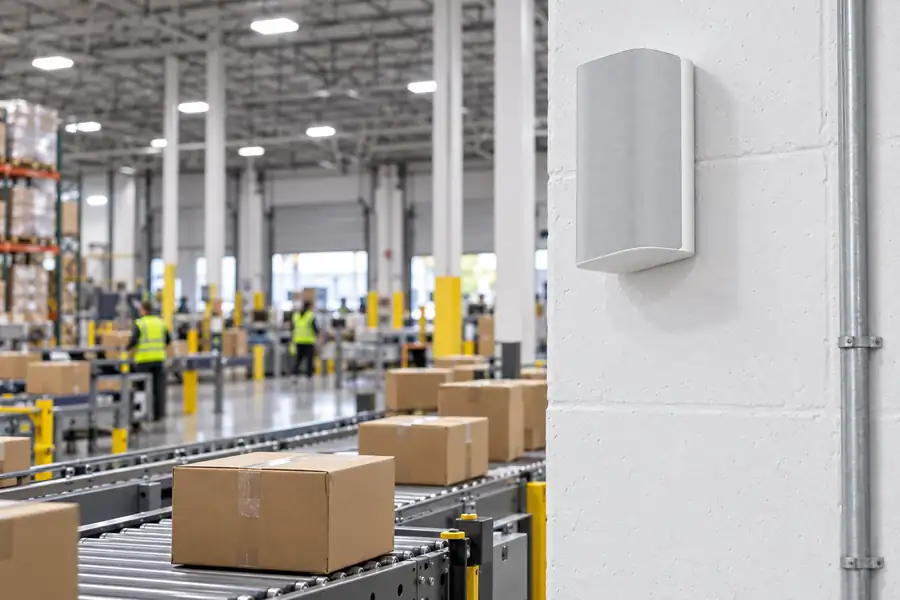
A warehouse paging system handles shift changes, calls to the dock and "all hands" messages in large, loud spaces. Speakers must cut through equipment noise, and zones should match how the building is used, such as receiving, picking and shipping. If you run manufacturing or distribution sites, our manufacturing and warehouse security page covers how audio fits with cameras and access control on the floor.
Paging system for schools
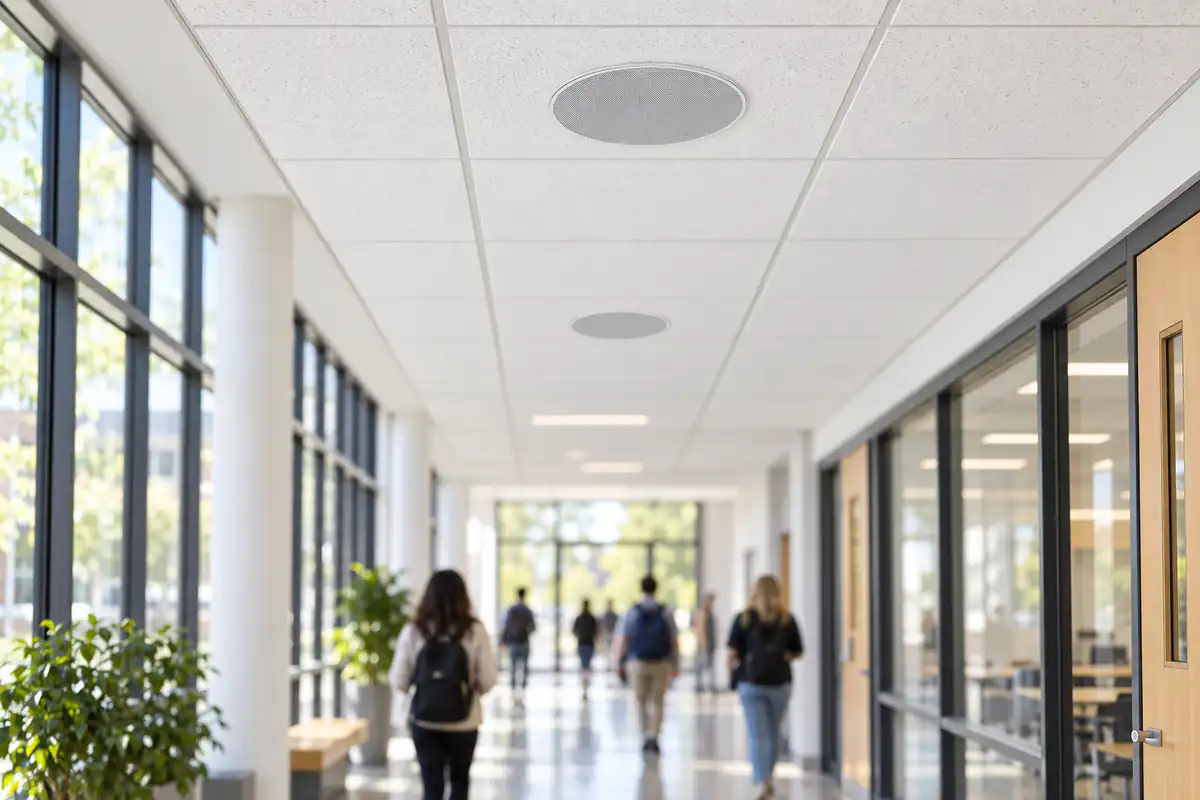
A paging system for schools carries morning announcements, bells, messages to a single wing and district-wide messages across campuses. Schools also need a clear line between everyday paging and emergency systems, so plan both together. Our school security solutions page covers how audio, cameras and door control work together on a campus.
Retail
Stores use paging for staff calls, closing announcements and background music. For chains, pushing one message to every store and controlling music centrally is where cloud audio pays off.
Offices
A paging system for business offices is lighter duty: calls to reception, all-hands reminders and quiet background music in common areas. Small spaces may need only a handful of speakers.
Outdoor paging system
Parking lots, loading docks, yards and entrances need an outdoor paging system with a weather rating, such as IP66 for rain and dust, and enough output to carry across open space.
How to Retrofit an Existing Overhead Paging System Without Rewiring
Many buildings have good speakers and amplifiers already wired into the ceiling. The problem is that control is stuck in one room with a microphone and a zone switch. You do not have to rip it out.
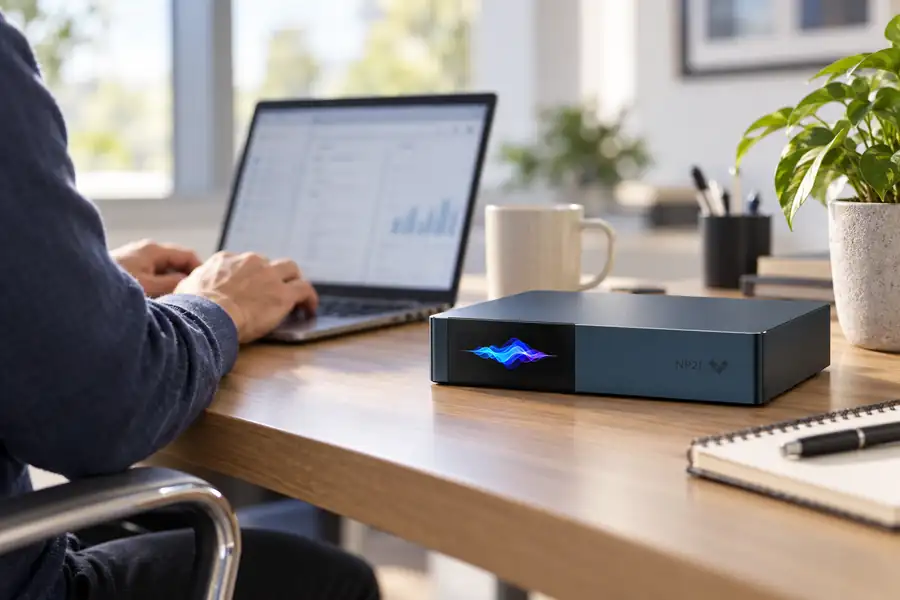
A network audio player sits between your network and your existing amplifier. It feeds audio from cloud software to the amplifier as a normal line-level signal, the same connection a CD player would use. The amplifier and speakers keep working; what changes is how the audio is controlled.
Two examples from the Verkada lineup:
- The Verkada NP21 is a two-channel network audio player. It has two line inputs and two line outputs, usable as separate mono feeds or one stereo pair, with both balanced terminal-block and RCA connections. It runs on a single PoE+ connection or an AC outlet. It needs an amplifier to drive speakers, which is exactly the point in a retrofit: it connects to the amplifier you already have.
- The Verkada NP81 is a 16-channel network audio player for larger sites, with eight line inputs and 16 line outputs in a 1U rack unit. It is built to drive many existing zones from one IT rack.
Both players are new for fall 2026, and Verkada lists shipping as beginning October to November 2026.
A retrofit makes sense when existing wiring and speakers are in good shape. When speakers are failing or coverage is poor, replacing those zones with PoE speakers is usually better. Many sites end up with a mix.
Cloud-Managed Paging: What Changes
Cloud-managed paging moves the control point from a closet to a web dashboard. For one building that is a convenience; for many buildings it changes how audio is run.
Using Verkada Sound Systems as a concrete example, Verkada describes these capabilities:
- Announcements from anywhere. Make announcements with your device's microphone or with text-to-speech, to one room, a group of speakers or every site.
- Many sites, one place. Deploy devices, adjust volumes and stream audio across locations from a web and mobile platform.
- Live translation. Messages can be translated automatically and played in multiple languages one after another.
- Background music. Commercially licensed music streaming through Verkada's integration with Soundtrack, managed in the same dashboard. This is a separate subscription.
- Existing equipment. Network audio players bridge older amplifiers and speakers into the same system.
Features such as scheduled announcements vary by vendor and software release. Verkada's sound platform launched in September 2026 and its software is still rolling out, so confirm any must-have feature before you buy.
Camera-Triggered Audio Deterrence
One capability that separates security-focused audio from ordinary paging is the ability to talk to a scene when a camera sees something. Verkada describes this as automatically delivering warning messages through network speakers when cameras detect suspicious activity.
In practice: after hours, a camera on a loading dock or fenced yard detects a person, and a nearby outdoor speaker plays "You are in a restricted area. This area is monitored." The goal is to let someone know they have been seen before anything is damaged or taken. Plan the camera, speaker and schedule together so late-shift employees do not set it off.
Choose outdoor speakers that are loud enough and weather-rated for the spot.
How to Choose a Paging System: Buyer Checklist
Work through these before you request quotes:
- What must people hear, and where? List each area, its noise level and who works there.
- How many zones do you need? Think in terms of who should hear which message, not only floor plans.
- What do you already have? Note existing speakers, amplifiers, cable and whether they work.
- Retrofit, replace or mix? Keep good wiring with a network audio player; replace weak zones with PoE speakers.
- Is your network ready? Check switch capacity, PoE power budget and whether audio devices need their own network segment.
- Indoor, outdoor or both? Outdoor locations need weather-rated speakers.
- One site or many? Multi-site organizations benefit most from cloud management.
- Who sends announcements? Front desk, managers, security or automated triggers? Decide who has permission for which zones.
- Do you want background music? Plan for a licensed music service, not a personal streaming account.
- Does it need to work with cameras or other security systems? Deterrence audio needs the camera and speaker platforms to talk to each other.
- What does fire code require? Confirm whether the building needs a separate voice evacuation system.
- What is the five-to-ten-year cost? Include hardware, licenses, installation and support.
What a Paging System Costs
Paging system cost depends more on the building than on the box. Installation factors usually include:
- Speaker and zone count, driven by floor area, ceiling height and noise
- New cable runs, and how hard the ceilings are to work in
- Whether existing speakers and amplifiers can be reused
- Switch upgrades for PoE power
- Lifts for high ceilings or poles, permits and after-hours work
- Ongoing licenses and optional music subscriptions
For hardware, here are current list prices for the Verkada Sound Systems products Monarch sells:
Speakers
- Verkada NS151 4-inch wireless network speaker: from $899. It connects over Wi-Fi or Ethernet and can run on PoE or a standard outlet, which suits offices and small rooms.
- Verkada NS261 6.5-inch in-ceiling network speaker: from $999. It mounts flush in the ceiling, and its PoE passthrough lets one high-power switch port feed two speakers.
- Verkada NS631-E 6.5-inch outdoor surface-mount network speaker: from $1,199. It is IP66 rated for rain and dust, rated down to -40°C, and also supports PoE passthrough.
Each speaker needs a speaker license: $29 for 1 year, $89 for 3 years, $144 for 5 years or $289 for 10 years.
Network audio players
- NP21 two-channel player: from $1,199, plus a two-channel license at $199 for 1 year, $599 for 3 years, $999 for 5 years or $1,999 for 10 years.
- NP81 16-channel player: from $2,999, plus a 16-channel license at $799 for 1 year, $2,399 for 3 years, $3,999 for 5 years or $7,999 for 10 years.
Soundtrack background music is an optional separate subscription on top of any of these. All five products carry a 10-year warranty. You can browse the full lineup on our Verkada Sound Systems page.
Monarch Connected is an authorized Verkada reseller. We design, install and support paging and security systems and sell nationwide. If you want a real number for your building, request a quote and we will scope speakers, zones and wiring against your floor plan.
Frequently Asked Questions
What is the difference between a paging system and a PA system?
A PA (public address) system is any setup that amplifies a voice for an audience. A paging system is a type of PA system built for zoned announcements. In everyday use the terms overlap.
Can I use my existing overhead speakers with a new IP paging system?
Often, yes. A network audio player such as the Verkada NP21 or NP81 connects to your existing amplifier and lets cloud software drive the speakers you already have. If the speakers or wiring are failing, replacing those zones may make more sense.
Do PoE speakers need a separate amplifier?
Generally, no. PoE speakers have a built-in amplifier and take their power from the network cable. Your network switch must provide enough PoE power for every speaker connected to it.
Is a paging system the same as a fire alarm voice evacuation system?
No. Fire alarm voice evacuation systems are separate, code-required life-safety systems covered by NFPA 72 and local fire codes. A business paging system can carry everyday announcements but does not replace them.
How many speakers does a paging system need?
It depends on floor area, ceiling height, noise and each speaker's coverage angle. A site walk or floor plan review is the reliable way to size it.
Can I page multiple buildings at once?
With a cloud-managed IP paging system, yes. Speakers at different sites can be grouped and reached from a single web or mobile dashboard. Traditional overhead systems generally cannot do this without additional equipment at each site.