


Updated September 16, 2026.
A modern commercial door entry system is any combination of readers, credentials, controllers, and software that decides who gets through your door — and records every attempt. The category has moved toward cloud management, mobile credentials, and tighter integration with video and intrusion systems. This guide walks through what those pieces actually do, where they fit, and the questions to bring to a quote.
Matching the System to the Building
Not every business needs a Fort-Knox setup. Matching the system to the building is the single biggest factor in whether the project feels worth the money two years later.
- Small office, one door: a smart lock or keypad reader with cloud management is often enough. You do not need a server rack.
- Growing business with a handful of doors: a multi-door controller, mobile credentials, and integration with your alarm system. This is where cloud platforms start to earn their keep.
- Multi-site or regulated environments (finance, healthcare, cannabis, logistics): centralized cloud access, detailed audit logs, camera coverage at every controlled door, and layered intrusion detection.
- Warehouses, industrial, and construction offices: rugged readers, weatherproof housings, and integrations with gate operators. Different environment, different hardware requirements.
If a vendor recommends the same system to a small law firm and a hospital, ask them to explain the reasoning in writing.
The Core Pieces (In Plain English)
Every commercial door entry system is built from roughly five parts, as Avigilon's buyer's guide outlines:
- Credential: the thing the person carries or presents — card, fob, PIN, phone, or biometric.
- Reader: the device at the door that captures the credential.
- Controller: the panel that compares the credential against the ruleset and decides to unlock or deny.
- Software: the interface where you add users, set schedules, and review event logs.
- Lock hardware: the electrified strike, magnetic lock, or smart lock that physically holds the door.
Skip the controller and you have a keypad that works in isolation (fine for one door, awkward past that). Skip the software and you are managing users on a spreadsheet. Skip the lock upgrade and the reader is bolted next to a door that still opens with a shove.
Credentials: What Your Employees Actually Touch
This is where daily complaints originate, so choose carefully.
Keypads and PINs are inexpensive and require nothing on the user. They also carry known weaknesses: worn keys can reveal the active code, and as Honeywell's LenelS2 access control guide notes, PINs must be rotated regularly to stay effective. Reasonable for a break room; not appropriate for a main entrance.
Key cards and fobs are the long-standing default. They work reliably but get lost and shared. Any building still relying on legacy proximity cards should ask its integrator about the cloning risk and plan an upgrade path to encrypted card technology or mobile credentials.
Mobile credentials are the current default for many new deployments. Provisioning and revocation happen from the management software. As LenelS2 points out, smartphones are typically locked by the user, which adds an authentication layer that a bare plastic card does not have, and there is no separate physical item to lose.
Biometrics (fingerprint, face, palm) are viable for high-security zones. Privacy laws — Illinois BIPA and a growing list of state statutes — make it important to understand exactly what data is stored, where, and for how long before deploying at scale.
Cloud vs On-Prem
On-prem systems run on a server the customer owns, usually in a wiring closet. They give IT direct control but require someone to maintain the server, apply updates, and be available when something breaks on a weekend.
Cloud-managed systems shift that maintenance to the vendor. You can add or revoke a user from a phone, see events across multiple sites in one dashboard, and receive firmware updates automatically. The tradeoff is a recurring per-door subscription fee.
Cloud is often the simpler operational choice for multi-site businesses because there is no server to replace and fewer integrator visits for patches. On-prem still has a role where compliance rules restrict cloud storage of access data, or where a facility has poor connectivity.
Comparing the Main System Types
Compare the actual installed scope and operating responsibilities rather than assigning a generic price tier to each architecture.
| System type | Question to resolve | Demonstration to request |
|---|---|---|
| Standalone electronic lock | Who updates users and retrieves records? | Enrollment, removal and the available event history |
| Keypad or card system with controller | Which permissions and schedules are supported? | A permitted and a refused credential at the actual door |
| Cloud-managed access | Which functions depend on remote services? | Local access and recovery during a coordinated outage |
| On-site managed access | Who maintains the server, backups and updates? | Supported recovery and administrative handover |
| Video intercom | Who answers and who may release the door? | Visitor call, unanswered call and restricted release permissions |
Itemize hardware, installation, software, subscriptions and support for the same set of openings. Identify any function that requires another system or license.
Video Intercoms: An Underrated Piece
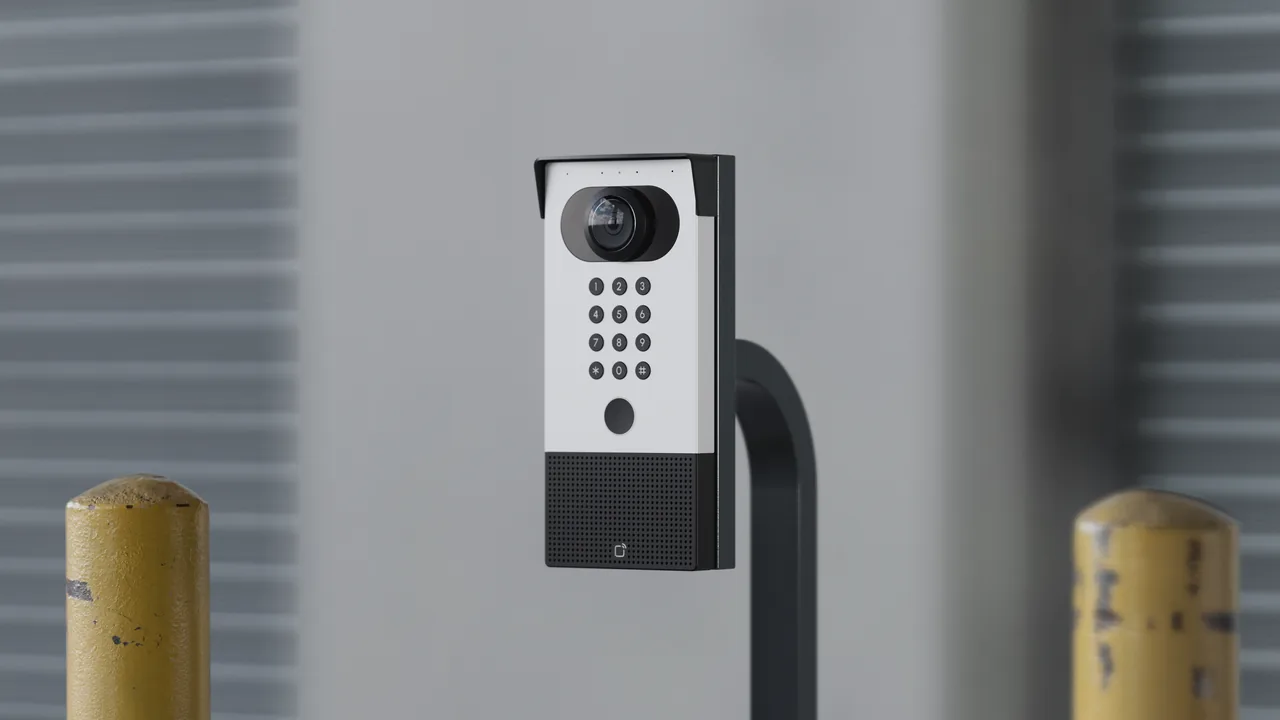
The front door of a commercial building handles the most confusing traffic: deliveries, visitors, contractors, and employees who forgot their credential. A video intercom lets a receptionist — or a phone in a manager's pocket — see who is at the door, verify identity, and unlock remotely. Avigilon's guide describes pairing intercoms with license plate readers at vehicle gates so employees pass through automatically while visitors are directed to a staff member.
Intercom events can be logged and clipped for later review, which shortens investigations when something goes wrong at the entrance.
Where Access Control Meets Cameras and Intrusion Systems
Access control, video surveillance, and intrusion detection are more useful together than apart. LenelS2 describes a unified security dashboard that displays access and video events in a single application, which lets teams correlate a forced-door alarm with the camera feed and any credential activity near the door.
When these systems do not talk to each other, incident response means logging into three tools and reconciling three timelines. When they do, an after-hours forced-door event can automatically pull the relevant clip and notify the on-call manager. This is why Monarch designs access control as part of an integrated stack rather than as a standalone gadget.
Installation Realities Worth Planning For
A few items buyers routinely underestimate:
- Door prep. If the existing door does not already have an electric strike or magnetic lock, budget for hardware plus frame modification. Older doors may need reinforcement.
- Accessibility. Have the responsible designer assess the complete opening, including operating force, hardware, clearances and thresholds. The U.S. Access Board’s doors and gates guide explains the relevant provisions and exceptions; confirm their application to your actual opening.
- Thresholds and maneuvering clearances. Thresholds are limited to 1/2 inch in new construction, beveled above 1/4 inch, per §404.2.5. Maneuvering clearances are required on both sides of a door unless it is used in one direction only (§404.2.4).
- Lock behavior on fire alarm. Fail-safe versus fail-secure behavior is a local fire and life-safety code question, not something to decide from a spec sheet. Confirm the required behavior for each opening with the AHJ (authority having jurisdiction) and your fire alarm contractor before ordering hardware.
- Accessible routes. Per §206.8, security bollards, turnstiles, and screening devices at accessible entrances cannot obstruct the accessible route or accessible means of egress. Plan reader and turnstile placement with this in mind.
- Two-way communication systems. If you install a video intercom or call station at any entrance, §230 requires visual and audible signals. If handsets are provided, cords must be at least 29 inches long.
- Power and cabling. Every reader and lock needs power. In older buildings, running low-voltage cable to the frame is where budgets grow. Wireless locks reduce cabling but introduce battery maintenance.
- Network. Cloud systems need stable internet, though most cache credentials at the controller so doors keep working through an outage. Confirm this offline behavior in writing before signing.
The most common budget surprise: buyers price out readers and overlook everything behind the door.
Total Cost of Ownership
A useful planning exercise is to map out five years, not one. For a multi-door site, that includes:
- Year 1 install: hardware, cabling, labor, project management, door prep, and any fire-code or accessibility work.
- Recurring SaaS fees for cloud systems, priced per door per month.
- Adds, moves, and changes as staff turns over and space gets reconfigured.
- Firmware and security updates (usually included with cloud; often a separate line item on-prem).
- Credential replacement and mobile provisioning.
If a quote comes in dramatically below others, ask specifically what is excluded — door hardware, cabling, fire-code compliance, accessibility work, and project management are the usual culprits.
Picking Your System in Five Questions
Answer these before taking a vendor pitch:
- How many doors today, and how many in three years? Systems that fit a few doors do not necessarily fit dozens.
- Do you need remote management across multiple sites or after hours? If yes, cloud.
- What is your camera situation? A shared platform simplifies investigations.
- Is there regulated data behind any door — HIPAA, PCI, cannabis compliance, DoD? Surface this early; it constrains hosting and audit requirements.
- Who manages users day to day? Match the software to that person, not to whoever writes the check.
Get quotes from integrators who do not sell the same brand, and require itemized pricing. If you want a second opinion, talk to someone who installs these systems, or browse the hardware we deploy before scheduling a call.
For the next planning step, see Types of CCTV Cameras: What Actually Works Where.
FAQ
How much does a commercial door entry system cost per door?
Pricing varies widely by door count, existing infrastructure, region, and installer. Cloud-managed systems typically carry a lower up-front hardware cost plus a monthly per-door subscription; enterprise on-prem systems cost more up front but have no SaaS fee. The per-door price generally drops as door count rises because controllers and software costs get spread across more openings. Ask for itemized quotes that separate readers, controllers, locks, cabling, door prep, and labor.
Can I use my phone instead of a key card for building access?
Yes. Mobile credentials are supported by most modern platforms, including Avigilon Alta, Brivo, Kisi, Openpath, and LenelS2. Users hold their phone near the reader (typically over Bluetooth or NFC) and the door unlocks. Provisioning and revocation happen remotely in the management software, which is faster than issuing or collecting physical cards.
What happens to my door entry system if the internet goes down?
A properly designed cloud-based system caches credentials at the local controller, so doors continue to function during an internet outage. What is temporarily unavailable is remote management, real-time event streaming, and the ability to add or revoke users until connectivity returns. Confirm this offline-mode behavior with your integrator in writing before purchase.
Do I need to replace my existing doors to install an access control system?
Usually not. Most commercial doors can be retrofitted with an electric strike, magnetic lock, or wireless smart lock. Older doors or frames may need reinforcement, and fire and accessibility codes may require additional hardware such as request-to-exit sensors, compliant thresholds, and specific maneuvering clearances. A site walk with a qualified integrator surfaces these requirements before you commit.
How is access control different from an alarm system?
Access control decides who is allowed through a door and logs every attempt. Intrusion detection triggers when someone enters without authorization or when a door is forced. They complement each other, and modern platforms increasingly integrate both with video in a single dashboard, which shortens investigations and reduces the number of tools staff have to monitor.
Are biometric readers worth it for a commercial building?
For general office space, mobile credentials usually deliver enough security at lower cost and with fewer legal complications. Biometrics make more sense for high-security zones — server rooms, cash rooms, controlled substance storage, R&D areas — or where credential sharing has been a persistent problem. Before deploying biometrics, review the biometric privacy laws that apply in your jurisdiction and confirm how the vendor stores and protects the underlying data.