


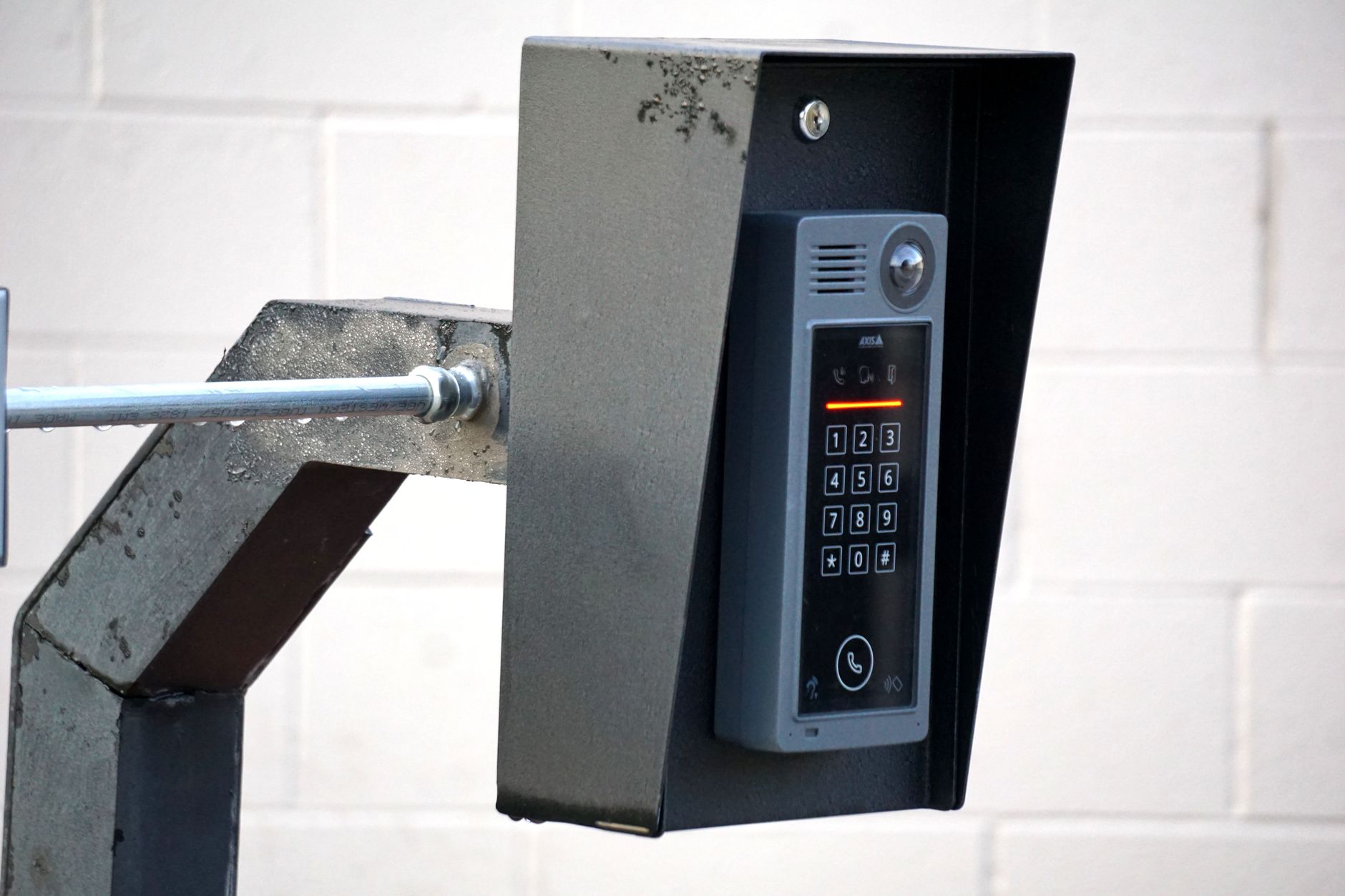
The Apartment Intercom System Buyer's Playbook for 2026
Updated September 16, 2026.
The humble apartment intercom has quietly become one of the most important pieces of tech in a modern building. It's the front door, the security desk, the visitor screener, and the delivery-management interface all wrapped into a panel by the lobby. When it works, nobody notices. When it doesn't, the property manager hears about it.
This guide walks through choosing an apartment intercom system in 2026 — what these systems actually do now, how commercial-grade intercoms differ from residential doorbells, what wiring is typically reusable, what to expect in cost ranges, and what to look for when a vendor hands you a proposal. If you own, manage, or specify security for a multi-tenant residential building, a mixed-use property, or a commercial site with a shared lobby, this one's for you.
What an Apartment Intercom System Actually Is in 2026
An apartment intercom system is the electronic gatekeeper for a multi-tenant building. In its most basic form, a visitor walks up to a panel by the front door, finds the tenant they're visiting (by name, unit number, or directory), presses a button, and the tenant is contacted. The tenant confirms who's there and remotely unlocks the door.
In 2026, that same intercom is often doing several other jobs at once:
- Routing calls to smartphones instead of (or in addition to) an in-unit handset
- Sending live video of the visitor to the resident
- Handling courier and food delivery entries with one-time codes or QR passes
- Logging entry events with timestamps and, in many cases, images or video
- Integrating with access control for garage gates, elevators, gym doors, and package rooms
- Issuing temporary credentials for cleaners, dog walkers, contractors, and short-term guests
The traditional analog buzzer could do exactly one of those things: pass audio and release a strike. Modern IP-based systems can do the full list — if you buy hardware and a platform that supports it, and wire the site correctly.
Residential vs commercial intercoms — the fuzzy middle
Buyers often get tripped up here. An apartment intercom is technically a commercial-grade product installed at a residential building. The core hardware overlaps heavily with office lobby intercoms. What changes is the software: how many units and tenants it supports, how it routes calls, whether it handles sub-directories for mixed-use, and how granular the access control policies can be.
For very small properties, a consumer-grade video doorbell may be adequate. For anything larger, or anything with ground-floor commercial tenants, you're squarely in the commercial intercom market.
What a Front-Door Intercom Really Does for the Building
Property owners who haven't shopped for an intercom in a decade tend to think about it like a doorbell. It's much more than that in a modern building:
Access control. It's the primary access point for anyone who doesn't live there. Every non-resident's entry can be logged and, on video-capable systems, captured on camera.
Delivery management. Amazon, UPS, FedEx, and food delivery couriers now dwarf actual guest volume at most residential buildings. A modern intercom handles this without making tenants answer the buzzer a dozen times a day.
Security posture. The intercom is often the first thing an intruder tries to defeat. An outdated or poorly integrated intercom becomes the weakest link in the security chain.
Compliance and evidence. After an incident — theft, an assault, a tenant dispute, an insurance claim — the intercom log is often the first thing anyone asks for. Analog systems typically have no log. Modern systems produce detailed records that are useful for insurance and, in many jurisdictions, legal proceedings.
Resident experience. Tenants who can buzz in a plumber from work are happier tenants, and a modern intercom shows up in listing descriptions as an amenity.
The Types of Apartment Intercom Systems
There are roughly five categories on the market. The right answer depends on your building.
1. Audio-only intercoms
A panel with a directory or keypad, wired to a handset or speaker in each unit. Visitor presses a button, the phone rings inside the apartment, tenant answers and unlocks the door.
Pros: cheap, simple, and modern IP-based audio units can still support features like mobile forwarding and access control integration even without a camera.
Cons: without a camera, tenants have no way to visually verify visitors. If the tenant isn't home, guests can't get in unless calls are forwarded.
Best fit: very small buildings, tight-budget retrofits, or as a fallback layer alongside a modern system.
2. Video intercoms with in-unit monitors
A camera at the panel and a screen in each unit. Tenants see the visitor before deciding to unlock.
Pros: big security improvement over audio-only. Familiar for tenants who prefer physical hardware over an app.
Cons: expensive to install because wiring runs to every unit and a screen mounts in every apartment. Replacement monitors add cost over time.
Best fit: higher-end buildings where residents expect an in-unit device.
3. Smartphone-based cloud intercoms
A single panel at the front door with a directory, camera, and IP or cellular connection to a cloud service. When a visitor calls, the tenant's smartphone rings with two-way audio and video. The tenant unlocks the door from the app, from anywhere.
Pros: no in-unit hardware means lower install cost per unit, faster onboarding (install an app), and cleaner logging. Works whether the tenant is home or across the country.
Cons: depends on a cloud service, so vendor stability matters. Requires reliable internet at the panel. Some tenants don't want app-based access — though most platforms support call forwarding to a phone number as a fallback.
Best fit: many new deployments and retrofits, particularly mid-to-large residential buildings, mixed-use, and commercial lobbies.
4. Hybrid systems
Combine a cloud platform with optional in-unit hardware and call forwarding for tenants who prefer it.
Pros: covers every tenant demographic. Addresses the "my parent doesn't use a smartphone" objection.
Cons: more expensive than pure cloud. More components to maintain.
Best fit: mixed-demographic buildings, senior housing, and properties where a meaningful share of tenants want physical hardware.
5. Integrated intercom + access control platforms
One platform doing both intercom and building access: front door, key fobs or mobile credentials, garage gates, elevator dispatch, amenity access, and camera integration under one management dashboard.
Pros: one vendor, one dashboard, one integration story. Unified data across systems (who entered when, from where, with which credential).
Cons: vendor lock-in is real. Migrating away later takes work.
Best fit: new builds, gut renovations, and property managers overseeing multiple buildings that want a consistent operating platform. This is where a well-designed access control platform can pay off — the intercom becomes one node in a larger security graph, and having it all speak the same language matters.
Feature-by-Feature Comparison
A rough side-by-side to hand to a decision-maker who wants the one-page version. Specific numbers vary by vendor, building, and geography — treat this as directional, not authoritative.
| Feature | Audio-Only | Video w/ Monitors | Cloud Smartphone | Hybrid | Integrated Platform |
|---|---|---|---|---|---|
| Visitor video verification | No | Yes | Yes | Yes | Yes |
| Remote access (tenant away) | Limited | Rare | Yes | Yes | Yes |
| Delivery / courier workflows | No | Limited | Yes | Yes | Yes |
| Cloud logging & audit trail | No | Sometimes | Yes | Yes | Yes |
| In-unit hardware required | Yes | Yes | No | Optional | Optional |
| Ongoing subscription cost | Rare | Rare | Yes | Yes | Yes |
| Reliance on internet | No | Sometimes | Yes | Yes | Yes |
| Access control integration | No | Rare | Some | Yes | Native |
| Vendor lock-in risk | Low | Med | Med | Med | High |
| Best building size | Under 20 | Any | Any | Any | 50+ or multi-property |
Compare installation and recurring charges together. Reusing sound existing wiring can change the economics of a retrofit; replacing in-unit stations can change it again. Ask for proposals that identify the same doors, resident-answering options, support scope and subscription period. Choose around resident needs and verified compatibility rather than assuming one category is always cheaper.
What "Commercial-Grade" Actually Means
Apartment intercom and door intercom systems for commercial use often share the same hardware with different software configurations. Both need to handle heavy traffic, multiple tenants, varied schedules, and integration with other security systems.
What makes something commercial-grade rather than consumer-grade:
Durability. Exterior panels sit outside around the clock and get physically abused. The 2N buyer's guide recommends outdoor door stations be weatherproofed to IP54 or higher, with vandal-resistant housings rated to IK10 for high-traffic or publicly accessible locations. Check the panel's published IP and IK ratings against those benchmarks and against your site conditions.
Scalability. A consumer product might support a handful of users. Commercial apartment intercoms need to support hundreds of tenants, unlimited visitor logs, and often multi-building deployments.
Multi-tenant logic. Consumer devices assume one household. Commercial systems separate directories, visitor lists, delivery preferences, and access schedules per unit.
Uptime and support. Commercial vendors typically publish SLAs, offer telephone support, and maintain installation partners. Consumer products often don't.
Compliance. Fair housing, ADA accessibility, and local building codes for emergency egress apply to any multi-unit residential intercom. Commercial products are designed with these in mind.
If your building has more than a handful of units, or any commercial tenants, commercial-grade is the right category.
For a look at how these decisions interact with broader building design, our guide to modern access control walks through the architecture side.
Wiring — What You Can Reuse and What You Can't
The biggest hidden cost of an intercom upgrade is wiring. Get this wrong on the estimate and the project can double in price.
The lobby-to-panel run. Have the installer identify cable type, condition, length and available pathways. Request a written compatibility assessment for the proposed equipment. Existing conduit can be useful even when the cable itself needs replacement.
The building trunk to each unit. Sometimes reusable if you're staying on an in-unit hardware model. Cloud-based smartphone systems don't need this trunk wiring at all, which is a large part of why they install faster and cheaper.
In-unit stations. Identify each handset or monitor model and ask the new manufacturer whether it is supported. Include any required adapters, replacements and resident access appointments in the scope.
Power. Older intercoms often ran on low-voltage AC. Many new systems use PoE (Power over Ethernet). That may mean new PoE switches or circuits in the electrical room.
Door strike wiring. Verify conductor size, voltage drop, insulation condition and compatibility with the proposed lock and power supply. Reuse should follow a documented survey, not an assumption based on the wire being present.
Cellular fallback. Modern IP systems benefit from a cellular fallback so the panel still works if the ISP goes down. It adds a small monthly fee and saves emergency service calls.
Rule of thumb: budget a healthy contingency for wiring surprises. Newer buildings pre-wired with Cat5e or better need less. Older buildings need more. If nobody knows what's behind the walls, insist on a site walk with the installer before signing anything.
Cloud vs On-Prem
Every intercom RFP hits this fork eventually.
Cloud-managed intercoms update automatically (including security patches), let you manage multiple buildings from one dashboard, enable tenant self-service, and carry a monthly per-door subscription. They depend on the vendor staying in business and honoring their SLA, and they store logs and video off-site.
On-prem intercoms store data locally, avoid a subscription for core functionality (though some remote features often still route through a vendor cloud), and depend on you having competent IT to patch and maintain the server. They're generally harder to integrate with modern cloud-native access control and camera platforms.
For most residential and mixed-use deployments in 2026, cloud is a reasonable default. The exceptions are government facilities, buildings with explicit data-locality requirements, and organizations with mature on-prem IT operations that prefer to keep everything in-house. Before committing either way, ask the vendor pointed questions about encryption, data ownership, breach notification, and what happens to your data if you cancel.
Delivery Management in Practice
A modern apartment intercom generally handles couriers along these lines:
The tenant pre-approves specific couriers or generates one-time delivery codes when placing an order. The courier arrives, scans a QR code, enters a numeric code, or selects "Delivery" from the panel. The intercom logs the entry with a timestamp and, on video-equipped systems, an image, and grants access to the lobby (and sometimes only the lobby, not the elevator).
For food delivery, the tenant typically generates a short-lived code from the app and sends it to the driver through the delivery service's messaging feature. Access expires after a short window.
Some cloud platforms integrate with major courier programs so verified drivers can access approved buildings without needing a tenant to buzz them in. Program availability varies by region and vendor, so ask the intercom vendor directly which courier integrations they currently support in your area.
Delivery workflow is often the single most compelling feature for residents. Feature it early in tenant communications about any upgrade.
Video Quality and the Boring-But-Important Details
If you're paying for a video intercom, the specs to check:
Camera resolution. 1080p is a reasonable minimum. Higher resolutions have diminishing returns at doorway distances.
Field of view. Wide enough to capture people standing off to the side. Around 120–160 degrees is common. Watch for excessive fisheye distortion at wider angles.
Low-light performance. Test at night before signing off on a proposal. Front doors face all directions and all lighting conditions.
HDR. Critical when the panel faces windows or a bright lobby. Without HDR, faces silhouette against bright backgrounds.
Storage retention. Ask specifically how long video is retained by default, how long the platform can retain if you pay more, and whether the retention window is enough for your insurance and dispute requirements.
Audio quality. Underrated. Two-way audio with echo cancellation and noise suppression is table stakes for a commercial-grade system.
Costs — What to Expect
Pricing varies significantly by region, vendor, building age, and how much your existing wiring cooperates. Rather than quoting specific ranges, here's how to build a realistic budget:
Hardware. Get itemized quotes for the entrance panel(s), any in-unit stations, PoE switches or power supplies, cellular fallback gateway, and cabling. Ask each vendor for a per-unit and total install cost broken out separately.
Installation labor. Depends heavily on wiring reuse. Ask for a labor estimate that assumes existing wiring is unusable, and a separate estimate assuming it is. The truth is usually in between.
Subscription fees. Cloud platforms typically charge per door or per unit per month. Ask about pricing tiers, what features live in each tier, annual price escalation clauses, and what the price looks like at year five.
Ongoing support. Some vendors bundle support with the subscription. Others charge a separate annual support contract. Clarify which you're getting.
Contingency. Budget a meaningful contingency for wiring surprises, code compliance issues (accessibility clearances, egress interlocks), and integration work with existing access control or elevator systems.
Where costs are commonly underestimated: cellular fallback service, additional PoE switches in the electrical closet, electrician time for new circuits, and upgrades to garage or elevator controllers happening at the same time.
Get at least three quotes for any project of consequence, and make each vendor use the same scope so you can compare like for like.
What a Real Install Looks Like
Rough project timeline for a mid-sized building:
Weeks 1–2: Site survey. Installer measures, tests existing wiring, checks internet at the panel location, identifies code issues (typically accessibility clearances), and drafts scope.
Weeks 3–4: Proposal, contract, and permits if required.
Weeks 5–8: Hardware procurement.
Weeks 8–10: Installation, typically several working days on site.
Weeks 10–11: Configuration and tenant onboarding. Directory setup, tenant app invites, delivery workflows, access control policies.
Weeks 11–12: Cutover, old system removal, and a short overlap period.
Post-launch: Expect a bump in tenant support tickets for the first few weeks. Have somebody available to help with app installs and login issues during that window.
Accessibility and fair housing notes: in the U.S., apartment intercoms fall under the Americans with Disabilities Act and the Fair Housing Act. Panels need to be mounted at accessible heights, controls must be usable by residents with limited mobility, and communication paths must be accessible to residents who are deaf or hard of hearing. Your installer should be familiar with the applicable standards — verify by asking directly what they typically do to comply.
Integration — Beyond the Front Door
The most useful apartment intercom systems in 2026 are part of a broader security and building operations platform.
Unified access control. Tenants use the same mobile credential to enter the front door via the intercom, tap into the gym, unlock the mailroom, and reach their apartment door. One credential, one app, one management dashboard. Our access control solution overview walks through what a unified credential experience looks like when it's done well.
Video surveillance. The intercom camera is one node in the building's overall camera network. Pulling footage from the intercom, lobby camera, and elevator on a single timeline shortens investigations meaningfully. Our rundown of AI-driven surveillance covers where camera and intercom systems overlap.
Package management. Some platforms integrate with smart lockers so couriers drop packages in a secure space accessible only to the intended tenant.
Elevator control. High-rises can restrict elevator access by floor based on the credential used, so a visitor buzzed in by a specific unit only reaches that floor.
Property management software. Larger platforms integrate with rent-collection and tenant-management software so credentials auto-provision and auto-revoke on move-in and move-out.
Fire and life safety. Intercoms must release door locks during a fire alarm to enable egress. This is a code requirement in most jurisdictions but is sometimes botched in the field. Have the installer document this specifically in commissioning.
Common Mistakes When Buying an Apartment Intercom System
Buying based on the panel's looks. The panel is a small fraction of the product. Software, platform, vendor roadmap, and integration options carry the rest of the value.
Underestimating tenant onboarding. A meaningful share of tenants need help getting the app installed and logged in during the first month. Have a support plan.
Ignoring the elevator and other access points. Upgrading the intercom while leaving the elevator on the old fob system means tenants still juggle two credentials. Do them together where feasible.
Skipping cellular fallback. When the ISP goes down and nobody can get in, "just use the mechanical key" isn't an acceptable answer. Cellular fallback is inexpensive relative to the problem it prevents.
Overbuying features. If you don't need concierge routing or amenity room booking, don't pay for the tier that includes them. Upgrade later if the need appears.
Under-specifying video retention. When a serious incident happens and you don't have the video because retention was too short, you'll wish you'd paid more up front.
Not reading the contract. Most intercom contracts have auto-renewal, price escalation, and data ownership clauses. Read them and negotiate the terms you don't like.
Assuming the installer knows your building. They don't. Walk the site with them. Show them the electrical closet. Introduce them to the building super.
How to Evaluate Vendors
Once you've narrowed the category, evaluation comes down to practical checks:
Ask for references at buildings of similar size and use case. Talk to at least two, and ask what breaks and how long support takes.
Look at the vendor's roadmap. Are they investing in new features? A neglected product line becomes a slow-motion problem.
Check app store ratings. Read recent reviews on both iOS and Android, not just the aggregate score.
Understand the data policy. Where's video stored? Who can access it? What happens if you leave? Is data export supported?
Model pricing over 5–10 years, not just year one. Ask about historical price increases and any contractual caps on future increases.
Verify the local install partner network. A great platform with a poor installer is a bad outcome. Ask for a partner willing to walk your building before quoting.
Ask about security certifications. SOC 2 Type II is a common baseline. ISO 27001 is a stronger signal. Ask about penetration testing frequency and how disclosed vulnerabilities are handled. A defensive response to security questions is itself an answer.
Special Situations Worth Calling Out
Mixed-use buildings. You need a platform that handles residential and business tenant directories with different visitor workflows for each. Not every platform does this well — ask specifically.
Senior living. Video verification and remote access matter for aging in place. The platform must also support staff managing tenant access on behalf of residents. Look for role-based admin permissions.
Short-term rental buildings. Automated guest credential generation and expiration is essential. Some platforms integrate with property management software for short-term rentals.
Student housing. High turnover, heavy delivery volume, and lots of guest access. Look for easy tenant self-service and roommate credential sharing.
Condos with an HOA. Board approval extends timelines. Bring the board a written comparison of at least three vendors, including ongoing costs.
Buildings with a doorman or concierge. The intercom augments staff, it doesn't replace them. Look for platforms with a concierge dashboard that handles multiple simultaneous visitor requests and logs everything for the shift report.
For manufacturer perspectives on apartment workflows, see 2N’s apartment intercom guide and Avigilon’s multi-tenant guide. Check the actual product documentation for wiring, answering options and subscriptions; capabilities described by one supplier do not apply to every system.
Contact Monarch with the site requirements to discuss the next step.
FAQ
How much does a commercial apartment intercom system cost?
Pricing depends heavily on building size, wiring condition, and category (cloud smartphone vs in-unit video vs integrated platform). Rather than quoting a per-unit range, get three itemized quotes on the same scope. Ask each vendor to break out hardware, labor, and subscription separately, and to describe what happens if the wiring turns out worse than expected during install.
Can we keep our existing wiring when upgrading from an old analog intercom?
Possibly, after an assessment of the existing wiring, stations, power and door interfaces. Ask the installer to list each component that can be reused with the proposed system and how it will be tested. Do not assume that a change to cloud management removes every wiring dependency.
Do tenants without smartphones get locked out with a cloud-based system?
Make a usable non-smartphone path an explicit requirement. Ask the vendor to demonstrate the exact answering and entry options for residents who cannot or do not want to use an app. Include those residents in acceptance testing.
What's the difference between an apartment intercom and a door intercom system for business use?
The core hardware is often identical. What changes is the software configuration. A residential setup optimizes for a household per unit, delivery workflows, and long-term tenant lifecycles. A business setup handles company-based directories, employee credentials, receptionist routing, and appointment-driven visitor management. Many platforms handle both, which is why mixed-use buildings often standardize on one system.
How long does an intercom install take from contract to cutover?
Ask for a project schedule based on the actual equipment availability, wiring assessment, resident communication plan and approvals. Identify which activities can happen in parallel and what determines the cutover date. Require a fallback plan for visitor entry during the transition.
What happens if the internet goes down at the building?
Outage behavior depends on the equipment and configured services. Ask which visitor calls, local credentials and door-release functions continue during a loss of internet or power. Demonstrate any proposed cellular fallback at the building and document functions it does not support.
Can the intercom integrate with our existing access control and cameras?
Often yes, but verify before you buy. Modern cloud intercoms generally offer APIs and pre-built integrations with major access control and video platforms. If you already use a specific access control vendor, prefer an intercom with a native integration to that vendor rather than a custom bridge. For new deployments, consolidating both under one integrated platform usually produces a cleaner long-term result.
How long will a modern apartment intercom last before we need to replace it?
Ask the vendor two specific questions: what's their end-of-life policy for current hardware, and how long do they commit to supporting a device with software updates after purchase? Get the answer in writing. That policy — not the physical durability of the panel — usually determines when you'll be forced to upgrade. Factor a hardware refresh into a long-range capital plan regardless of which category you buy.