


Updated September 16, 2026.
AI is changing how physical security teams work. Instead of scrolling through hours of footage to find one clip, operators can search by attributes, get filtered alerts, and follow a subject across cameras in minutes. That shift is what makes AI-enabled video useful, not the marketing language around it.
This guide explains what AI security cameras do, how they differ from conventional systems, and where their limits sit. It also outlines how Monarch pairs Verkada edge AI with live video monitoring so analytics translate into faster response.
What AI security cameras are
AI security cameras combine on-camera processing with cloud software to detect and classify activity in real time. Rather than recording passively and relying on a human to sort through the result, they extract metadata at the edge and sync that data to the cloud for search and alerting. Typical capabilities include:
- People and vehicle detection with fewer nuisance alerts
- Appearance-based search to find a person across cameras using attributes like clothing color
- License plate recognition (LPR) for vehicles entering and exiting a site
- Motion filtering and configurable activity zones
- Occupancy insights and people counting to understand traffic patterns
Monarch deployments use Verkada cameras, which perform analytics on-device and sync metadata to Verkada Command for search and review. When paired with Monarch's 24/7 live video monitoring, AI-generated events are verified by trained agents before an escalation is sent to a customer contact or dispatch.
If you are planning a system or an upgrade, see how cloud-managed video surveillance solutions fit into a broader plan.
AI-enabled vs. conventional cameras
Traditional cameras capture video and typically alert on raw motion, which is noisy in real environments. They record well, but they do little to help you find what matters later. AI-enabled systems change the workflow in three concrete ways:
- Search can narrow the review. You search by person, vehicle, appearance attributes, or license plate rather than scrubbing a timeline. Cross-camera tracking helps follow a subject from entry to exit.
- Alerts become more actionable. Edge analytics distinguish people and vehicles from shadows, foliage, and headlights, so the alerts that reach an operator are more likely to matter. Human verification on top of that filters out the remaining noise before anyone is dispatched.
- Access and management centralize. Cloud video means live and historical footage is available from any authorized device, with role-based permissions and audit logs.
For multi-site organizations, that central management is often the deciding factor. If you manage several locations or a campus, review our guidance on building an integrated security system.
What AI cameras actually deliver day to day
Here are the outcomes to expect when AI features are configured thoughtfully:
- People and vehicle detection: Alerts only when a person or vehicle appears in defined zones and schedules. Useful for after-hours perimeters and sensitive areas.
- Appearance search: Locate an individual across time and cameras using visible attributes. When facial-match features are enabled, they should be governed by written policy, access controls, and audit logs.
- LPR and vehicle analytics: Capture and search by license plate, vehicle type, or color for parking, gated entries, and logistics yards.
- Motion filtering: Reduce noise from wind and lighting changes by focusing on objects of interest inside activity zones.
- Occupancy and people counting: Measure peak hours, queue buildup, and space utilization for staffing decisions.
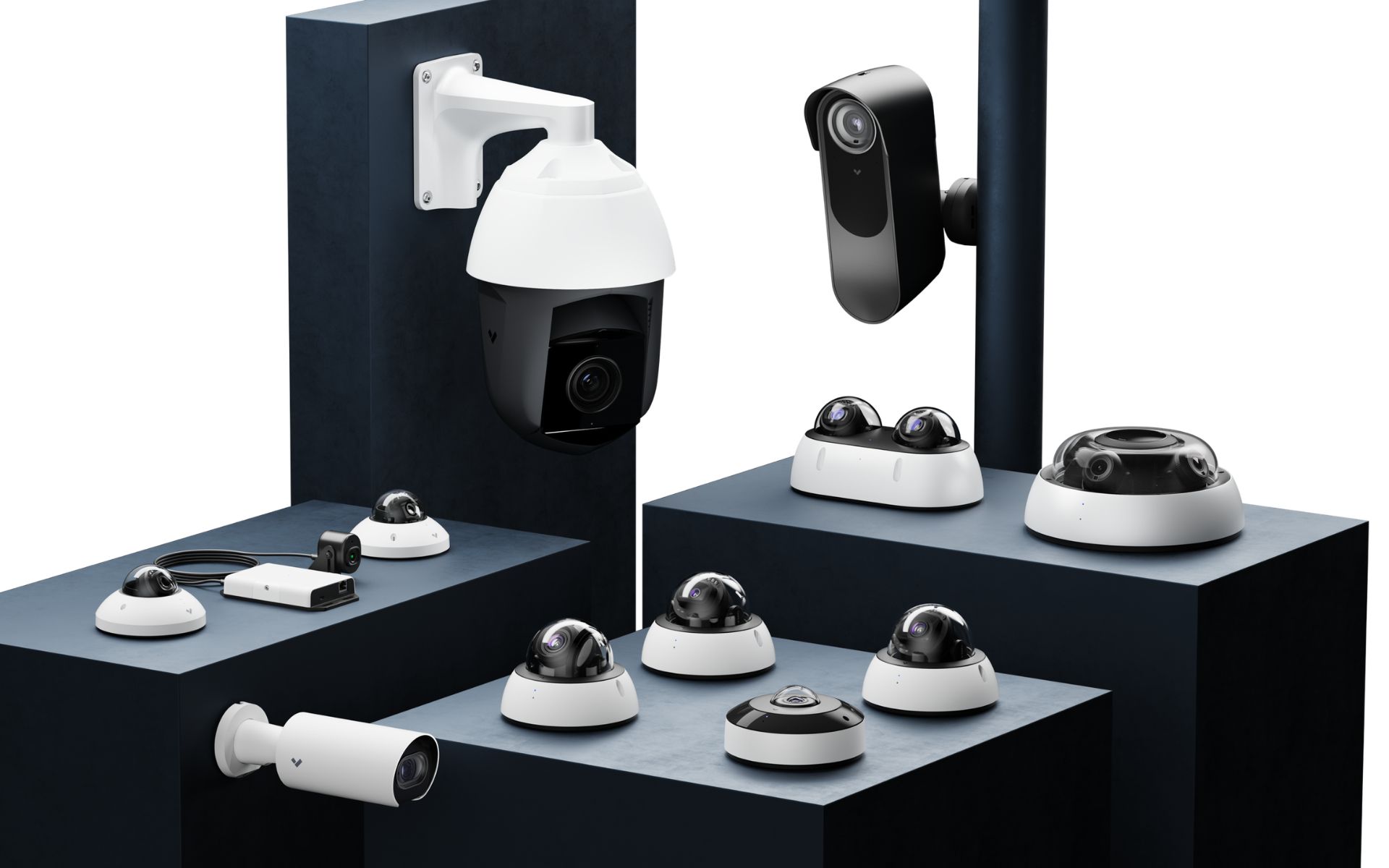
Camera selection matters as much as software. As a starting point, dome cameras suit general interior coverage, bullet or telephoto models are typically used for exterior and LPR capture, and fisheye units cover large open areas from a single vantage point.
Responsible use, privacy, and compliance
Powerful analytics require careful governance. A responsible deployment generally includes:
- Compliance with applicable laws for video, audio, and biometric data in each jurisdiction
- Clear signage and written policies for employees, visitors, and, where applicable, students or guests
- Role-based access, audit logs, and retention periods aligned to your industry
- Limiting high-sensitivity features such as facial matching or audio capture to approved use cases with documented procedures
If audio is on the table, our resource on whether audio surveillance is legal in the workplace is a useful starting point. Consult your legal counsel for site-specific advice, especially where biometrics, employee monitoring, or shared spaces are involved.
Limitations to plan around
AI improves accuracy and speed. It does not remove the need for good design and clear policy.
- Lighting: Backlight, glare, and extreme low light degrade both image quality and analytics performance. Infrared, supplemental lighting, and correct exposure settings help.
- Camera placement: LPR requires the right angle, distance, and shutter settings. People analytics work best with a clear, near-frontal field of view.
- Network and retention: Bandwidth and on-camera storage decisions affect how much history is readily accessible. Plan retention against your investigation and compliance needs.
- Environmental factors: Snow, rain, insects, and moving foliage can still trigger events. Test activity zones and schedules against both nuisance motion and staged events you need to detect.
- Policy and training: AI surfaces events; teams still need documented procedures for response, privacy, and evidence handling.
A short question to ask any vendor: what happens to detection accuracy at your worst-lit entry point at 3 a.m., and what configuration or hardware would they use to address it?
How Monarch maps capabilities to outcomes
Monarch delivers a stack built on Verkada hardware and Command software, combined with professional services:
- Edge AI analytics: People and vehicle detection, appearance filters, LPR, occupancy trends, and cross-camera tracking.
- Live video monitoring: 24/7 professional verification of AI alerts with client-specific escalation paths.
- Centralized management: Cloud access, role-based controls, secure sharing, and automatic updates.
- Integrations: API and webhook options connect cameras to access control, environmental sensors, and alarm systems.
For larger portfolios, standardized deployment and governance matter. Explore our approach to enterprise video surveillance systems if you manage many sites.
Are AI security cameras worth it?
Evaluate the return with a site pilot and a complete cost comparison. Measure alert handling, investigation time and operating workload before and after the proposed change. Potential benefits to test include:
- Faster investigations that free staff for higher-value work
- Fewer nuisance alerts and less on-site response burden
- Stronger after-hours coverage when paired with remote verification
- Practical insights on occupancy and site operations
The magnitude of the return depends on site design, deployment quality, and governance. A short needs assessment is the fastest way to confirm fit and scope.
Buyer questions worth asking
Before you commit to a system, get direct answers on:
- Where analytics run (on the camera, on a server, or in the cloud) and what happens if internet connectivity drops
- How long video is retained on the camera and in the cloud, and at what resolution
- Which AI features are included in the base license versus paid add-ons
- What data is stored, where it is stored, and who can access it
- How the vendor handles biometric or facial features, including opt-out and disable options
- What integrations exist with your access control, alarm, and identity systems
For examples of advertised capabilities, compare Pelco’s AI camera overview with Avigilon’s overview. These describe vendor capabilities, not measured results at your site. Use the pilot questions above to validate the exact proposal.
Frequently asked questions
How should a business measure the benefit of AI cameras?
Choose a defined task, such as finding a known event or reviewing after-hours alerts. Measure the existing workload, then repeat the same task during a pilot. Include missed events and staff review time in the comparison.
Will existing cameras support AI features?
Compatibility depends on the exact cameras and analytics platform. Ask the supplier to demonstrate the required feature with your proposed hardware, software versions and licenses.
Does local analytics mean alerts work without internet?
Not necessarily. Local detection, recording, remote notification and cloud search are separate functions. Ask for a coordinated outage demonstration of the intended configuration.
Which costs belong in the comparison?
Include equipment, installation, software, storage, connectivity, maintenance and the staff time needed to review alerts. Keep renewal assumptions visible rather than using an equipment price as the full budget.
Summary and next steps
AI security cameras shorten investigations, reduce false alarms, and extend visibility across sites when they are deployed with the right hardware, configuration, and policy. Monarch combines Verkada edge AI with live video monitoring and centralized management so those capabilities translate into a faster, more accountable response.
To discuss the recording tasks and response workflow for your site, contact Monarch Connected. Bring a site plan and a short list of incidents you need the system to help investigate.