


Updated September 16, 2026.
"AI security camera" is one of the most abused phrases in the physical security market right now. Every vendor claims it. Not every vendor delivers it. This guide is a plain-English look at what these systems actually do, where they help, where they fall short, and what to ask before you commit real budget.
The short version: an AI camera is not magic. It is a camera with enough compute — either on the device itself or on a connected server — to classify what it sees in near real time, so a person or a rule engine can react to events instead of scrubbing through hours of footage after the fact. That's the value proposition. Everything else is implementation detail.
What Actually Makes a Camera "AI"
Any camera can record video. An AI security camera adds machine learning models that classify what appears in the frame — typically people, vehicles, and other objects — and pushes those classifications into a video management system so that specific events can trigger alerts or rules. Vendor documentation from Pelco and Avigilon describes this as differentiating between humans, vehicles, and other objects to reduce false alarms and produce more useful alerts.
Where that processing happens matters. Some cameras run models on the device itself (edge processing), which reduces bandwidth and keeps working during internet outages. Others send footage to the cloud or a local server for analysis. Both approaches are valid; neither is universally better. Ask any vendor to be specific about the chipset, which analytics run on-device, and which require a connection to their cloud. If they can't answer clearly, that itself is useful information.
Motion Detection vs. Real Analytics
Basic motion detection reacts to changes in the image. Test how a proposed detector handles moving foliage, headlights and insects as well as the people or vehicles you need it to identify. Classification can help filter events, but its value depends on missed detections and unwanted alerts at your site.
Real AI video analytics is designed to filter that noise. Milesight's product documentation describes this as distinguishing "relevant and irrelevant movements" so the system focuses on events like a person entering a restricted area, not wildlife crossing a lot. That shift — from "something moved" to "a person is doing something specific" — is the single biggest reason businesses upgrade.
Measure false alerts at your own site instead of budgeting around a vendor percentage. During a pilot, log the number of alerts, how many required action, and whether staged events were missed. Repeat the test after changing the camera angle or lighting. A quieter alert feed is useful only if important events are still detected.
Object Detection, Classification, and Why It Matters
Based on the published capabilities of Pelco, Avigilon, and Milesight, modern AI camera systems typically classify what they see into categories such as:
- People
- Vehicles (with license plate reading as a separate capability)
- Other objects (bags, packages, animals)
- Objects left behind or removed from a scene
- Faces matched against a stored watch list (with significant privacy caveats — see below)
Classification lets you write rules that used to require a live guard. As a hypothetical: alert on a person in the yard after hours but ignore vehicles, because your night crew drives in and out constantly. Or flag a package that sits on the loading dock longer than a set threshold. Or flag the same license plate circling a lot repeatedly. None of this is science fiction — these analytics are described in current product documentation from the major vendors above.
Where AI Cameras Actually Earn Their Keep
A few areas where the value tends to show up most clearly:
Loss prevention. Retail theft is a persistent industry concern, and vendors describe AI cameras as tools for loss prevention alongside customer analytics. Whether analytics reduce shrink for any specific store depends on staffing, store layout, and how the system is configured. Ask a prospective vendor for case studies from stores comparable to yours before believing a specific shrink-reduction figure.
Operational insights. Pelco, Avigilon, and Milesight all describe non-security uses for the same hardware: occupancy counting, heat maps, dwell-time analysis, and workflow observation. That means one system can serve both security and operations teams — a useful argument when justifying budget.
Response time. Traditional cameras help reconstruct what happened yesterday. AI cameras support responding to what's happening now, because classified events can trigger real-time alerts instead of waiting for a human to notice.
Industrial and Warehouse Deployments
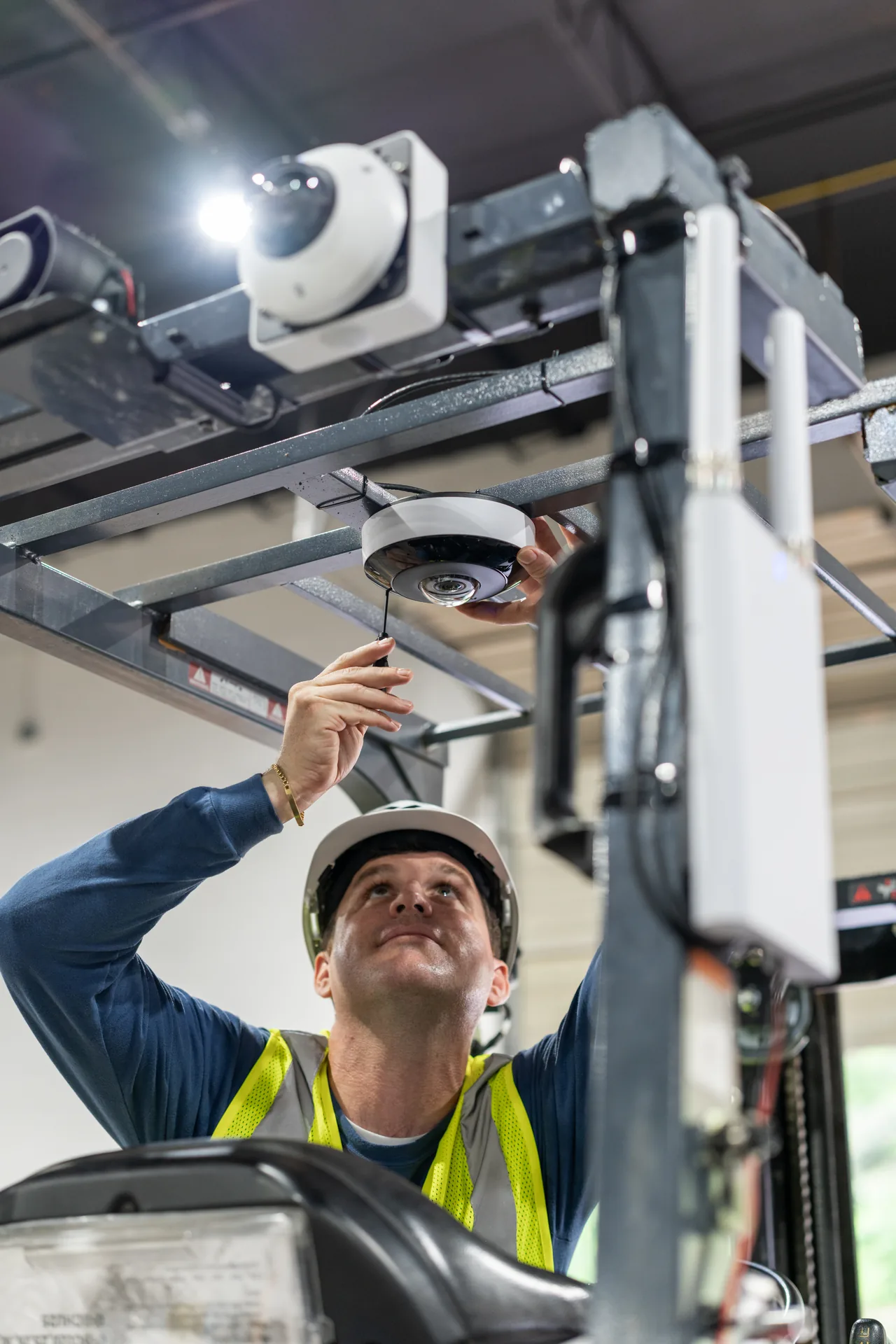
Most AI camera coverage online is written for retail or homeowners, which skips over one of the biggest actual use cases: warehousing, logistics, and manufacturing.
Industrial cameras face rougher environments — weather, vibration, dust, temperature swings, occasional forklift impact. Hardware selection matters: look for IK impact ratings, IP66 or higher water/dust ratings, and operating temperature specs that match your site.
The analytics side is where industrial deployments get interesting. Milesight, Pelco, and Avigilon list common capabilities including restricted-zone violations, object-left-behind and object-removed detection, and license plate recognition at gates. Milesight includes fall detection among its education examples. If you need this feature in an industrial area, ask the vendor to demonstrate it under your intended operating conditions.
A hypothetical: a trailer sits at a dock far longer than your target turnaround. If your cameras log dock activity automatically, that pattern shows up in a report Monday morning instead of getting lost. Same hardware, dual purpose.
Comparing Camera Types: Which One Fits Where
Not every camera does every job. Choosing wrong is expensive.
| Camera Type | Best For | AI Strengths | Watch Out For |
|---|---|---|---|
| Fixed Dome | Indoor retail, offices, corridors | People counting, loitering | Limited field of view |
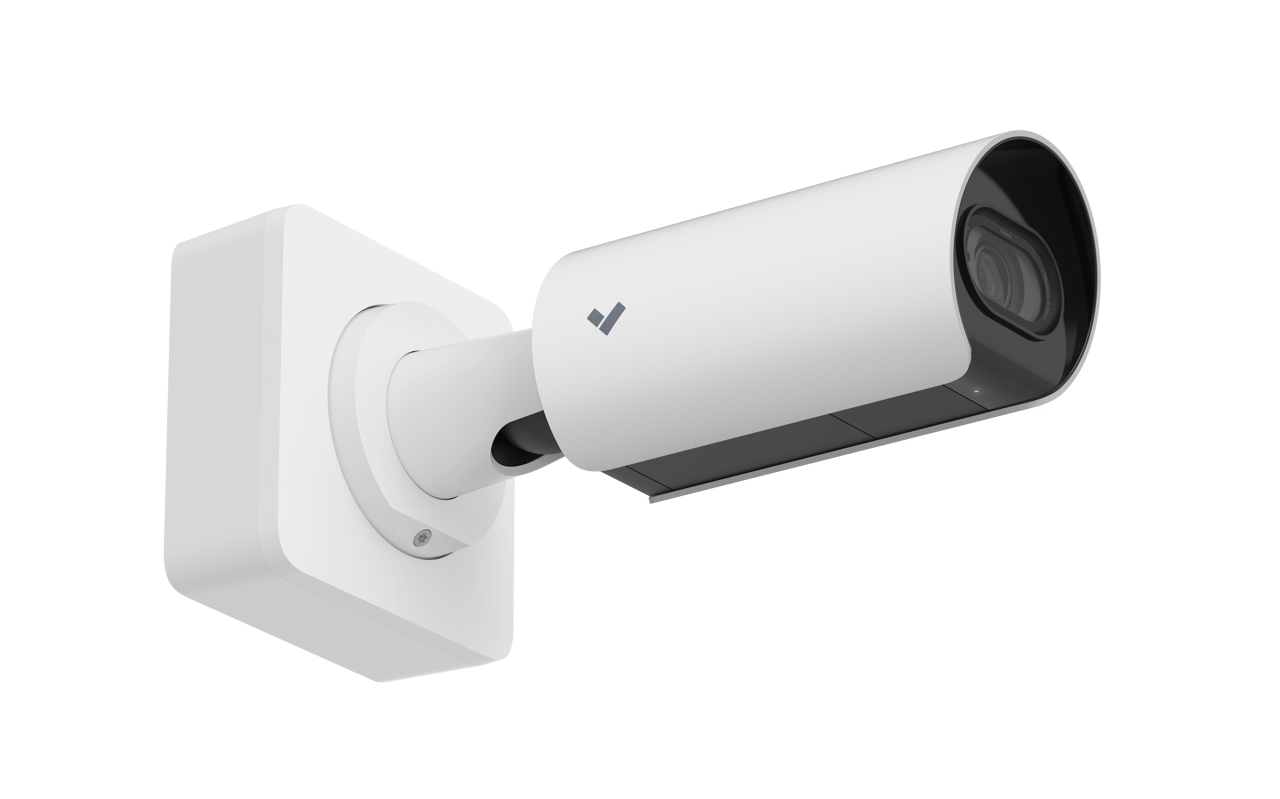
| Bullet | Perimeter, parking lots, long distance | License plate, vehicle classification | More visible, easier to tamper with |
| PTZ (pan-tilt-zoom) | Large open areas, active monitoring | Auto-tracking suspicious activity | Can miss events while pointed elsewhere |
| Fisheye / 360° | Warehouses, showrooms, overhead views | Heat maps, dwell time, full-area coverage | Distortion needs software correction |
| Multisensor | Large intersections, big lots | Multiple angles from one head, one cable | Higher upfront cost |
| Thermal | Perimeter at night, industrial | Detects heat signatures in darkness | No facial detail, higher cost |
Most sites end up with a mix. A warehouse might combine fisheyes overhead, bullets on the perimeter, and thermal at the fence line. A small storefront might get by with a handful of fixed domes.
Cloud vs. On-Prem vs. Hybrid Storage
Where footage lives quietly determines a big chunk of your total cost of ownership.
Cloud-only systems store everything off-site. No local NVR to maintain, footage survives on-site incidents, easy remote access. Downsides: recurring monthly cost per camera, dependent on internet uptime, bandwidth-hungry.
On-prem storage keeps footage on a local NVR or edge device. No recurring cloud fees, works during internet outages, footage stays inside your walls. Downsides: someone has to manage the hardware, and if the box is stolen or damaged, evidence goes with it.
Hybrid combines local and remote functions. Ask where the full recording and event copies reside, what is uploaded, and which functions depend on connectivity. Select the design around retention, recovery and access requirements rather than assuming one architecture suits an entire industry.
NDAA, TAA, and Vendor Origin
For a project with procurement restrictions, ask the purchasing team to identify the applicable requirements and obtain documentation for the exact equipment and services proposed. Do not treat a general manufacturer statement as approval for every project.
Cybersecurity and Support Terms
Cameras are network devices. Before buying, get clear answers on:
- Firmware update cadence, and whether updates are signed and automatic
- Default password handling — do devices force a change on first boot?
- Encryption of video streams in transit and at rest
- Support for network segmentation (a dedicated camera VLAN)
- Length of the hardware warranty and whether firmware/security updates continue past it
- Whether the vendor holds recognized cybersecurity certifications for its product line
- What happens to your footage and access if the vendor sunsets the product or the cloud service
A cheap camera with no update path is a liability, not a bargain.
Privacy, Compliance, and Legal Exposure
You cannot point AI cameras at everyone and call it a day. Depending on jurisdiction, you have obligations around notice, consent, retention, and — especially — biometrics.
Facial recognition is regulated differently across jurisdictions. Milesight's guidance references GDPR compliance, data anonymization, restricted access, and clear signage as baseline practices. Beyond GDPR in the EU, various U.S. states and other countries have their own biometric and surveillance laws that may apply to face recognition, license plate data, or employee monitoring. Specific statutes vary widely and change often — consult qualified counsel in each jurisdiction where you plan to deploy before enabling biometric analytics.
Practical baseline steps regardless of jurisdiction:
- Post clear signage that video surveillance is in use
- Never point cameras into restrooms, changing rooms, or break rooms
- Set retention limits appropriate to your needs and any applicable regulations
- Restrict who can access footage and audit that access
- Document your legal basis for any biometric or license-plate matching before turning it on
What "Smart Alerts" Should Actually Feel Like
A useful test for any system a vendor is trying to sell you: ask to see the alerts a comparable site generated in the last 24 hours. If the volume is so high that no human could reasonably triage it, the system will get muted in production — regardless of how good the detection technology is on paper. What you want is a small number of high-quality alerts, each with a thumbnail, a location, a category, and a clear action (acknowledge, escalate, dismiss). The exact "right" number depends entirely on site size and activity level; the point is that volume should be manageable for whoever will actually respond.
Also worth confirming: does the system learn from feedback? Pelco describes AI cameras as adapting to observed scenes over time, and Milesight highlights adaptive machine learning models. When you mark an alert as a false positive, that should tune the model for your site rather than disappear.
Integration With Access Control and Alarms
Cameras deliver the most value when they are part of a system, not standalone devices. Pelco, Avigilon, and Milesight all describe integrations with access control, intrusion alarms, and building systems as core benefits of modern AI cameras.
A hypothetical integration: a glass-break sensor trips in an office overnight. Instead of the alarm dispatching blindly, the nearest AI camera surfaces live footage to the monitoring center, and an operator can confirm whether it's an actual intrusion or a fallen object before rolling a response. That can reduce false dispatches and the municipal fines that sometimes come with them.
Another hypothetical: a badge is used at a side door after hours. The camera above the door records the entry and can be configured to flag "tailgating" if it detects more than one person passing through on a single credential. Reliably matching a face to a specific badge holder is a separate, much more sensitive capability — one that involves biometric enrollment and the legal considerations described above. Do not assume it's included unless a vendor demonstrates it explicitly.
Bandwidth, Storage, and Real-World Site Constraints
Streaming high-resolution video continuously from every camera to the cloud is expensive on bandwidth. Exact numbers depend on codec, frame rate, bitrate settings, and scene complexity — a busy loading dock and an empty corridor produce very different bitrates from the same camera. Rather than trusting a spec-sheet number, ask any prospective vendor to model expected bandwidth against your camera count, target retention, and typical scene activity.
Edge analytics help. If the camera classifies events locally, it can send full-quality video only for flagged events and lower-bitrate streams the rest of the time. Ask about modern codec support (H.265 is common in current products), smart streaming, and event-triggered upload profiles. If a vendor cannot describe how their system reduces bandwidth for uninteresting scenes, expect to pay for that in your ISP bill.
Have the installer verify the supported Ethernet channel length and power budget for the exact equipment, cable route and accessories. Include any required intermediate switches or fiber links in the design and quote.
Nighttime, Low Light, and Image Quality
Every marketing brochure shows the daytime shot. The relevant question is what the same camera sees at 2 AM in the rain with a single sodium light 40 feet away.
Specs to check:
- Low-light sensitivity in lux (lower is better)
- Color night vision technology, if you need color images in near-darkness
- IR range, understanding that quoted maximum ranges are typically measured under ideal conditions and real-world usable range is often shorter
- Wide dynamic range (WDR) for scenes with mixed bright and dark areas
The most reliable test is a real trial at your actual site — at night, in the worst weather you can arrange — before signing a purchase order. Vendors who refuse a trial are telling you something.
Total Cost of Ownership vs. Sticker Price
Compare total ownership cost over the same planning period. Include cameras, installation, cabling, software, storage, maintenance and network upgrades. Ask vendors to separate one-time charges from renewals and show the cost of adding another camera or extending retention. The largest cost category depends on the site.
The honest budgeting question isn't "what does this cost?" — it's "what does this cost over five years, and what does it save or protect over the same period?"
Common Buyer Mistakes
A few patterns worth avoiding:
- Buying based on megapixel count alone. Sensor size, lens quality, and processing often matter more than raw resolution, especially in low light.
- Skipping the site walk. Glare from a west-facing window, a light pole that blocks a driveway, a vent that vibrates a bracket — none of these show up on a floor plan.
- Ignoring cabling limits. Verify the supported channel and power limits for the proposed equipment.
- Assuming AI is plug-and-play. Tuning detection zones, sensitivity, and rules for a specific site is real work. Budget for configuration and ongoing tuning.
- Locking into a single vendor's ecosystem without an exit plan. Proprietary formats and cloud dependencies matter when contracts renew or vendors change direction.
For the next planning step, see From Trial To Deployment: How To Pilot And Validate An AI Security Solution In 30 Days and AI Video Analytics: Features, Limits and Site Tests. Contact Monarch with the site requirements to discuss the next step.
FAQ
Do AI security cameras work without internet?
Yes, if configured for it. On-device processing means a camera can still detect events, record locally, and trigger local alarms without internet. What's lost offline is remote alerts, cloud backup, and mobile app access. Most business-grade systems ride out short outages gracefully; extended outages need a plan.
How accurate is AI object detection in real conditions?
Accuracy varies by camera, model, lighting, and scene. In good conditions with clear sightlines, modern systems perform well on basic people-and-vehicle classification. Accuracy drops in heavy rain, snow, extreme backlighting, or when subjects are obscured. Facial recognition is more sensitive still — angle, distance, and lighting all affect results. Run a real trial at your actual site rather than trusting a spec sheet.
Can AI cameras replace security guards?
Cameras do not provide an on-site human response. Decide which tasks require physical presence and which can be handled through remote review. Measure the actual operating workload during a pilot before making staffing decisions.
What's the difference between an AI camera and a regular camera with cloud analytics?
Analytics can run in a camera, an on-site server, the cloud, or a combination. Ask which functions continue during an internet outage and which require a remote service. Compare the complete workflow: detection, local recording, notification, search and export. An edge-based detector does not guarantee that remote alerts will work without connectivity.
How long is footage typically kept?
Retention policies vary widely. Some industries (healthcare, cannabis, financial services) have regulatory minimums — check yours before setting a default. Longer retention increases storage cost, so there's a real trade-off. A common approach: rolling continuous retention for a defined window, longer retention for flagged events, and indefinite hold for anything tied to an active incident.
Are AI security cameras hackable?
Any internet-connected device can be attacked. A well-configured system is a hard target: strong authentication, signed firmware updates, encrypted video streams, and network segmentation from the rest of your business systems. Default passwords and unpatched firmware are how systems get breached; operational discipline matters more than brand name.
Will AI cameras work outdoors in extreme weather?
Yes, if you buy the right ones. Look for IP66 or higher water/dust ratings, IK10 impact resistance, and a wide operating temperature range that matches your climate. Not every camera labeled "outdoor" survives a real winter — verify the spec sheet, not the marketing page. Housing quality and mounting matter as much as the camera itself.
How much does a full AI camera system cost?
Costs vary enormously based on camera count, site complexity, cabling runs, cloud vs. on-prem architecture, and software licensing. The biggest variable usually isn't camera count — it's the cabling, integration work, and software layer that ties everything together. Get itemized quotes from two or three integrators for your specific site rather than relying on generic per-camera pricing.