


Security cameras cellular connectivity is an option to investigate when a site lacks a suitable wired internet connection. The useful purchasing question is not simply whether a camera supports LTE or 5G. It is whether the proposed system can capture the views you need, send the information you need, and keep operating under the site's power and connection constraints.
This guide provides a planning checklist for construction sites, storage yards, detached buildings, and other locations being evaluated for cellular connectivity. It does not assume a particular monthly data allowance, battery runtime, or installation price. Those need to be established for the actual equipment and intended use.
Decide What the Remote User Needs to Do
Write down the tasks the system must support before asking for a camera count. Do staff need occasional live viewing, routine review of recorded footage, event notifications, or continuous remote viewing? Who needs access, and from where?
Ask the supplier to describe where footage is recorded and what remains available when the cellular connection is lost. Distinguish recording at the site from viewing footage remotely. A demonstration of live video with a working connection does not prove what happens during an outage.
For each required view, identify the location, subject, lighting conditions, and intended task. Ask for sample footage from the proposed camera position. A wide overview of a yard and a useful view of a person at an entrance may require different choices; do not approve a layout solely because the entire site appears somewhere in an image.
Compare an Integrated Camera With a Gateway Design
Two designs worth asking about are a camera with built-in cellular connectivity and cameras connected through a separate cellular gateway. Check the actual product documentation rather than assuming every camera includes a modem or accepts a SIM card.
| Design question | What to establish before ordering |
|---|---|
| Integrated cellular camera | Compatible carrier and plan, power supply, recording behavior, and remote management |
| Cameras behind a cellular gateway | Supported cameras, connection method, total power requirements, and gateway configuration |
| Existing network with cellular backup | Which devices use the backup connection and which functions remain available |
| Temporary or moving installation | Mounting, power, coverage validation, and the procedure for relocating the equipment |
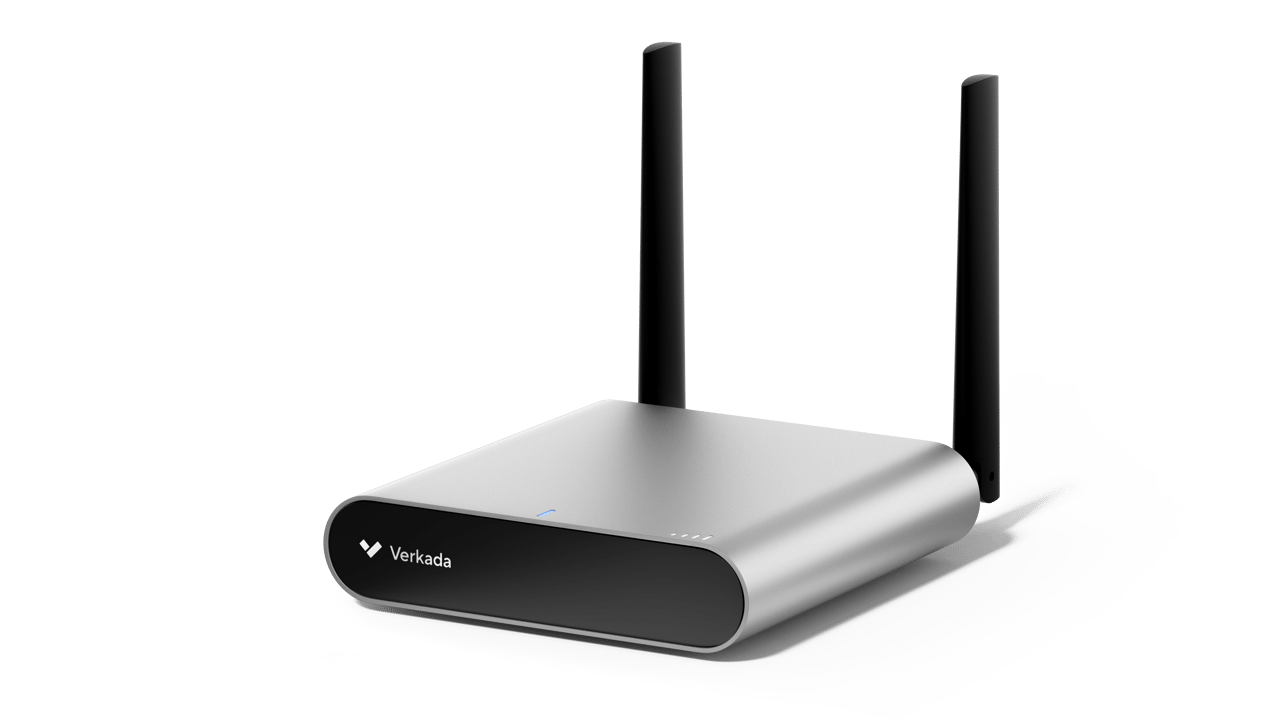
For one documented gateway example, the Verkada GC31 product page describes an indoor LTE gateway with PoE outputs, remote management, and either a Verkada data plan or a customer-provided SIM. That is a product-specific example, not a claim that all cellular gateways have those capabilities. The indoor designation also matters: an outdoor camera does not make an indoor gateway suitable for exposed mounting.
Check the Connection at the Proposed Installation
Ask the installer to test the intended carrier and equipment at the proposed location. Record the connection behavior while carrying out the actual viewing and retrieval tasks. Repeat the agreed checks after the final mounting and antenna placement, rather than accepting only a demonstration from a phone beside the building entrance.
The GC31 setup and troubleshooting guide discusses weak cellular connectivity and external or directional antennas as a possible improvement. It also distinguishes indoor and outdoor installation guides. Use the instructions for the specific gateway model in the proposal.
An antenna proposal should identify the compatible equipment, intended placement, installation requirements, and how the installer will judge the result. Avoid accepting a universal signal-number cutoff as proof that every camera task will work. Ask for the outcome that matters: can authorized staff reliably perform the required task with this installation?
Match the Data Plan to the Way You Use Video
Ask the supplier to explain which activities transfer data over the cellular link and which remain local. Request a plan comparison based on the proposed settings and expected use, with the assumptions written down.
Include these questions in the quote:
- Are live viewing, recorded-video retrieval, and cloud backup included in the proposed service?
- Are any features limited or disabled under the selected data plan?
- What happens at a usage limit, and who receives a warning?
- Which licenses are required for the connected devices?
- Can the administrator inspect usage and change access or settings?
Verkada's bring-your-own-data-plan documentation illustrates why plan details matter: it describes different options for traffic and smart data usage when the GC31 uses a customer-provided SIM. Confirm the current terms for the actual plan in the quote rather than transferring those features to another provider or product.
Treat Power as a Separate Design Requirement
Cellular connectivity does not establish how the camera and gateway will be powered. Ask for a power schedule covering all proposed equipment, including any supporting network devices and accessories.
For a mains-powered installation, identify the outlet or circuit, cable route, and any backup-power requirement. For a solar-and-battery proposal, request the sizing assumptions, intended operating period, maintenance requirements, and what the system does when stored energy is low. Require the supplier to explain how those assumptions fit the specific site and season.
Do not accept a promise such as “works through cloudy weeks” without a design and supporting calculation for the quoted equipment. Set an acceptance requirement the supplier can demonstrate and document, including how the operator will learn about a power problem.
Medical Cameras and Security Cameras Have Different Jobs
If a project brief uses the phrase medical cameras, clarify what is being requested. This article concerns physical-security views, such as a clinic entrance or parking area. It does not assess cameras used for diagnosis, clinical imaging, or patient care.
For a healthcare location, define the intended security views and involve the organization’s responsible privacy and security staff before installation. Ask them to review camera placement, access, retention, and the proposed connection. A cellular link is a connectivity choice; it does not by itself establish that the project meets the organization's privacy or security requirements.
Keep the two scopes separate in the purchasing documents. A security-camera proposal should not imply that it supplies a clinical camera or an approved patient-monitoring service.
Build an Itemized Cost Comparison
Compare complete proposals against the same requirements. Include cameras, gateway, antennas, mounts, power equipment, installation, licenses, connectivity, maintenance, and support. Identify which costs are one-time and which renew.
Ask who owns each account and who can change the carrier plan or system settings. Include the cost and responsibility for relocating a temporary installation. If there is an existing wired connection that could serve the site, request that option as a separate comparison rather than assuming cellular will always cost less.
Avoid a generic per-camera price table with no equipment list. A useful quote tells you what is included, what is excluded, and which operating assumptions could change the cost.
Acceptance Checklist for a Cellular Camera Installation
The following is a proposed project checklist, not a manufacturer specification. Adapt it to the site and the agreed scope:
- Confirm each required view with sample footage from the installed position.
- Demonstrate remote access using the permissions intended for real users.
- Retrieve recorded footage and confirm where it is stored.
- Carry out the agreed connection-loss and power tests through the installer's approved procedure.
- Verify that the responsible person receives the configured fault notifications.
- Record plan details, equipment identifiers, settings, support contacts, and maintenance responsibilities.
Keep any failed checks open until they have been corrected and demonstrated. This creates a handover record that another staff member can use later, instead of leaving the system dependent on one person's memory.
Frequently Asked Questions
Can cellular security cameras work without WiFi?
That is the use case to verify with the selected equipment: a supported cellular connection can provide the remote connection instead of WiFi. You still need a suitable power supply, an active service, and a working connection at the installation site.
Will the camera keep recording if cellular service drops?
Check the model and configuration. Ask for the recording behavior to be documented and demonstrated. Do not assume that local recording, remote viewing, and cloud backup continue in the same way during an outage.
How much data will the installation use?
Request an estimate based on the proposed settings and tasks, then agree on how actual usage will be checked. A single monthly figure without those assumptions is not a useful basis for selecting a plan.
Is an outdoor camera enough for an outdoor installation?
Review the whole installation, including the gateway, power equipment, connections, and mounting. Use each manufacturer's instructions for the exact products being installed.
What information should I bring to a site review?
Bring a site plan, the required views, available power, existing connectivity, and a list of the remote tasks staff need to perform. Use Monarch Connected's security product catalog to discuss equipment options, and contact the team to define a project scope before comparing quotes.