


Updated September 16, 2026.
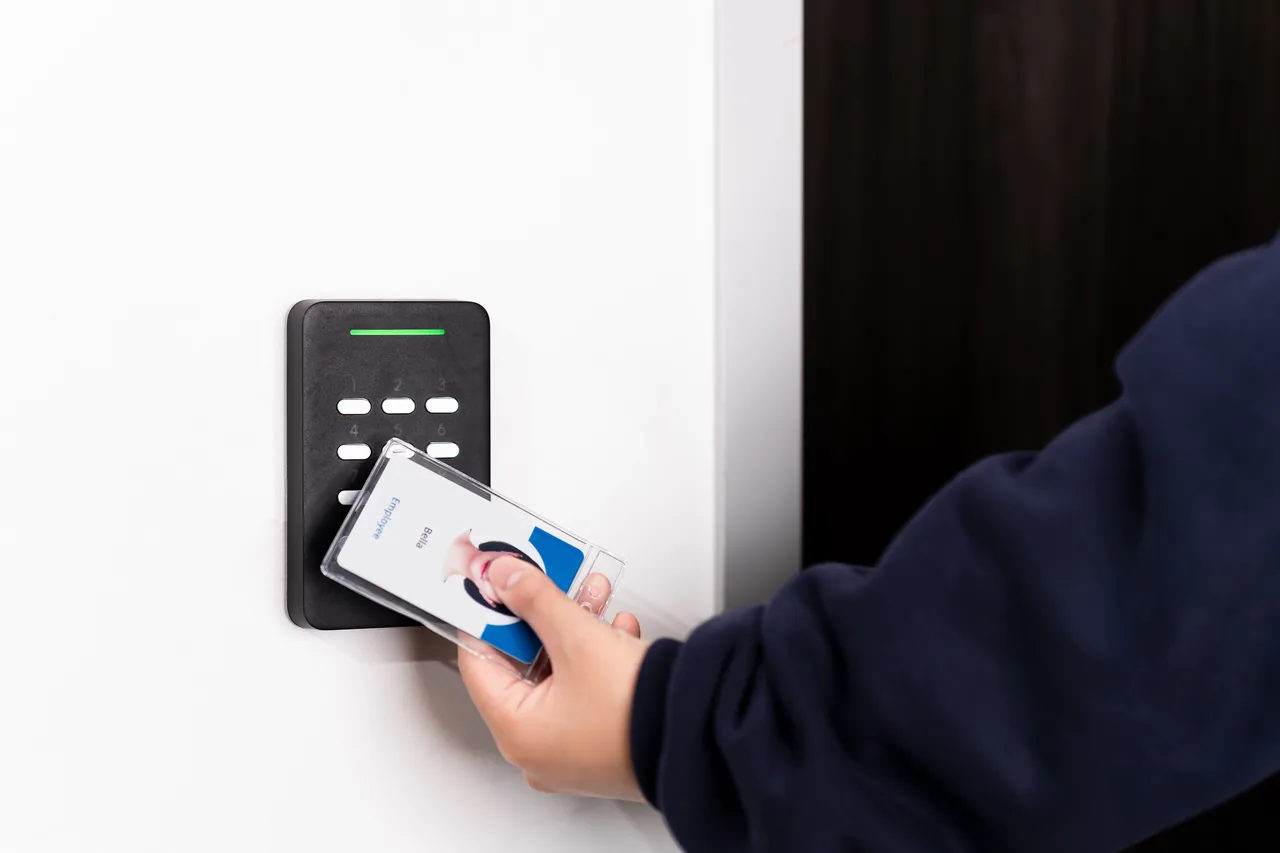
If you've ever wondered whether a keyless entry system for business use is worth the switch, you're in the right place. This guide walks through what actually works, what quietly wastes money, and why "just put a keypad on it" is not the whole answer.
The difference between a good deployment and a painful one is almost never the badge reader. It's the thinking behind it — the doors you choose to upgrade first, the credential types you standardize on, the software policies you set, and whether the whole thing is tied into the rest of your operation.
Why Businesses Are Moving Away From Physical Keys
The uncomfortable truth about physical keys is that you don't actually know how many copies exist. You know how many you handed out. That's a very different number. Every former employee, every contractor, every "borrowed for the weekend" copy is still theoretically in circulation, and re-keying an entire building every time someone leaves is expensive enough that most organizations just don't do it.
A modern keyless entry system for business use fixes the fundamental problem: credentials become data, not metal. Data can be revoked instantly from a management console. Metal has to be physically retrieved, which rarely happens consistently.
A few other reasons the shift is happening now:
- Identify the access evidence your organization actually needs and ask the supplier to demonstrate how its records support that requirement.
- Employees lose keys, forget them, or prop doors open — which undermines whatever you spent on the front entrance.
- Cloud-managed access platforms have matured. Vendors like Gallagher and Avigilon now offer platforms designed to run at multi-site scale rather than just a single office.
- Mobile credentials — using a smartphone in place of a badge — remove the ongoing cost of card stock and badge printers, and let administrators issue or revoke access remotely.
If you've spent money on cameras, alarms, or an AI security system and you're still handing out brass keys for the perimeter, the perimeter is the weakest link.
The Real Options: Credentials, Hardware, and What You're Actually Buying
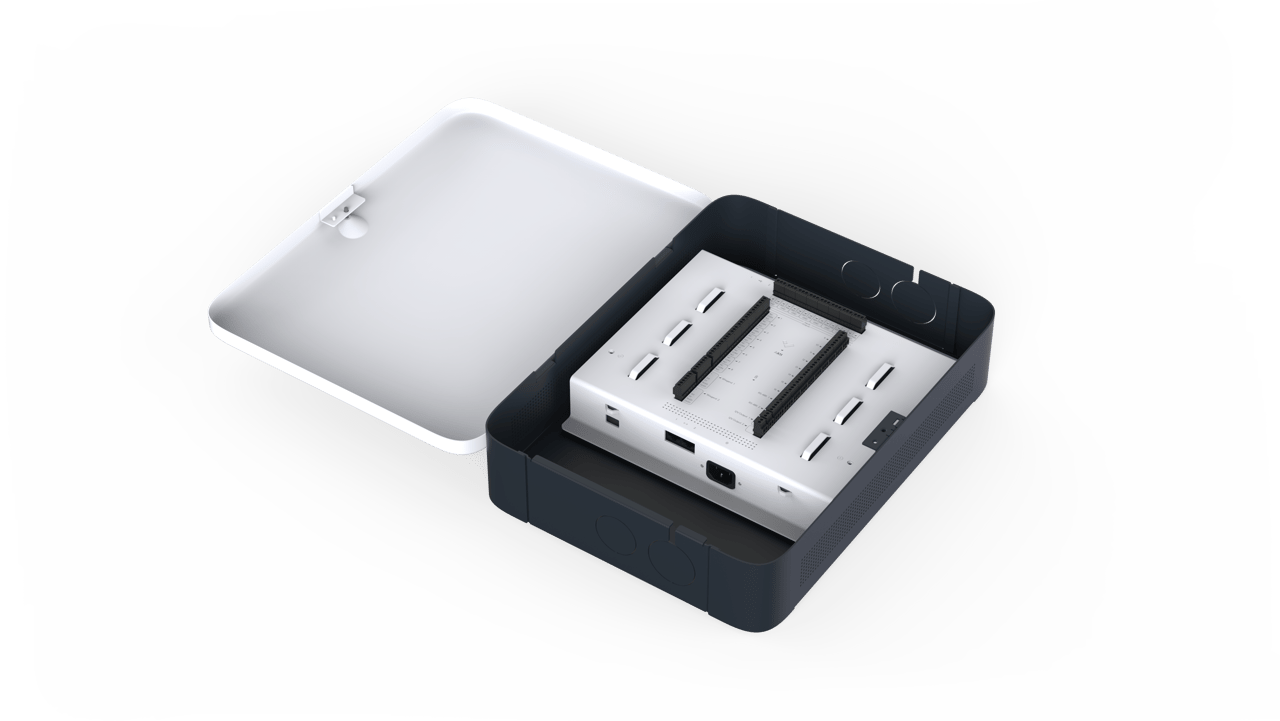
"Keyless" can mean five different things, and those things don't cost the same, don't work the same, and don't fail the same. Here's an honest breakdown.
Credential types (how a person proves they're allowed in)
- Keypad / PIN — cheapest and oldest. Fine for low-security doors, but codes get shared and shoulder-surfed. Rotate them regularly or don't rely on them for anything sensitive.
- Proximity cards / key fobs — the plastic-badge classic. Reliable and familiar, but older 125 kHz proximity formats have well-documented cloning risks and should be avoided for new deployments. Encrypted smart cards (13.56 MHz formats such as MIFARE DESFire or iCLASS SEOS) are the modern default, as Avigilon and others note explicitly.
- Mobile credentials — the phone becomes the badge, using Bluetooth or NFC. Users like it because their phone is always with them; administrators like it because credentials issue and revoke remotely with no card stock to manage.
- Biometrics — fingerprint, face, iris, or palm. Highest identity assurance because the credential can't be loaned, but enrollment is slower and biometric templates carry real privacy and data-storage obligations. Illinois BIPA is the frequently cited example; check the law in your jurisdiction before deploying. Gallagher's biometric guide covers the tradeoffs by modality.
- Multi-factor — combine two, e.g., PIN plus mobile, or badge plus fingerprint. Best reserved for the doors that genuinely warrant it (server rooms, cash rooms, controlled substances), since MFA on every door creates queues at the entrance.
The right mix usually depends on the door, not a blanket policy across the building.
Hardware tiers
You're generally choosing among three tiers. None is universally "best" — each fits a different use case.
| Tier | What it is | Best for | Big tradeoff |
|---|---|---|---|
| Standalone smart lock | Battery-powered lock with built-in reader, often WiFi or Bluetooth | Single tenant, a handful of doors, light usage | Limited central management; battery replacement cycles |
| Cloud-managed access control | IP-connected controllers and readers managed via a browser | Most SMB and mid-market offices | Ongoing subscription; requires reliable network |
| Enterprise on-prem or hybrid | Local controllers and server, dedicated network, deep integrations | Large campuses, high-security, regulated industries | Requires IT ownership; upgrades are projects, not clicks |
Ask vendors for door-count-based pricing in writing, including hardware, installation, and any recurring software fees, so you can compare like with like. A common mistake is buying inexpensive standalone smart locks for a portfolio that really needs central management, then hiring someone to stitch it all together after the fact.
For most growing businesses, cloud-managed access control hits the sweet spot: one dashboard, real audit logs, mobile credentials without a science project, and integrations with the systems you already run.
Wiring, power, and the details nobody covers in the sales deck
This is where projects quietly go sideways. Real questions to answer before signing anything:
- Door and frame type. Aluminum storefront doors need specific electric strikes or magnetic locks. Wood, metal, and historic doors each have their own quirks.
- Power availability. Running low-voltage cable through finished walls is not free, and every turn adds labor time.
- Fail-safe vs. fail-secure. In a power outage, "fail secure" locks stay locked (protects assets); "fail safe" locks release (protects people). Fire code usually dictates which one is required on a given opening. Get this wrong and you have either a code violation or a life-safety problem.
- Request-to-exit sensors and door position switches. Without them, a normal exit can trigger a "forced door" alarm every time. These are basic details that a serious integrator raises in the first meeting.
- Offline behavior. Confirm that local controllers continue to grant or deny access based on cached credentials when the network is down, and that events sync back to the server once connectivity returns. Gallagher explicitly flags this as a requirement for enterprise resilience.
If a quote doesn't mention any of the above, treat it as incomplete.
The Software Layer: Where Access Control Earns Its Keep
Hardware secures the opening. Software decides who gets through it, when, and under what conditions. A keyless system with weak management is just a slower version of a key.
Features to look for at minimum:
- Role-based access. Grant permissions by role, not by individual exception. "Warehouse staff, Doors 3–7, Mon–Sat, 5 a.m.–9 p.m." beats one-off assignments.
- Instant credential revocation. When someone leaves, access ends immediately, ideally driven by a change in the HR system rather than a manual ticket.
- Real audit logs. Timestamped, searchable, exportable, and tamper-evident. Logs an administrator can silently edit have limited value in a dispute.
- Scheduling and holiday calendars. A multi-site portfolio should not require a spreadsheet to manage time-based access.
- Visitor management. Pre-registered visitors get a short-lived QR or mobile pass rather than a shared "guest" badge.
- Anti-passback. One credential can't be used to enter twice without being used to exit — closes the "here, take my badge" workaround.
- Lockdown modes. One command puts every door in the building into a predefined state. Cheaper to configure now than to wish you had it later.
- Integrations. Video, alarms, HR platform, and identity provider (SSO/MFA for administrators).
Identity provider integration is quietly the biggest item on that list. If a person's job status lives in Okta, Entra ID, or Google Workspace, and the access platform trusts that source of truth, you eliminate an entire category of "we forgot to disable the badge" incidents.
Layering video on top of access events makes investigations dramatically faster. Instead of "someone entered at 2 a.m.," you get "here's the clip of who it was." Our AI security pilot writeup walks through what that looks like operationally.
Certifications and cybersecurity of the platform itself
Your access platform lives on your network, has an admin panel, and probably a mobile app. Treat it like any other business-critical software:
- UL 294 listing on the equipment. Gallagher notes that many building codes, insurers, and authorities having jurisdiction require or expect UL 294-listed access control equipment.
- SOC 2 Type II or ISO 27001 for any cloud-hosted management platform — independent evidence of the vendor's information security controls.
- FIPS 201-3 for federal PIV environments, and NDAA Section 889 compliance where restrictions on certain foreign-manufactured components apply.
- SSO with MFA for administrators, encryption in transit and at rest, and a documented firmware update process.
Ask vendors specifically how firmware updates are delivered, how admin access is protected, and whether they can produce their most recent third-party audit report.
Rolling It Out Without Losing Your Weekends
Buying the system is the easy part. The rollout is where projects earn their reputation. A sequence that consistently works:
Phase 1: Audit every door. Walk the site. Note door type, frame material, existing hardware, whether the door is on a fire egress path, and whether it currently gets propped open (this happens, and you need to know why before you design around it). Count active credentials versus active employees; a large gap indicates a key-hygiene problem to fix regardless of what hardware you buy.
Phase 2: Prioritize by risk, not convenience. Upgrade exterior doors, sensitive areas (server room, cash room, records storage), and doors with high turnover of authorized users first. Break rooms can wait.
Phase 3: Pilot two or three doors. Live with the system for 30 days before scaling. Find the friction points — the delivery driver who arrives before badges are provisioned, the door that reports "held open" every Thursday at 11 a.m. (usually a scheduled cleaning route). Fix these before rolling out further.
Phase 4: Enroll users properly. A short in-person walkthrough beats a long PDF. Make mobile enrollment a single QR scan. Make problem reporting trivial — if it requires a ticket in a system nobody logs into, broken readers stay broken.
Phase 5: Retire the old system deliberately. Don't leave legacy keypads active "just in case." Re-key mechanical override cylinders on emergency-only openings, and store those keys in a logged, restricted box with a named custodian.
Phase 6: Review quarterly. Every 90 days, pull the access report and ask whether current permissions still match reality. People change roles; contractors finish projects; departments restructure. Without a review cadence, the system drifts back toward the mess you replaced it with.
Finally, designate a single owner with a backup. Systems owned by "facilities, kind of, but also IT sometimes" are effectively owned by nobody.
Buyer Questions to Bring to a Vendor Conversation
Bring these to any demo or proposal review:
- What credential formats does the reader support today, and what's the upgrade path when standards change?
- Is the equipment UL 294 listed? Can you provide the certificate?
- For cloud platforms, can you share a current SOC 2 Type II report or ISO 27001 certificate?
- How do the controllers behave during a network outage? For how long, and with what event storage capacity?
- What HR and identity provider integrations are supported natively, versus requiring custom API work?
- What's the process — and cost — to add doors, sites, or credential types later?
- Who owns the data in the platform, and how is it exported if we ever leave?
- What's included in the recurring subscription, and what's billed separately?
FAQ
Can I keep some doors on physical keys and switch others to keyless?
Yes, and most businesses run hybrid during rollout. Prioritize keyless on exterior doors, sensitive areas, and any door with high credential turnover. Low-traffic interior closets can stay mechanical if budget is tight — the important step is eventually retiring mechanical keys on the perimeter, where the real risk lives.
What happens if the internet goes down?
A well-designed cloud-managed system caches credentials locally at the door controller, so people can continue badging in and out during a network outage. Real-time reporting and live administrative changes pause until connectivity returns, then sync back automatically. If a vendor tells you doors will lock everyone out during an outage, treat that as a red flag.
Are mobile credentials actually secure?
Modern mobile credentials use encrypted Bluetooth or NFC communication, generally require the phone to be unlocked, and can be revoked instantly if a phone is lost. A lost phone tends to be reported quickly; a lost badge often isn't noticed for days. The weakest link is usually phone lock-screen hygiene, not the credential technology itself.
Do I need to replace all my locks, or can I retrofit?
It depends on the door. Many commercial doors can be retrofitted with electric strikes, magnetic locks, or smart cylinders without replacing the door itself. Aluminum storefront doors, historic wood doors, and doors on fire-rated egress paths are the trickiest. A walkthrough with a qualified integrator will tell you which openings are simple retrofits and which need more work.
How does keyless entry help with compliance?
Access records can help review permissions and investigate events, but a log of a credential use does not by itself prove who passed through a door. Define the evidence and controls your organization requires, and have the appropriate adviser evaluate any compliance claim.
What's the difference between cloud-based and on-premise access control?
Cloud-based platforms host the management software off-site; you access it through a browser or app, and the vendor handles updates. On-premise systems run on a local server, giving you full control but also full responsibility for backups, patches, and hardware failures. Cloud is now the default for most SMB and mid-market deployments; on-premise still makes sense in regulated or air-gapped environments where data cannot leave the building.
How long does installation take?
For a small office of a few doors, expect a few days of on-site work once materials are on hand, plus lead time for hardware and design. Larger deployments phase over weeks or months, typically one area at a time to avoid disrupting operations. The slow part is rarely the install itself — it's design decisions, credential enrollment, and coordination with landlords or building management.