


Updated September 16, 2026.
A door access control system replaces physical keys with credentials you can manage in software. Instead of cutting keys and rekeying locks whenever someone leaves, you decide who can open which door and when — and you can change permissions, or review who went where, from a dashboard. As the UK's National Protective Security Authority puts it, the purpose of any access control system is "quite simply, to control who goes where and when."
This guide covers what a door access control system is, how it works, the credential options, the cloud-vs-on-premise decision, what drives cost, and how to choose. Where it helps, we'll use Verkada's access control hardware — which Monarch designs and installs — as a concrete example.
What is a door access control system?
A door access control system is the combination of hardware and software that decides whether a given door unlocks for a given person. Every system, simple or enterprise, is built from the same core parts:
- A credential — what the person presents: a key card, a fob, a PIN, a biometric, or a phone.
- A reader — the device at the door that reads the credential.
- A controller (or panel) — the "brains" that checks the credential against the rules and tells the lock to release. NPSA describes this as where "permissions are granted, where individuals are enrolled onto the system and given the rules of entry."
- The locking hardware — the electric strike, maglock, or smart lock that physically holds or releases the door.
- Door position switch (DPS) — a sensor that tells the system whether the door is actually shut. IPVM notes this is one of the most useful yet most neglected parts of an access system; without it you don't know if a door has been propped open.
Tying it together is the management software, where you set who can go where and when, add or revoke people, and review the log of every entry. Two important limits worth naming upfront: the physical door and frame are what actually keep intruders out, not the electronics, and no access system can defend against an authorised insider who lets someone else in. NPSA is explicit on both points, and recommends pairing access control with a sound physical border, cameras, and staff training.
If you want to go deeper on the models of access control — discretionary, mandatory, role-based, and rule-based — we cover those in the 3 types of access control. This guide stays focused on choosing and buying a door system.
How door access control works
The sequence at the door takes a fraction of a second:
- A person presents their credential to the reader.
- The reader passes the credential to the controller.
- The controller checks it against the access rules — is this credential valid, and is it allowed at this door, at this time?
- If yes, the controller releases the lock and the event is logged. If no, the door stays locked and that attempt is logged too. NPSA notes systems can be programmed to respond to events such as multiple unauthorised attempts or a door left open beyond a set time.
An access log records the events the system is configured and able to observe. A granted credential request is not proof that a particular person passed through the opening. Test the relevant granted, denied, forced-open and held-open events, and decide whether associated video is needed for the review workflow.
Credential types: cards, fobs, mobile, and biometrics
Access credentials fall into three categories: what you have (a card or fob), what you know (a PIN), or who you are (a biometric). Combining any two is multi-factor authentication, which is worth considering for higher-security doors.
- Key cards and fobs. The familiar plastic card or keyfob is still the most common credential. The important detail is the underlying technology. Older 125 kHz "prox" formats are widely deployed but well understood to be insecure — IPVM notes that inexpensive cloning devices sold online can silently copy a 125 kHz card in seconds. For new installations, specify 13.56 MHz formats such as MIFARE DESFire or HID iClass SE, which use encryption and typically cost the same or less.
- Reader-to-controller protocol. Equally important is how the reader talks to the controller. The legacy Wiegand protocol is unencrypted and should be avoided on new installs in favour of OSDP (Open Supervised Device Protocol) with its supported Secure Channel configured, rather than assuming protocol support alone enables encrypted communication. Ask any vendor whether their readers support OSDP end-to-end.
- Mobile credentials. The phone becomes the key, using Bluetooth Low Energy (BLE) or NFC. There's nothing to print or hand out, and credentials are issued and revoked instantly from software. Practical caveats: IPVM reports that NFC is generally more reliable than BLE (iOS in particular can suspend background BLE processes, causing intermittent unlock failures), and mobile credentials typically carry recurring per-user fees that can make them more expensive than physical cards over time. Many organisations run mobile and cards in parallel and address BYOD and backup credentials in policy.
- PIN codes and biometrics. Keypads and fingerprint, finger vein, palm print, palm vein, iris, or face readers, often combined with a card to create two-factor entry on higher-security doors.
The reader you choose has to match the credentials you want to support. Multi-format readers read legacy and modern cards and mobile credentials, so you're not forced to replace every reader when you modernise credentials.
Cloud-managed vs. on-premise access control
This is the decision that shapes long-term ownership of the system.
Traditional on-premise. The access control software runs on a server or appliance in your building. You — or an integrator you call — maintain that server, apply updates, and manage backups. Remote access typically means a VPN, and multiple sites usually mean multiple servers to keep in sync.
Cloud-managed. Controllers connect to the internet and you manage everything from a web browser or app — no on-site server to maintain, updates are handled by the vendor, and every site is in one place. A well-designed cloud system should continue to enforce access locally if the internet drops, then sync when the connection returns; confirm this behaviour explicitly with any vendor.
| Consideration | Cloud-managed | On-premise |
|---|---|---|
| Server | None on-site — runs in the cloud | A server/appliance you maintain on-site |
| Updates | Handled by the vendor | You apply them |
| Remote access | Built in, from any browser/app | Usually needs a VPN + IT |
| Multiple sites | One dashboard for all | Often a server per site to sync |
| Outage behaviour | Confirm the controller enforces access offline and syncs later | Depends on local hardware |
| Best fit | Multi-site, lean IT | Orgs with strict on-prem-only policies |
Cloud is often the simpler choice for organisations without dedicated on-site IT or with multiple locations, but some sectors (defence, certain regulated environments) have policies that require on-premise. Ask the buyer question directly: where does our cardholder data live, and who is responsible for patching the software that controls our doors?
What to look for in a door access control system
When you're comparing systems, these are the factors that matter most:
- Cloud vs. on-premise management. Dictates what you maintain and how you administer doors long-term.
- Modern credentials and protocols. 13.56 MHz encrypted credentials, OSDP reader-to-controller communication, and multi-format readers so you can support cards and mobile.
- Offline resilience. Confirm — in writing — that controllers keep enforcing access and logging events during internet outages. NPSA also specifically recommends a UPS to keep the system running through a power cut.
- Door position switches. Include DPS on every controlled opening. Without them, you can't detect propped or forced doors.
- Scalability. Controllers that scale from one door to many, and software that handles multiple sites from a single view.
- Integration with video and other systems. Tying access events to camera footage turns two systems into one investigation tool. If you also need visitor management, intrusion, or fire alarm integration, IPVM recommends stating the current makes and models upfront so bidders can price accordingly.
- Wiring and power. PoE-powered controllers simplify installation by carrying power and data over one network cable.
- Cybersecurity. The management interface must be password protected and use strong authentication. NPSA goes further and states plainly that an AACS "should not be connected to any other network within your site" — a stricter position than general IT segmentation, worth raising directly with your integrator and IT team.
What drives the cost of a door access control system
Cost scales with how many doors you're securing, because most of the hardware is per-door. When you're scoping, break the budget into:
- The controller — priced by the number of doors it manages.
- A reader (or two) for each door, with the model dictated by which credentials you support.
- Locking hardware — electric strikes or maglocks, which vary widely by door type. Glass doors, gates, and turnstiles each have their own considerations.
- Door position switches, request-to-exit devices, and power supplies (including a UPS) — small line items that are easy to forget.
- Credentials — cards or mobile licences (mobile is typically a recurring per-user fee).
- Software/licensing — per-door or per-site; on cloud systems this replaces the cost of running an on-site server.
- Installation — wiring, mounting, and integrating with existing door hardware.
- Ongoing service — warranty terms, response-time expectations, and who does maintenance.
A small office securing two or three interior doors looks very different from a multi-building campus with turnstiles and gates. Scope the door count and door types before asking for pricing, and ask vendors to break out per-door hardware, software/licensing, and recurring fees separately.
Door access control with Verkada
The access control Monarch designs and installs runs on Verkada's hardware and Command software, with no on-site server. Verkada's controller range covers different door counts — a one-door unit for a side entrance, a multi-door unit for a main lobby — all managed together in one dashboard:
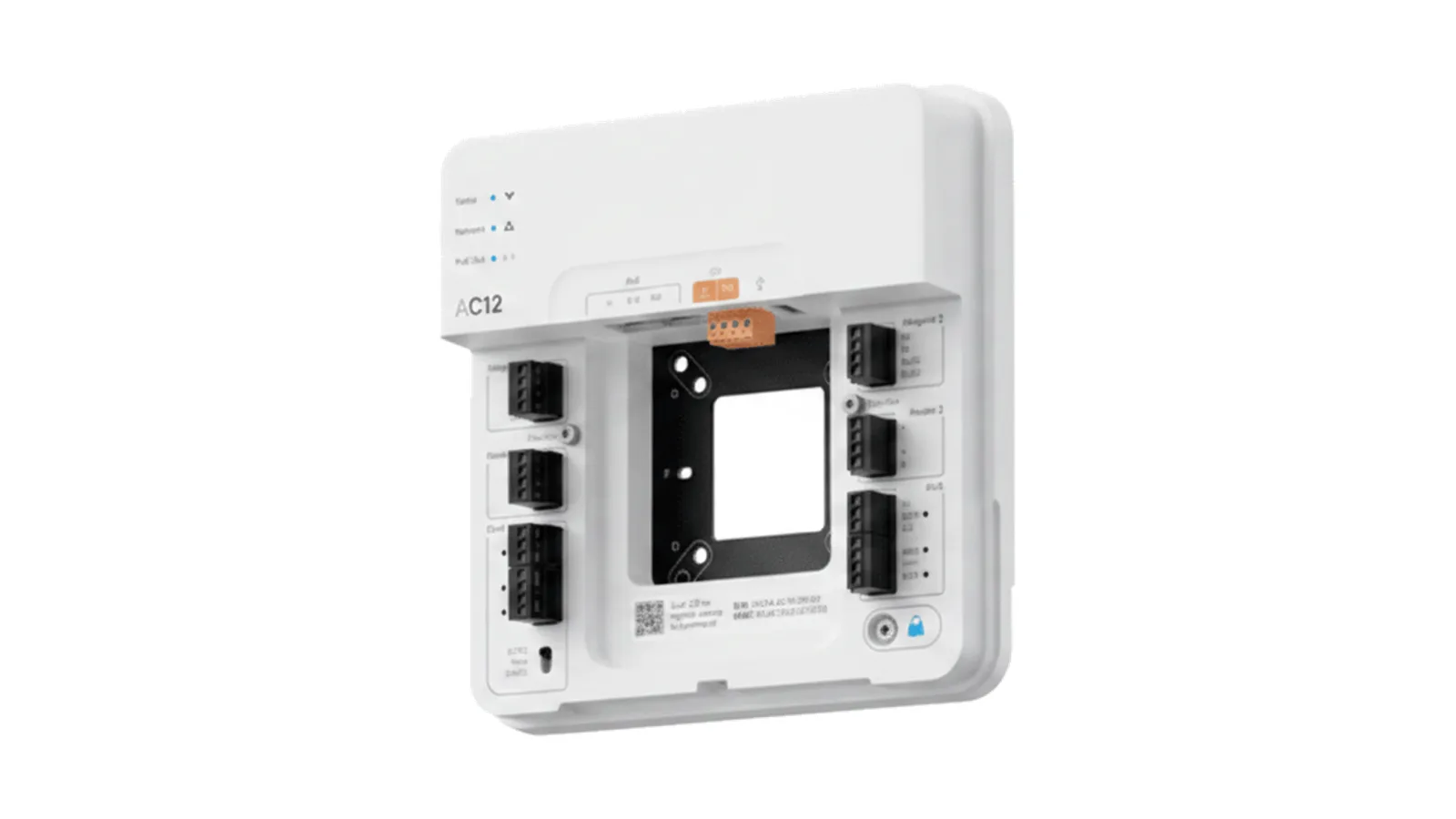
- AC12 — a one-door controller. See the AC12.
- AC43 — a four-door controller for larger entries and small buildings. See the AC43.
- AC62 — a sixteen-door controller for campuses and multi-entry facilities. See the AC62.
- AD34 — a multi-format card reader that supports legacy and modern cards plus Verkada Pass mobile credentials. See the AD34.
Credentials can be printed cards or the Verkada Pass mobile app, access rules and users are managed in Command from any device, and because access control and Verkada's cameras live on the same platform, you can tie an unlock event to the camera clip of the door for faster audits and investigations. For current pricing, warranty terms, and offline-mode behaviour on specific controllers, we'll pull the latest figures directly from Verkada into a written proposal.
Who uses door access control — and where
Door access control earns its place anywhere keys have become a liability:
- Offices and multi-tenant buildings — manage employee and visitor access by floor, suite, and schedule, and revoke a departing employee instantly. See office and government security.
- Schools and campuses — control exterior doors, support lockdown procedures, and keep an auditable record of entry. See education and campus security.
- Healthcare — restrict pharmacies, records rooms, and patient areas to authorised staff. See healthcare security.
- Retail and multi-site businesses — standardise who can open stockrooms and back doors across every location from one dashboard. See retail security.
The NPSA access-control guide discusses physical access systems. For the separate meaning of role-based authorization, see NIST’s RBAC definition. Keep policy models distinct from the hardware and permissions the selected controller actually supports.
Frequently asked questions
What drives the cost of a door access control system?
It scales with the number of doors, since most of the hardware is per-door. Budget for a controller (priced by door count), a reader or two per door, locking hardware, door position switches, credentials, software or licensing, and installation. Ask vendors to itemise per-door hardware, software licensing, and any recurring per-user fees (mobile credentials in particular are typically billed annually).
What's the difference between a card and a mobile credential?
A card (or fob) is a physical credential you print and hand out; a mobile credential turns the user's phone into the key. Mobile credentials are issued and revoked instantly with nothing to print, but they usually carry recurring per-user fees and BLE-based unlocks can be less reliable than NFC, particularly on iOS. Multi-format readers support both, so you don't have to choose one forever.
Do I need an on-site server for access control?
Not with a cloud-managed system. Traditional on-premise access control runs on a server in your building that you maintain; cloud-managed systems are administered from a browser or app with no on-site server and vendor-handled updates. Some regulated environments still require on-premise — check your own policies.
Does access control keep working if the internet or power goes down?
A well-designed system should keep enforcing access rules locally and logging events during an internet outage, then sync when the connection returns. NPSA also recommends backing the system with a UPS so it survives a power cut. Ask any vendor to confirm the specific offline behaviour of the controller you're buying.
Should I still use 125 kHz prox cards?
Ask the supplier to identify the actual credential technology and security features, not only its frequency. Verify credential authentication, reader compatibility and the configured reader-to-controller protection. Frequency alone does not establish that a credential is encrypted or resistant to copying.
Can I keep my existing doors and just add access control?
Usually yes — access control is added to existing doors by fitting the right locking hardware (electric strike or maglock), a reader, a controller, and a door position switch. The best fit depends on the door and frame (glass doors, in particular, need specific hardware), which is exactly the kind of thing worth assessing on a walkthrough.
What are the different types of access control?
By credential: card, fob, mobile, PIN, or biometric. By management: cloud-managed vs. on-premise. And by model — how permissions are structured (discretionary, mandatory, role-based, rule-based), which we cover in the 3 types of access control. For most businesses, role-based access on a cloud-managed system is the practical default.
How many doors can one controller handle?
It depends on the controller — options typically range from one-door units for a single side entrance up to controllers that handle sixteen or more doors for a large building. You can mix models across a site and manage them together in one dashboard.
Choosing the right door access control system
A door access control system turns keys you can't track into access you can control and audit. The biggest decisions are how you'll manage it (cloud vs. on-premise), which credentials and protocols you'll support (13.56 MHz cards, mobile, OSDP), what supporting hardware you'll include (door position switches, UPS), and how many doors you're securing — the last of which drives most of the cost.
If you're planning or upgrading access control, that's what we do. Talk to a Monarch security expert and we'll scope the doors, the controllers, the credentials, and the integrations around your building — and put current pricing and warranty terms in a written proposal.