


Updated September 16, 2026.
If you searched "CCTV," most of the top results will tell you what the acronym stands for and then try to sell you a doorbell. This guide is different: it explains what a modern CCTV system actually does, what the parts are for, where deployments go wrong, and how to make sensible buying decisions without pretending anyone can quote your building sight unseen.
What CCTV Actually Means Now
CCTV stands for closed-circuit television — a camera or set of cameras connected by a direct transmission system to monitors and recorders, rather than broadcast over the air. That definition comes straight from the DHS CCTV Technology Handbook, which is still one of the clearest reference documents on how these systems are built.
What changed in the last decade is the underlying architecture. Traditional analog CCTV ran coax cable from each camera back to a DVR (digital video recorder) in a closet. Modern systems are IP-based: cameras are networked devices that record either to a Network Video Recorder (NVR) on site, to cloud storage, or to a hybrid of both. The DHS handbook explicitly notes this shift, describing the industry as "moving towards more open architecture and transmission methods versus the closed circuit, hard-wired connection systems of the past."
The core purpose has not changed. CCTV is a piece of physical security — the layer that watches doors, fences, hallways, and yards — and, as DHS puts it, "serves mainly as a security force multiplier, providing surveillance for a larger area, more of the time, than would be feasible with security personnel alone." It sits alongside access control (who gets through the door), alarms (who broke in), and intercoms (who's ringing). Cameras are the eyes; they are not a substitute for the other layers. If you want the modern flavor spelled out in detail, our take on Monarch's AI surveillance approach walks through it end to end.
The Anatomy of a CCTV System
The DHS handbook breaks a CCTV system into cameras, lenses, housings and mounts, monitors, switchers/multiplexers, recorders, transmission (wired, wireless, IP), and storage. Here is what each of those looks like when you are actually buying one.
The Cameras
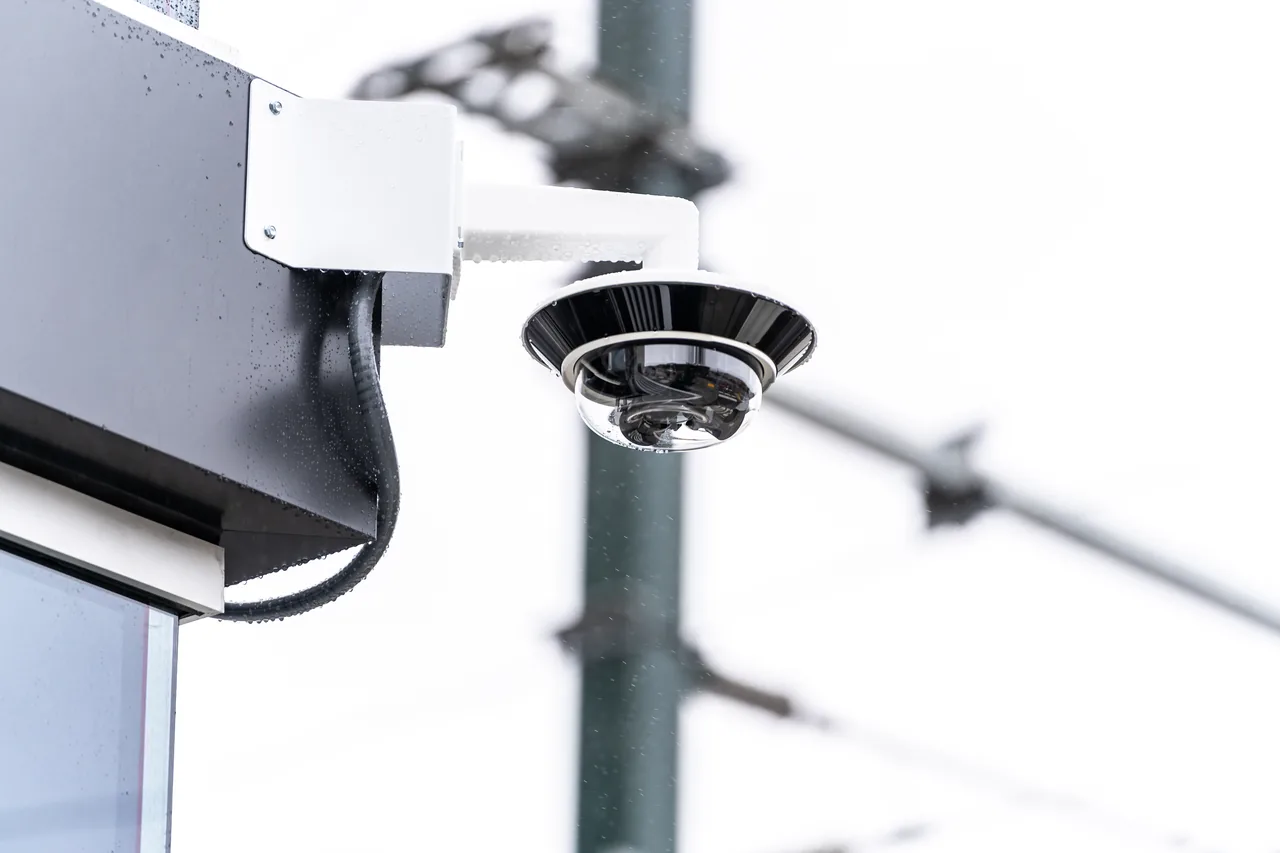
Cameras come in several form factors:
- Dome cameras — ceiling-mounted, discreet, hard to tell which way they are pointing.
- Bullet cameras — long housings, easy to aim precisely, obvious as a deterrent.
- Turret cameras — a hybrid design without the plastic bubble that can reflect infrared at night.
- PTZ (pan-tilt-zoom) — motorized, can sweep a large area or zoom in on distant detail; more expensive and usually needs a trigger (human or analytic) to be useful.
- Fisheye/360 cameras — one lens covers a whole room from the ceiling.
- Multi-sensor cameras — multiple lenses in one housing covering different angles.
- License plate recognition (LPR) cameras — purpose-built sensors, lenses and shutter behavior for reading plates at speed and in low light.
Choosing between these is about matching the tool to the task. A dome mounted 40 feet above a loading dock will not read a plate; an LPR camera pointed down a hallway is expensive overkill.
Housings and Mounts
The DHS handbook illustrates several housing types worth knowing by name: sealed (for weather), impact-resistant, tamper-resistant, and bullet-resistant. If a camera is going somewhere hostile — outdoors in freezing rain, in a school corridor, above a bar — the housing choice matters as much as the camera.
Lenses and Field of View
Lens choice determines what a camera can actually see. The DHS handbook covers the math for calculating field of view based on image sensor size and focal length, and includes a focus chart example and a distortion comparison. In practice, an integrator should calculate FOV for each proposed camera location during design, not guess on site.
Resolution
Modern IP cameras come in 2MP (roughly 1080p), 4MP, 5MP, 8MP (4K) and higher. More megapixels means more detail, but also more storage, more bandwidth, and sometimes worse low-light performance because each pixel on the sensor collects less light. Match resolution to purpose: identifying a face at 20 feet has different requirements than watching a parking lot for activity.
The Recorder or the Cloud
Traditional systems record to an NVR on site — typically a rack-mounted or desktop unit with a stack of hard drives. Cloud-managed systems record locally on the camera (usually to an SD card) while pushing metadata, alerts, and selected footage to the cloud. Hybrid designs combine both.
Neither is universally "better." On-prem NVRs have lower ongoing cost but require someone to maintain them, monitor drive health, and handle firmware updates. Cloud platforms shift that work to the vendor in exchange for a per-camera subscription and internet bandwidth. If the recorder is on site and it gets stolen along with the cameras, your evidence is gone — a real reason many operators now prefer offsite backup of at least critical footage.
The Network
IP CCTV lives on your network. It should live on its own network segment (a separate VLAN at minimum, ideally isolated switches), both for performance and for security. Power is usually PoE (Power over Ethernet): one cable per camera carries both data and power.
The Software
Modern video management software (VMS) lets you search footage by attributes, review events, manage user permissions, and integrate with other systems. The quality of the software often matters more day-to-day than the specific camera brand, because it is what your team will actually use.
The AI Layer: What Changed
For most of the industry's history, CCTV was passive. You looked at footage after something happened. Modern cameras increasingly run computer vision models directly on the device — "edge analytics" — so the camera itself can classify what it is seeing in real time and only alert when the alert is warranted.
Examples of what this enables:
- Person vs vehicle vs animal classification, which cuts down on false motion alerts.
- Loitering detection in a defined zone for longer than a set duration.
- Line-crossing analytics — a virtual tripwire drawn on the video.
- License plate recognition, sometimes with alerting on a watchlist.
- Object detection — packages, weapons, spills.
- Occupancy counting and heat maps for retail traffic.
If you want the plain-English explainer on how these systems work under the hood, we wrote a plain-English guide to AI security systems that covers it without the vendor buzzwords. For a real deployment walkthrough — including the parts that did not go perfectly — see our writeup on an AI security pilot rollout.
The important thing to understand: analytics sit on top of recording. You still have the footage. You also have a system that tells you when to look at it.
Note that some analytics features — especially facial recognition — are separately regulated in many jurisdictions. Treat those as legal-review items, not default-on features.
How to Actually Design a System
The DHS CCTV Technology Handbook treats requirements, the site survey and equipment selection as connected parts of a design. Use that background to ask for a proposal tied to your actual recording tasks.
DHS breaks the needs assessment into four buckets:
- Functional requirements — what needs to be covered (perimeters, parking, approaches, interior spaces, waterfronts).
- Operational requirements — define the event, location and conditions the footage must show.
- Infrastructure requirements — identify cabling, power and network dependencies.
- Retention requirements — document the period and retrieval process the organization needs.
Use the handbook as introductory background, then have a qualified provider turn your requirements into a site-specific design. Ask what becomes unavailable if a camera, switch, uplink or recorder fails, and include the proposed recovery behavior in acceptance testing.
Where CCTV Deployments Actually Fail
Use these failure cases as a site-review checklist:
1. Camera placement chosen without a real site survey
A camera aimed to capture the top of someone's head as they walk through a doorway captures a hat. A camera facing due west gets three hours of blinding sun every afternoon. These are design errors, not equipment errors. The DHS handbook recommends aerial photographs, scaled drawings and on-site testing (often with a camcorder) to evaluate proposed camera positions.
2. Lighting that was never verified at night
Infrared works — up to a point. Dirty domes, reflective surfaces, and high-contrast scenes all defeat it. Someone should walk the site after dark before signoff, not trust the datasheet.
3. Wrong retention period
Set retention from the time it takes your organization to discover and investigate incidents, together with applicable legal, contractual and privacy requirements. Document the chosen period and size storage for the actual recording configuration.
4. Recording everything, reviewing nothing
If nobody opens the dashboard and no alert rules are configured, you have built an expensive filing cabinet. Modern systems earn their keep by pushing meaningful alerts, not by hoarding footage.
5. No maintenance plan
Lenses get dirty. Spider webs and insects colonize housings. Dome bubbles yellow. Cables get chewed. Firmware needs updating. Without scheduled maintenance, image quality and system reliability drift downward year over year.
6. Default passwords and exposed cameras
The single most common way IP cameras get compromised is default credentials that were never changed, or devices exposed directly to the public internet via port forwarding. Change every default credential, put cameras on an isolated network segment, keep firmware current, and do not expose the management interface to the internet.
7. Nobody owns the system
If the person who ordered the system left three years ago and nobody currently on staff has the admin login, you effectively do not have a system. Assign ownership explicitly.
8. Data retrieval is harder than people think
The NIST-hosted OSAC document Standard Practice for Data Retrieval from Digital CCTV Systems is worth skimming before you have an incident. A few points that catch people out:
Before accepting a recorder, export a known clip with the intended user account and open it using the recipient’s supported workflow. Preserve the original export and relevant metadata, and document whether additional playback software is needed.
If footage might ever be used as evidence, ask your integrator how export works, what format the master evidence is in, and how chain of custody is preserved.
CCTV, Privacy, and the Law
Cameras record people, and people have expectations — sometimes legally enforceable ones. In the UK, the Information Commissioner's Office guidance on video surveillance frames the underlying principle well: "The public must have confidence that the use of surveillance systems is lawful, fair, transparent and meets the other standards set in data protection law." The ICO also cautions that some surveillance uses "can be particularly intrusive, especially if processing takes place without the knowledge of the individual," and that surveillance should be treated as "a helpful supporting tool where lawful, necessary and proportionate in the circumstances."
North American rules vary by state, province and industry, but a few general principles are widely applicable:
- Post signage where recording occurs.
- Be very careful with audio. Video in commercial spaces is generally fine; audio recording triggers separate wiretap statutes in many US states and Canadian provinces.
- Do not record areas with a reasonable expectation of privacy — bathrooms, changing rooms, medical exam rooms.
- Avoid pointing cameras onto neighboring private property.
- Facial recognition and other biometric processing is separately regulated in a growing number of jurisdictions. If your system does face matching, get legal review before turning it on.
- Employees may have specific rights, particularly under collective bargaining agreements.
For UK deployments (and as a useful reference elsewhere), the Biometrics and Surveillance Camera Commissioner maintains a published list of recommended standards for the surveillance camera industry. The list points to specific British and international standards for installation and maintenance (BS EN 62676-4), system requirements (BS EN 62676-1-1), management and operation of control rooms (BS 7958), detector-activated CCTV (BS 8418), and body-worn video (BS 8593), among others. Asking a prospective UK integrator which of these they conform to is a legitimate qualifying question.
What a Well-Designed Deployment Actually Involves
A serious CCTV project — following the sequence DHS recommends — looks something like this:
- Site assessment. A walk-through in daylight and after dark, mapping entrances, high-value areas, blind spots, existing power and network drops, incident history, and workflows. The DHS handbook lists site survey considerations including "the number of operators, local and remote operator consoles, layout, light levels, camera and lens selection and location, and power and data transmission."
- Design document. Camera count, model per location, height and angle, coverage overlap, cable runs, network drops, storage sizing, retention policy, user roles, alert routing, and integration with existing systems. This should exist before you receive a price.
- Installation. Cabling, cameras, network, then software. Test each camera at day and at night. Update firmware. Change every default password. Document as you install.
- Configuration. Tune analytics against real conditions. Loitering rules should be zone- and time-specific, not "any human, any duration."
- Handoff. Train staff on the app, console, and alert workflow. Assign roles for viewing, exporting, and changing settings. Document what happens when an alert fires at 2 a.m.
- Ongoing maintenance. Health checks, lens cleaning, firmware policy, periodic review of analytics rules against actual incidents, retention audit, and access review.
Choosing an Integrator
The cameras matter less than the person who installs them. Useful questions to ask when interviewing integrators:
- How many similar sites (industry, size, environment) have you deployed?
- Can I speak with two customers who have had your system for at least three years?
- Who owns the equipment after install — us or you?
- What is your firmware update policy?
- What happens if we want to move to a different platform in five years? Is our footage and metadata portable?
- What is the service-level agreement on support calls, and what are after-hours rates?
- Are your technicians employees or subcontractors, and how do you handle quality control either way?
- What exactly is included in your annual maintenance contract? "Support" is not a specific answer.
- Can I see a redacted sample design document from a comparable job?
- What UL, manufacturer, or (in the UK) BS EN 62676-series certifications do you hold?
Get three quotes, not two, not four. Three shows you the middle, the ambitious, and the bare-bones, and the shape of that spread tells you a lot about the market for your specific job. If quotes vary wildly, the differences are almost always in labor scope, cable runs, storage sizing, and subscription assumptions — ask each vendor to break those out.
Where CCTV Fits in a Physical Security Stack
CCTV is one tool among several. It works best combined with:
- Physical hardening (locks, doors, fencing, lighting).
- Access control — knowing who came through which door and when.
- Intrusion alarms tied to monitoring.
- Human response, whether staff, contract guards, or a monitoring center.
A reasonable priority order for a commercial site with a limited budget:
- Locks and doors that actually work.
- Access control at critical entry points.
- CCTV covering entrances and high-value areas.
- Intrusion alarm tied to monitoring.
- Expanded CCTV coverage.
- Analytics and integration between systems.
- On-site personnel for specific use cases.
The order shifts by industry and threat model, but the underlying point stands: CCTV alone does not stop an intruder; it observes, deters, and produces evidence.
Where CCTV Is Going Next
A few trends visible today that will keep shaping deployments over the next several years:
- Cloud-managed and hybrid platforms continue to displace pure on-prem NVR designs, especially in multi-site organizations.
- Edge analytics — inference running on the camera itself — has become a standard architectural option rather than a premium add-on.
- Integration between CCTV, access control, and intrusion detection is deepening. Cameras increasingly act as sensors in a broader building system.
- Regulatory attention to facial recognition and other biometric processing is increasing, which is pushing vendors toward opt-in defaults and per-camera controls.
- Buyers are paying more attention to total cost of ownership across the life of the system rather than just the sticker price of hardware.
Good platforms get better in place through software updates, so a system bought today is not automatically obsolete tomorrow — but "cheapest wins" is a poor strategy when most of the long-term value lives in software.
FAQ
Is CCTV the same thing as video surveillance?
Functionally, yes. "CCTV" is the older term from analog closed-circuit systems; "video surveillance" is what most modern manufacturers and integrators call IP-based systems with cloud management and analytics. They describe the same category of product.
Do I need internet for CCTV to work?
For basic recording, no — cameras can record locally to an NVR or SD card without internet. For remote viewing, mobile alerts, cloud backup, and firmware updates, you do. An internet outage typically means you lose remote access but keep local recording until connectivity returns.
How long should I keep CCTV footage?
Set a documented retention period based on incident reporting, investigation needs and applicable obligations. Confirm those requirements with the responsible records owner and adviser, then verify that the configured storage supports them.
Can CCTV footage be used in court?
Admissibility depends on the proceeding and jurisdiction. Preserve the original export, relevant metadata and a record of handling. Ask the intended recipient or legal adviser which formats and documentation are needed; a camera specification cannot guarantee acceptance as evidence.
Do CCTV cameras record all the time, or only on motion?
Both configurations exist. Continuous recording uses more storage but never misses anything. Motion or event-triggered recording saves storage but can miss slow-moving events. Many modern systems record continuously at reduced quality and bump to full quality when motion or an analytic event is detected.
Will installing CCTV lower my insurance premiums?
Sometimes, and it depends on the carrier and your industry. Call your insurer before installing and ask what specifically qualifies — some require professional monitoring, some require specific camera coverage, some want documentation of a working system.
Can someone hack my CCTV cameras?
Yes, if the system is poorly configured. Most camera compromises trace to unchanged default passwords, out-of-date firmware, or devices exposed directly to the public internet. Change default credentials, put cameras on an isolated network segment, keep firmware current, and avoid direct port forwarding to camera management interfaces.
How many cameras do I actually need?
That comes out of the site survey, not a formula. Cover every exterior door, high-value interior area, parking area, and blind spot along common paths. The DHS handbook's site-survey and system-design worksheets are a reasonable starting checklist to work through with a qualified integrator.