


How to Build a Warehouse Security Camera System That Actually Pays for Itself
Updated September 16, 2026.
A warehouse security camera system is only useful when the cameras are pointed at the things that actually cost you money — and that is where a lot of installs go wrong. A facility can have dozens of cameras but no usable footage when an incident happens: the angles are wrong, the resolution is too low to identify a person, or the recorder failed months ago without anyone noticing.
This guide walks through how to plan a warehouse camera system that will actually earn its keep — what to buy, where to put it, how long to store footage, and the questions to put to any vendor before you sign.
Why Warehouses Are a Distinct Security Problem
A warehouse isn't a retail store or an office. It's a large-volume space with high ceilings, loading docks, moving equipment, contractors coming and going, and significant inventory sitting unattended for long stretches.
The threats worth designing for include:
- Internal shrink (employees, contractors, temp workers)
- Loading dock theft (product going out on the wrong truck, or not accounted for at all)
- Vendor and receiving fraud (short deliveries that get signed for anyway)
- Forklift and workplace incidents (real ones, and staged ones)
- After-hours break-ins
- Injury and workers' comp claims where video changes the outcome
Use your own incident history, inventory discrepancies and operating routes to prioritize coverage. Review where goods arrive, wait, change custody and leave. A site-specific loss review is more useful for positioning cameras than applying a national survey percentage to your building.
So the system you build has to see the right things, at the right resolution, in the right lighting, and store the footage long enough to reconstruct events days or weeks after the fact.
The Core Camera Types That Earn Their Keep
You don't need 200 cameras. You need the right 30 to 60, depending on square footage and risk profile. Here are the categories worth understanding.
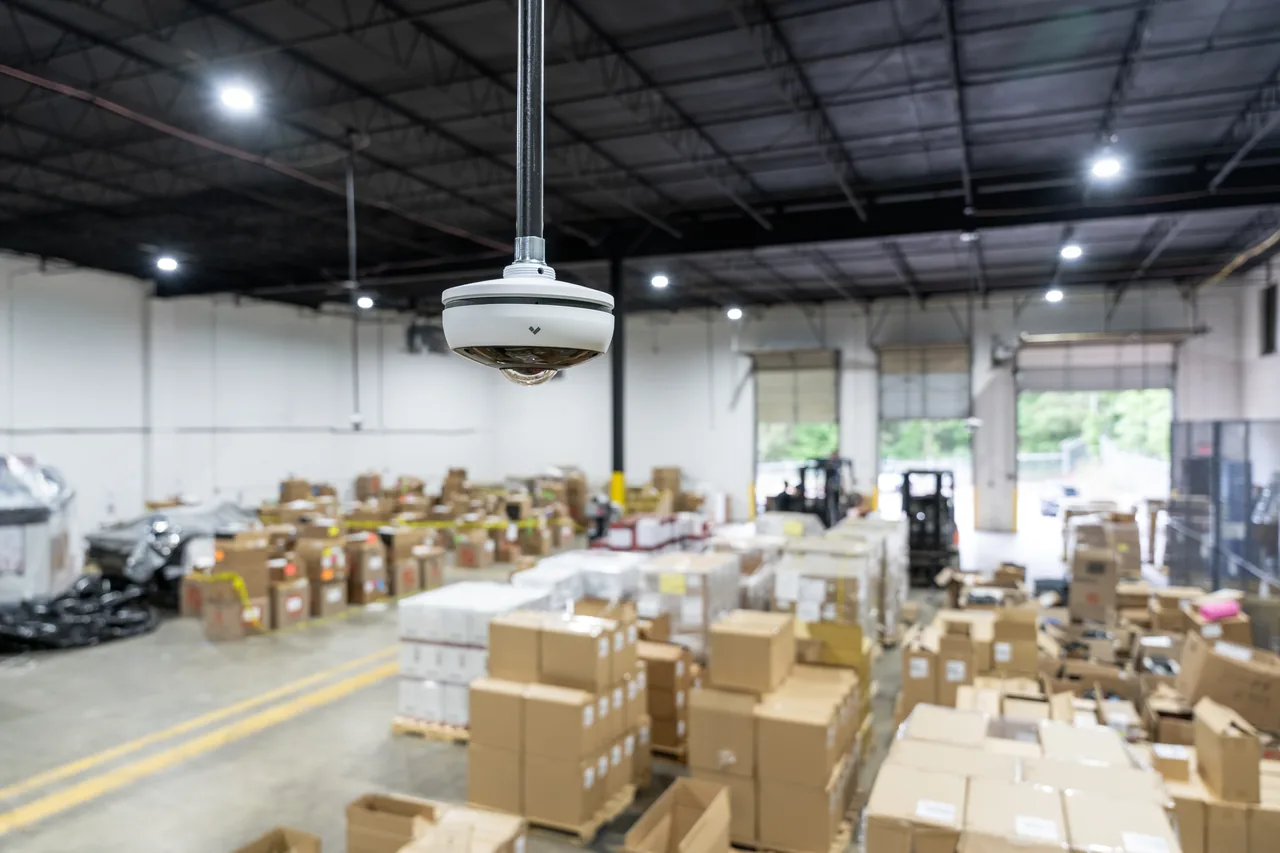
Dome cameras. The workhorse for indoor coverage — aisles, packing stations, common areas. They're vandal resistant and it's difficult to tell from below exactly which direction the lens is pointed, which is a deterrent in itself. As the Avigilon overview of dome cameras notes, they trade some long-distance reach for a wider field of view, which is what you generally want indoors. The dome housing also needs periodic cleaning — dust and film on the bubble degrades image quality faster than most people expect.
Bullet cameras. Best for outdoor perimeter, parking, and exterior walls. They're weatherproof and highly visible, and visibility is a feature — a clearly-mounted bullet camera is a deterrent. Their tradeoff is a narrower field of view, so plan angles carefully.
PTZ (pan-tilt-zoom) cameras. Useful for large open spaces where one camera can cover ground that would otherwise require several. Important caveat: a PTZ running a preset tour will always be pointed the wrong way when something happens. Use PTZs to supplement fixed cameras, not to replace them. They also have moving parts, which means more maintenance over time.
Fisheye / 360-degree cameras. One camera covers an entire small room — packing stations, staging areas, offices. Note that the images are captured in a circular format and require dewarping software to view normally, and image quality across the full frame is generally lower than a purpose-aimed fixed camera. Good for coverage, not ideal where fine detail matters.
Loading dock cameras. This deserves its own category because docks are where a large share of warehouse loss happens. You need cameras that can read trailer numbers, capture a driver's face, and handle the extreme lighting contrast between a dark trailer interior and bright daylight. That dynamic-range capability (often marketed as WDR or similar) is where inexpensive cameras fall short.
License plate recognition (LPR) cameras. Specialized cameras tuned for capturing plates at speed. If your yard sees regular truck traffic, LPR turns "a white box truck" into a specific plate, arrival time, and departure time.
Camera Placement: A Priority Order
If you had to install one camera at a time in priority order, it would look something like this:
- Every loading dock door — one aimed into the trailer, one aimed at the dock floor and forklift operator. Two per door.
- Every exterior man-door, including the small side doors people forget.
- Receiving area, where product hits the floor and gets counted.
- Shipping and staging lanes, where completed orders sit waiting.
- High-value SKU aisles, prioritized by dollar density.
- Employee entrance and transitions between back-of-house and outside.
- Manager's office and any location holding cash or controlled items.
- Trash compactor and dumpster area — a common exit route for goods hidden in packaging.
- Yard, parking, and fence line, with LPR at the gate.
- Server / IT room, so any tampering with the recorder itself is captured.
What is not on this list at the top: cameras aimed at the middle of empty aisles. That's what legacy installs tend to accumulate.
Resolution, Frame Rate, and Storage
Evaluate image detail, motion capture and retention together. Ask for samples from the actual loading doors, aisles and yard under relevant operating conditions. A megapixel count or frame-rate setting alone does not establish that the footage will answer your investigation questions.
| Recording task | Acceptance question | Storage input to confirm |
|---|---|---|
| Loading-door activity | Can a reviewer associate goods and people with the event? | Measured bitrate and recording hours under active conditions |
| Aisle overview | Are the intended movements visible despite racks and vehicles? | Selected stream settings and activity pattern |
| Yard or gate event | Is the required vehicle or plate detail available? | Dedicated view settings and associated overview recording |
| Packing or handover | Can the relevant action be reviewed without obstruction? | Required detail, recording mode and retention policy |
Set retention with the responsible records owner and check applicable obligations. Have the supplier calculate capacity for the chosen settings and verify it using representative recordings. Require the quote to identify how capacity changes if the recording workload or retention period increases.
What a Modern Warehouse Camera System Looks Like
A modern system is not a stack of cameras plugged into a DVR in a closet. It's a networked platform, typically with:
- Edge processing. The camera itself classifies people vs. vehicles vs. objects, so operators aren't scrubbing empty footage.
- Hybrid storage. Bulk footage on a local recorder for cost and speed; flagged clips pushed to the cloud so critical evidence survives if the on-site recorder is stolen or damaged.
- Remote access. Managers can pull up any feed from a phone or laptop to verify an alarm without a truck roll.
- Smart search. Filter by attributes (person, vehicle, time window, zone) instead of scrubbing timelines.
- Access control integration. A badge event at the receiving door automatically bookmarks the corresponding video clip, so misused credentials are tied to a face.
The DHS CCTV Technology Handbook makes the same core point in more formal language: a CCTV system's value comes from being designed around defined functional and operational requirements — camera coverage needs, lighting and weather conditions, retention needs, and infrastructure — not from camera count. The handbook also flags a design issue that repeatedly bites warehouses: routing all transmission through a single hub creates a single point of failure. If one switch or transmitter goes down, you can lose every camera downstream of it.
Analytics Worth Turning On
Modern video analytics have moved well past raw motion detection. In a warehouse context, the ones that pay off include:
- People counting and dwell time (someone standing in a high-value aisle for several minutes with no scan activity is worth reviewing)
- Line-crossing / virtual tripwires (nobody should cross a dock plate after 10 PM)
- Loitering detection at gates and exits
- Object left behind or object removed (a pallet disappears from staging lane 3)
- Vehicle vs. person classification (distinguishes a forklift near an exit from a person walking out with something)
- Heat-mapping for operations analysis
- Tailgating detection at man-doors (two people, one badge)
The critical discipline is tuning alerts so they mean something. A system that fires 300 notifications a day gets muted. A system that fires a handful of meaningful notifications gets used.
Budget Reality Check
Vendor pricing is notoriously opaque, so treat the following as planning categories — not quotes — and get line-item proposals from at least two integrators:
- Camera hardware varies widely by type and resolution; expect meaningful spread between an entry-level indoor dome and a high-end WDR dock camera or LPR unit.
- Recorder or cloud gateway costs scale with channel count and retention.
- Cabling and installation labor is often the largest surprise, especially in facilities where walls and ceilings are already closed up and conduit runs are long.
- Software or cloud licensing is typically charged per camera per year on modern platforms.
- Ongoing support and maintenance should be budgeted annually, not treated as one-time.
Useful questions to put to any vendor before signing:
- What does the total five-year cost of ownership look like, including licensing renewals?
- What happens to my recorded footage if I stop paying the subscription?
- Is the hardware NDAA-compliant? (Relevant for any facility that touches federal contracts or grants.)
- Who owns the admin credentials, and how are they handed off if we change integrators?
- What's the documented process for firmware updates and cybersecurity patching?
- What's the warranty and RMA process, and who pays for labor on a warranty swap?
It's also worth asking your commercial insurance broker whether documented physical security improvements affect your property or liability premiums. Underwriting practices vary by carrier, so get the answer in writing rather than assuming.
Common Mistakes to Avoid
- Buying good cameras but skimping on the network switch and UPS backup. Cameras generate substantial traffic, and a recorder that reboots during a power blip misses exactly the footage you need.
- No documented maintenance plan. Lenses and dome bubbles get dirty, firmware gets outdated, and eventually the person who installed the system leaves.
- Nobody reviews the footage. Cameras don't prevent loss on their own — someone, internal or a monitoring service, has to review alerts and audit clips on a regular cadence.
- Cheap cameras at the loading dock. This is where most loss happens; it's the wrong place to save money.
- No admin credential handoff. When the integrator or IT lead leaves, the passwords should not leave with them.
- A single transmission hub with no redundancy, so one hardware failure blinds the whole site.
Ready to spec what your facility actually needs? Browse Monarch security cameras and recorders to see current models, or see manufacturing and warehouse security solutions for how full sites get scoped end to end.
Contact Monarch with the site requirements to discuss the next step.
FAQ
How many cameras does a typical warehouse security camera system need?
Camera count depends on square footage, layout, dock door count, and risk profile — not on a rule of thumb. A useful starting exercise: list every dock door (plan two cameras each), every exterior door, receiving, staging, high-value aisles, cash or controlled-item locations, and yard entry points. That list is your minimum. Any integrator quoting purely from square footage without walking your site is guessing.
How long should we keep warehouse security footage?
Thirty days is a practical minimum. Sixty to ninety days is common because loss patterns and disputes often surface weeks after the underlying event. Regulated industries (food, pharma, cannabis, alcohol) may require longer retention by law — verify your specific compliance requirements with counsel and set retention to the longest window you might realistically need footage for.
Do we need cloud storage, or is a local NVR enough?
A hybrid setup is a common answer for larger warehouses. Bulk footage stays on a local recorder for cost and retrieval speed; flagged events and clips are pushed to the cloud so critical evidence survives if the on-site recorder is stolen, damaged, or tampered with. Pure cloud can work for small sites but gets expensive at higher camera counts and long retention windows. Confirm ongoing bandwidth requirements with your ISP before committing to a cloud-heavy design.
Can our existing analog cameras be reused?
Yes, via encoders that bring analog feeds onto an IP platform. Whether it's worth doing is a separate question. Most of the value in a modern system comes from higher resolution, better low-light performance, and edge analytics, none of which older analog cameras deliver. If your existing cameras are more than five years old, plan on replacement and reserve encoders for a small number of hard-to-recable positions.
What about privacy and employee notification?
Legal rules vary meaningfully by state and country. In general, U.S. workplaces can record video in common work areas but not in restrooms, changing areas, or (in many jurisdictions) break rooms; signage requirements differ by state; and audio recording is governed by separate, stricter consent laws that vary state by state. Do not rely on general summaries — confirm the specifics with employment counsel in every jurisdiction you operate in before enabling recording, and especially before enabling audio.
How much does a warehouse security camera system cost to install?
There is no honest single number. Real quotes depend on camera count, camera mix (LPR and WDR dock cameras are more expensive than indoor domes), cabling difficulty, whether you need outdoor and yard coverage, storage retention, and licensing model. Get itemized proposals from at least two integrators, ask for the five-year total cost of ownership, and confirm what happens to recorded footage if you cancel a subscription.
Will the footage hold up in court or for an insurance claim?
It can, if the system is set up correctly: timestamps synchronized to a reliable time source, exports produced with a documented chain of custody, and resolution and frame rate high enough that faces, plates, or actions are genuinely identifiable rather than just "a person-shaped blur." Talk to your legal counsel about export procedures before you need them, not after.