


The Gate Entry System Buyer's Playbook for Commercial Sites
Updated September 16, 2026.
A commercial gate entry system is a small ecosystem: an operator, a controller, some kind of credential reader, an intercom, safety sensors, power, network, and management software — plus a plan for what happens when any one of those pieces fails. Get any part of that wrong and you don't have a security tool. You have a piece of expensive equipment that frustrates delivery drivers and doesn't actually control access.
This guide walks through what to buy, what to skip, and what questions to ask before you sign a quote. The goal is to give you enough vocabulary and structure to have a real conversation with an integrator, compare bids honestly, and plan for the ten-year life of the system rather than just the install day.
What a gate entry system actually is
A gate entry system is the combination of a physical barrier, a motorized operator, an access controller, one or more credential readers, and (usually) some form of two-way communication that together decides who gets in, who doesn't, and how the decision is logged.
What it isn't:
- A gate by itself. A swinging chunk of metal with a padlock is a gate. If someone has to get out of the car to unlock it, that's a fence with hinges, not an access system.
- A camera by itself. Cameras record. Gate systems decide and act. You want both, but they solve different problems.
- A guarantee. Determined people defeat gates. The job of the system is to deter casual entry, slow deliberate entry, document everything, and route exceptions to a human.
The distinction matters because vendors sell components and call them "solutions." A keypad is a component. An operator is a component. The system is the combination.
The five components, in plain English
Every gate entry system, no matter how fancy, breaks down into five pieces. Learn these five and you can read almost any quote in the industry.
1. The barrier itself
This is the physical thing that moves. The common commercial options:
- Swing gates — single or double panels that swing open. Simple and common. A single swing panel needs one operator; a double needs two. They require clear arc space (no snowbanks, parked cars, or landscaping in the way) and don't handle heavy wind loads well on longer panels.
- Slide gates — the gate slides along the fence line on a ground track. Good for sites with limited swing space, but the track needs to stay clear of leaves, ice, and debris. If your driveway slopes toward the track, plan drainage before you plan the gate.
- Cantilever gates — slide gates supported by rollers in a frame instead of a ground track. More expensive, but better where snow plows work the area or where the ground is uneven.
- Barrier arms — the parking-garage-style arms. These control traffic flow. They do not stop vehicles. If your goal is "manage cars entering an approved parking area," they work well. If your goal is "physically stop an unauthorized vehicle," you want bollards or a wedge barrier, not an arm.
- Vertical pivot gates — the panel tilts up and out of the way. Useful where side clearance is minimal, common in parking garage applications. Fewer local service techs typically know them, which matters when something breaks.
Each has tradeoffs. The right choice depends on the space you have, the vehicles that use the gate, and the local climate.
2. The operator
The operator is the motor that moves the gate. This is where sizing mistakes hurt most.
Operators are rated by duty cycle (opens and closes per hour before the motor overheats) and by the weight and length of gate they can move. A residential-class operator installed on a busy commercial site will wear out faster than a properly sized commercial operator, because it wasn't designed for the traffic.
UL 325 defines four operator classes by intended use: Class I (residential, one to four families), Class II (commercial or general access — multi-family, hotels, retail), Class III (industrial, limited access), and Class IV (restricted access, supervised by security personnel). A logistics yard needs at minimum a Class II or III operator; installing a Class I unit at a commercial site is a common cost-cutting mistake that shows up as premature motor failure.
The question to ask every vendor: "What class and duty-cycle rating is this operator, and how does that compare to the number of open/close cycles expected during our busiest hour?" If the answer is vague, treat that as a signal.
UL 325 is the U.S. safety standard for gate operators, covering entrapment protection — the sensors and behaviors that prevent the gate from closing on a person, animal, or vehicle. Your installer should be able to tell you which edition applies and how the safety devices on your system meet it. A summary of UL 325 requirements is available from DF Supply.
Battery backup is worth asking about explicitly. If the gate is dead every time the power blinks, deliveries stack up. Solar power kits are an option where running utility power to the gate is impractical.
3. The credential reader
This is how people prove they belong. Most commercial sites end up layering more than one credential type.
- PIN codes on a keypad. Inexpensive and simple. The downside is that codes get shared. Rotate them regularly and give different codes to different groups so you can revoke one without changing everyone's.
- Key fobs and proximity cards. Trackable and revocable. People lose them, so budget for replacements and a workflow for deactivating lost credentials quickly.
- Mobile credentials (phone-based). Harder to share, easy to issue and revoke from a management console. Requires users with compatible smartphones.
- License plate recognition (LPR). A camera reads the plate and the system checks a database of approved vehicles. When it works well, drivers don't have to do anything. Caveats: dirty plates, snow, temporary paper plates, and cars stopped at odd angles can all cause misreads. Camera placement, lighting, and plate data all need to be managed.
- Biometrics (fingerprint, facial recognition). High assurance because access is tied to a person rather than a device, but generally more useful for pedestrian gates than vehicle gates. Comes with privacy considerations.
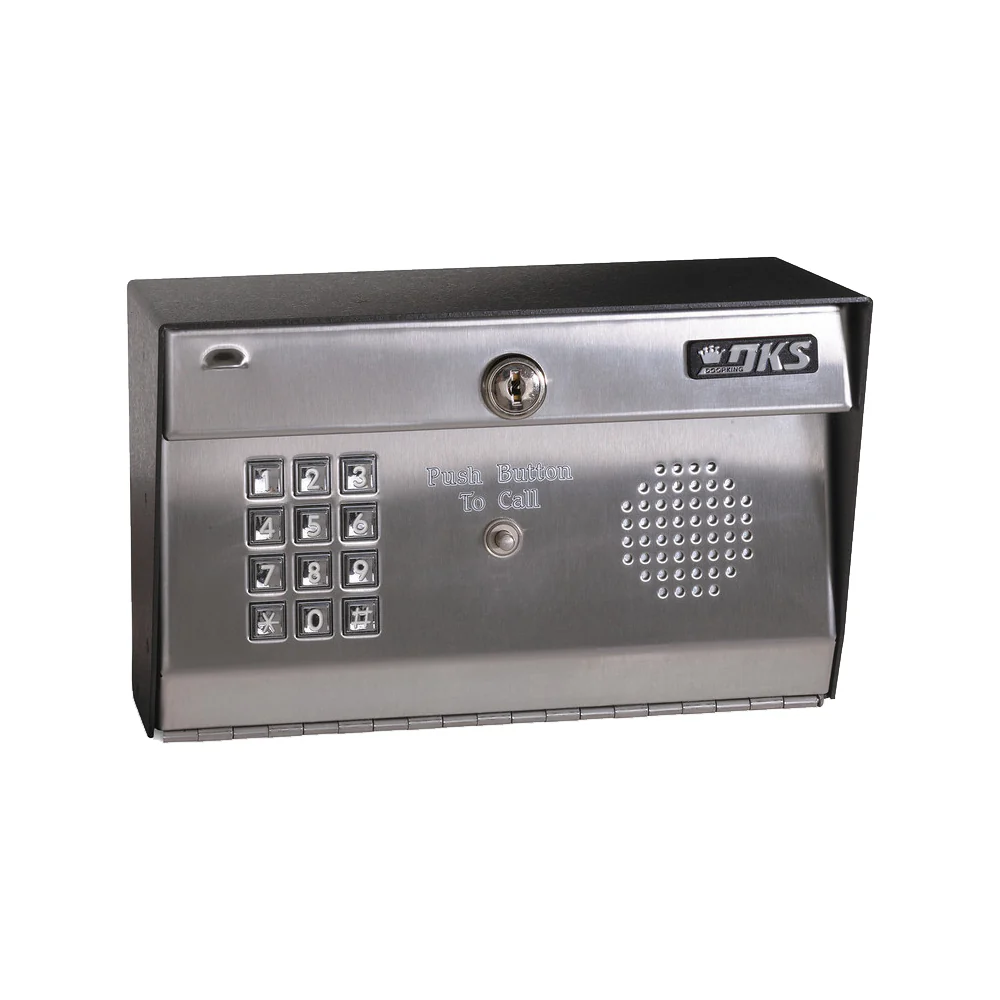
- Telephone entry. Visitors press a call button and speak to someone who can open the gate remotely. Modern telephone entry systems can route calls in a tiered sequence so a visitor is less likely to be stranded at the gate.
A common commercial layered approach: mobile credentials for employees, temporary PIN codes for vendors, LPR for regular delivery vehicles, and a video intercom for anyone the system doesn't recognize. This is roughly the pattern we recommend on most commercial properties.
4. The intercom and communication piece
When the system doesn't recognize someone, they need a way to reach a person. This is where a lot of otherwise good installs fall apart.
Features worth asking about:
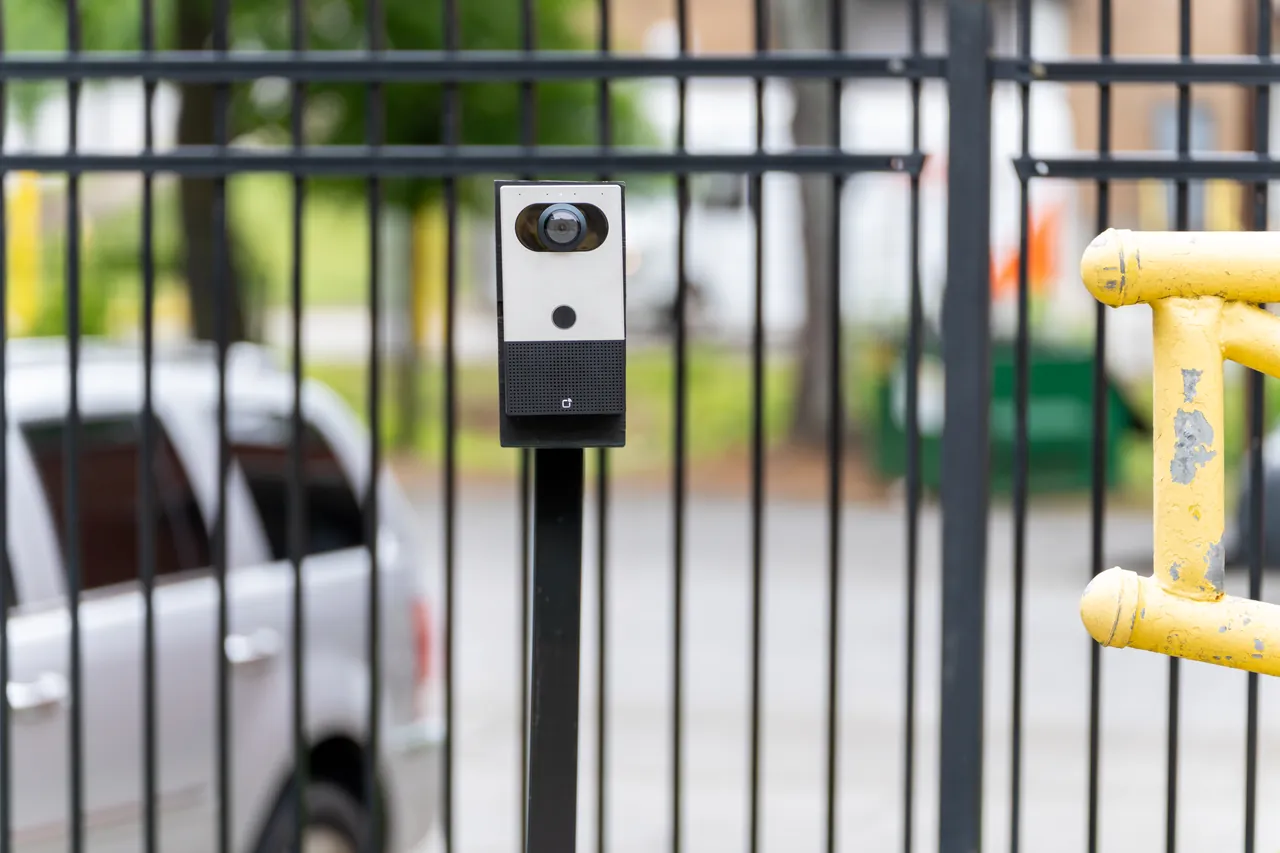
- Video, not just audio. Being able to see the person at the gate reduces social-engineering attempts.
- Call routing to a smartphone. Whoever answers can talk to the visitor, see them, and open the gate from the app.
- Sequential call trees for multi-tenant or multi-contact sites so a visitor isn't stranded if the first contact doesn't answer.
- Connectivity options. Hard-wired ethernet and cellular are both common. Cellular is useful when running network cable to the gate is impractical, and gives you a path that isn't dependent on your building network.
- Logged photos or video of gate events, stored for later review.
5. The controller and management software
The controller is the device that receives credential reads, checks them against the user database, and tells the operator what to do. The management software is where you add users, set schedules, run reports, and revoke access.
Modern systems are increasingly cloud-managed, which allows you to add or remove users, update permissions, review access activity, and manage schedules from anywhere. Cloud management is convenient for multi-site operators; on-premise software can still be appropriate where connectivity is unreliable or where policy requires local data storage.
Whichever you choose, the software should give you:
- An audit trail of who entered, when, and using which credential.
- The ability to grant temporary access (one-time, multi-day, or recurring) for vendors and visitors.
- Integration with your camera system so gate events can be reviewed with video.
- Role-based administration if more than one person will manage users.
Sizing the system to the site
A gate entry system that suits a five-employee yard is undersized for a heavy-traffic logistics terminal. Before you shop, gather three numbers:
- Peak hourly traffic. How many open/close cycles during the busiest hour of the busiest day — not the average. Undersized operators are usually the result of designing to the average.
- Vehicle mix. Sedans and pickups behave differently than tractor-trailers. Longer vehicles need longer clear openings and different sensor placement so the gate doesn't try to close between the tractor and the trailer wheels.
- User population. The number of unique people and vehicles who need access drives the software and credential choices more than the hardware.
Vendors who don't ask about these three before quoting are guessing. Ask them.
Safety devices: what UL 325 actually requires
Buyers get confused about which sensors are required and which are nice to have. The short version, drawn from the UL 325 summary:
UL 325 requires two independent means of entrapment protection in each direction of travel where an entrapment zone exists. The recognized types are:
- Type A — inherent to the operator (built-in sensing).
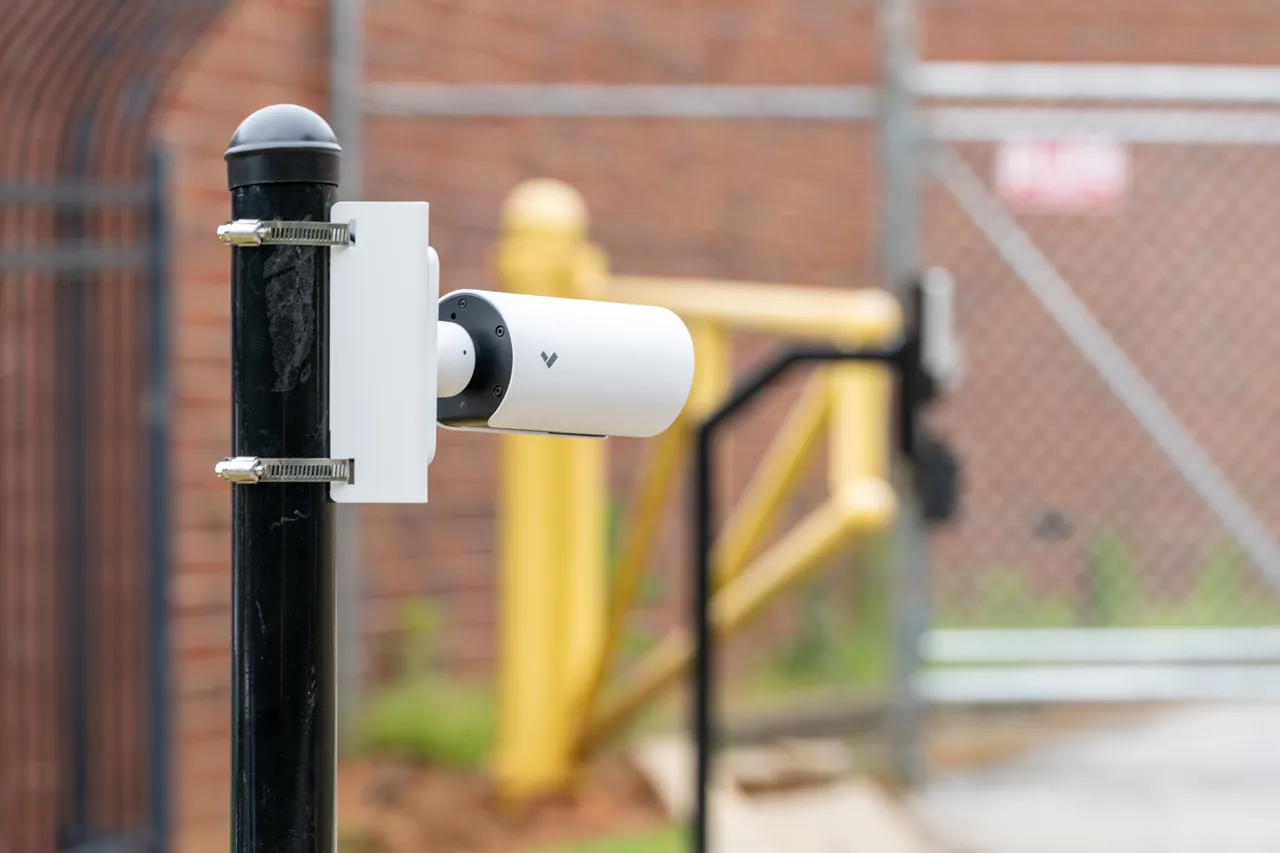
- Type B1 — non-contact sensor (photo eye).
- Type B2 — contact sensor (safety edge).
- Type C — inherent force limiting, adjustable clutch, or pressure relief.
- Type D — constant-pressure control (someone holds a button).
The same type can't be used for both means. So a typical commercial slide gate might combine an inherent sensor (Type A) with a photo eye (Type B1), or a photo eye plus a safety edge on the leading edge of the gate.
Note that inductive loop detectors — the wire loops embedded in the pavement — are vehicle-presence devices used to trigger free exit or reverse a closing gate when a car is present. They are useful and often installed, but they are not one of the UL 325 entrapment-protection types. Don't let a vendor tell you loops alone satisfy the entrapment requirement; ask specifically which Type A/B1/B2/C/D devices your system uses.
The construction of the gate itself is governed by ASTM F2200, which covers pinch-point elimination, screening to prevent reach-through, fall-over protection so a slide gate can't leave its track and topple, and similar physical requirements. Summary reference: DF Supply on ASTM F2200.
Common mistakes worth avoiding
- Using a residential-class operator on a commercial site. Match the operator class and duty cycle to expected traffic. Ask the installer to show you the operator's spec sheet.
- Putting the gate on the property line. If a vehicle has to wait for the gate to open, it needs a place to wait that isn't the public road. Set the gate back far enough that at least one vehicle — ideally the largest vehicle that regularly uses your site — can queue on your property. Check with your local fire marshal for jurisdiction-specific requirements before you finalize the design.
- Skipping required entrapment sensors. Don't let anyone value-engineer out the photo eyes or safety edges. They are how the system meets UL 325.
- Ignoring power and network in the design phase. Trenching, conduit, fiber, and cellular backup are real line items. Plan them before the concrete gets poured. Where power is genuinely unavailable, solar plus battery backup is worth pricing.
- No plan for the failure mode. What happens when the operator fails on a Friday afternoon? Who knows where the manual release key is? Who do you call? Every install should end with a documented answer to those questions.
What a commercial install typically looks like
A rough sequence, so you can tell when a project is moving well or moving too fast:
- Site walk and design. The installer measures, looks at soil and grade, asks about traffic patterns, and reviews existing power and access control. You get a design with elevations and a wiring diagram. Skipping this step is where change orders come from.
- Civil work. Trenching for conduit, pouring the operator pad, mounting posts, running power and low-voltage wiring. Weather can push this.
- Gate and operator install. The physical hardware goes up and the first motion tests happen.
- Access control, intercom, and controller. The credential readers, intercom, and controller are installed and configured. The system is connected to its management platform.
- Commissioning and training. Every credential is tested. Every safety sensor is tested with a test object (not a person). Schedules are configured. Your team is trained on the software. You are handed the manual release key and told where it lives.
- Follow-up tuning. Sites have quirks — intercom cameras that catch glare at certain times of day, LPR that misreads a specific plate style, close timers that need adjustment for box trucks. A good installer returns to tune these.
Maintenance is the boring part that decides the ten-year outcome
Gate entry systems are the only part of most security stacks with moving parts exposed to weather year-round. Treat maintenance the way you treat HVAC service, not the way you treat a network switch.
Every few months, at minimum:
- Lubricate hinges, rollers, and chains according to the operator manual — different operators specify different lubricants.
- Inspect the gate for wear, sag, and impact damage. Re-square a struck gate before the operator starts straining against a bent frame.
- Test every safety sensor and entrapment-protection feature. Document the tests.
- Clean credential readers and intercom camera lenses. Spider webs on an LPR camera will ruin your day.
- Check the battery backup. Batteries fail silently and get discovered during the next power outage.
Annually:
- Full inspection by a licensed gate technician, with a written report.
- Review the user database. Revoke credentials for anyone who hasn't badged in for a defined period.
- Review event logs for anomalies — off-hours entries, unusual code usage patterns, unexpected manual overrides.
- Update firmware on controllers, intercoms, and cameras.
Sites that maintain the system rarely have surprises. Sites that don't are the ones calling for emergency service.
Integrating the gate with the rest of your security stack
A gate that lives in its own silo does less than one that shares data with your cameras, doors, and visitor system.
- Cameras at the gate should log every open/close event and let you filter recorded video by credential or event type. Pair that with AI camera analytics to surface anomalies faster.
- Building door access should share credentials with the gate where possible. One mobile credential that opens the perimeter gate and the front door is simpler for users and simpler for the person managing accounts.
- Visitor management can hand off to the gate: a pre-registered visitor receives a one-time code by text on the day of the appointment, enters it at the keypad, and the visit is logged automatically.
- Alarm and monitoring should be schedule-aware. An open gate at 3 a.m. should notify someone. The same event during business hours shouldn't.
Choosing a platform where the gate, cameras, doors, and alarms share a management layer is generally less painful than integrating several unrelated systems.
Cost — how to think about it
Published price ranges for commercial gate systems vary widely by region, site conditions, and required features, so any single number is misleading. What matters more is understanding the cost drivers:
- Civil work. Long power and conduit runs, deep foundations for cold-climate sites, and custom concrete work move the budget significantly.
- Gate fabrication. A stock aluminum slide gate is one price; a custom design with logos, plasma-cut artwork, or unusual materials is another.
- Operator class. Commercial-duty operators with battery backup cost more than residential-class hardware, but they're what a commercial site actually needs.
- Access control complexity. LPR cameras, video intercoms, mobile credentials, and cloud subscriptions each add cost — both upfront and recurring.
- Timeline. Rush installs cost more. Bundling civil work with a planned site project (so trenches are already open) saves money.
- Recurring costs. Cloud management, cellular data plans, and maintenance contracts are ongoing. Include them in your budget from day one.
Get itemized quotes from at least two vendors. The comparison itself will teach you a lot about what each installer thinks matters.
When to upgrade an existing gate vs. start over
Many sites already have a gate. Quick triage:
- Salvageable. The gate is structurally sound and correctly sized. The operator or controller is failing but the rest is reusable. Swap the operator and add modern access control and intercom without replacing the gate. Usually a good investment.
- Partly salvageable. The physical gate is fine but the control system is outdated. Keep the steel, replace the brains.
- Replace. The gate has been hit repeatedly and is no longer square, the pad is cracked, the conduit is water-filled, and the "credential system" is a clipboard. Plan a real replacement rather than patching further.
A good integrator will tell you honestly which bucket you're in. If every bidder says "rip it all out," get another opinion. If every bidder says "just patch it," also get another opinion. The realist will separate what's reusable from what isn't.
Compliance and codes
Several standards and codes apply to commercial gate installs:
- UL 325 — entrapment protection for gate operators. Your installer should know the current edition and which Type A/B1/B2/C/D devices on your system meet the two-independent-means requirement. Reference summary: DF Supply on UL 325.
- ASTM F2200 — construction standards for the physical gate, including bottom clearance, elimination of exposed pinch points, screening against reach-through, and fall-over protection. Reference summary: DF Supply on ASTM F2200.
- Local fire code. Most jurisdictions require emergency access — commonly via a Knox box, a Knox key switch, or a radio device such as Click2Enter that lets public safety agencies operate the gate during an emergency. Confirm requirements with your local fire marshal before finalizing the design.
- ADA. Pedestrian gates may be subject to accessibility requirements even when the adjacent vehicle gate is not.
- Local zoning and building permits. Setback from property lines, easements, height limits, and materials can all be regulated. Get permits before pouring concrete.
A good integrator handles these as part of the project. If you're comparing quotes and one is meaningfully cheaper because it omits permitting or safety devices, that's the reason.
How to evaluate vendors
You'll probably get three quotes and they'll look wildly different. To compare them apples-to-apples, ask every vendor to break out:
- Gate (fabrication, materials, install)
- Operator (make, model, UL 325 class, duty cycle rating, warranty length and terms)
- Controller and management software (one-time cost vs. ongoing subscription)
- Credentials (types, quantities, per-credential cost, replacement process)
- Intercom (model, monthly fee if any, connectivity method)
- Cameras (count, model, storage included or subscription)
- Civil work (trenching, concrete, conduit, power)
- Permits and inspections
- Maintenance plan (what's covered, response time, exclusions)
- Warranty (length, what voids it)
A quote that doesn't itemize these is hiding something — usually the maintenance plan or the recurring software cost.
Reasonable questions to ask each vendor:
- Show me three commercial sites you've installed in the past two years that are similar in size and traffic to ours. Can I speak with those customers?
- Which edition of UL 325 does your install comply with, and which two independent entrapment-protection devices (by type) will be installed in each direction?
- What is the response time on service calls, and what does an after-hours emergency call cost?
- If we outgrow this system in five years, what's the upgrade path?
- Who owns the data in the management system, and what happens to it if we cancel the subscription?
If you'd like a second opinion on a quote you've already received, get in touch and we'll give you a straightforward read.
Frequently asked questions
Can access control be added to an existing gate?
Possibly, after qualified assessment of the gate, operator, safety devices and supported interfaces. Require a written reuse list and identify any work needed for the complete approved arrangement.
Does recognizing a vehicle make gate operation safe?
No. Vehicle authorization and safe powered movement are separate functions. Have qualified gate professionals assess the mechanism and required protective devices independently of the credential system.
What should happen when a visitor cannot use the normal credential?
Provide an explicitly designed assistance route, such as an answered intercom and an authorized release procedure. Test unanswered calls and after-hours arrivals before handover.
How should bids be compared?
Use the same traffic, access and safety requirements. Itemize civil work, the gate, operator, protective devices, credentials, communications, licenses and maintenance so excluded work is visible.